Font Size While Typing an Email Appears Very Small, Not the Font Size Selected

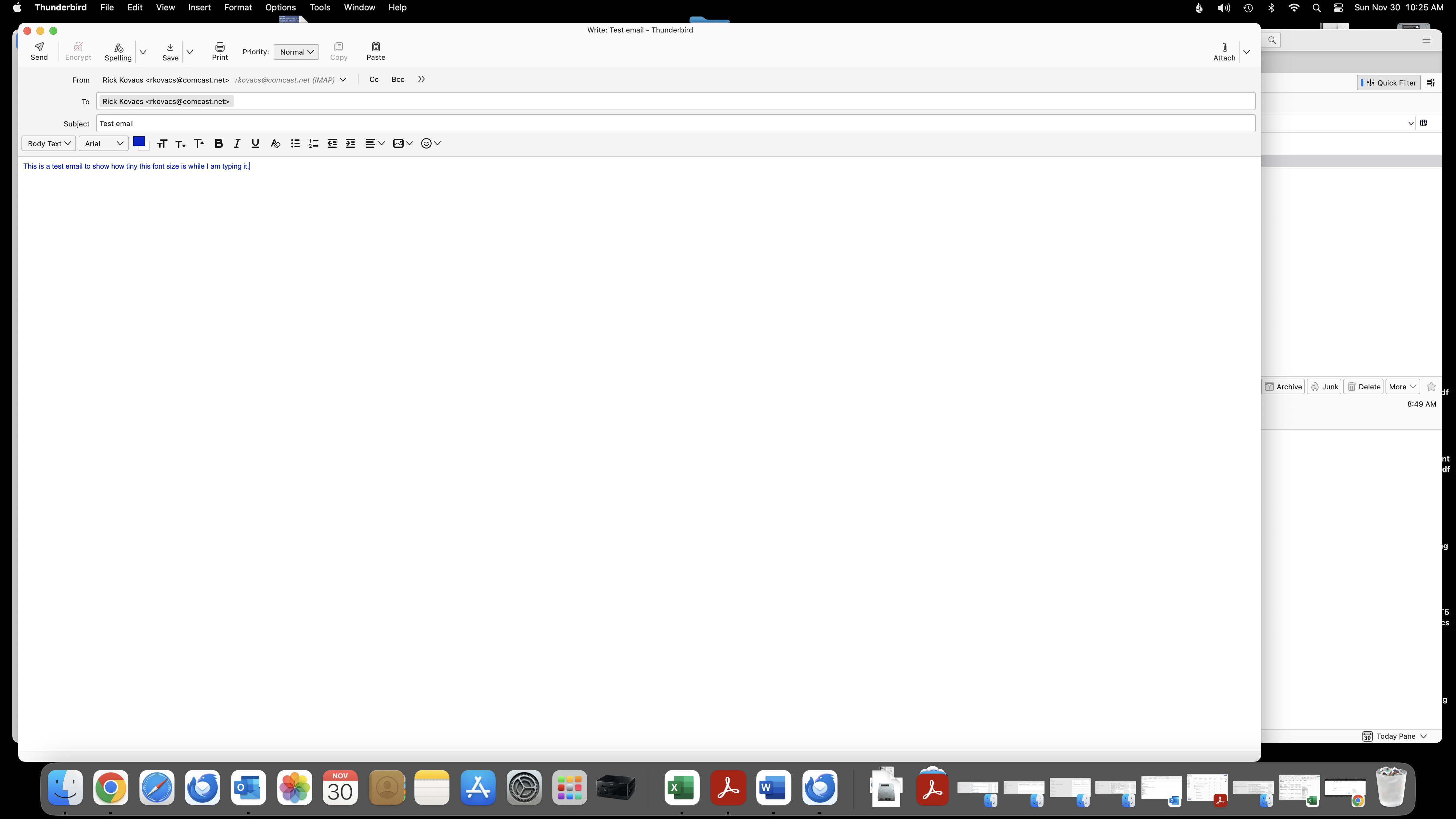
When I am typing an email in Thunderbird, regardless if I have my font size preset to Extra Large, Large, or Medium, the font that appears in the email while I am typing the email, is very tiny, so tiny it is hard for me to read it. Yet when the email is received by the recipient, the font appears the correct size as selected in composition settings. How do I fix this?
All Replies (5)
Thunderbird has a rich variety of font settings. I believe they are documented in this link. The options you are referencing are not the best choice.
https://support.mozilla.org/en-US/questions/1462509
I appreciate your reply, but it does not solve my issue/problem. My composition settings are set correctly, in fact they are set to the default settings (font Luciana Grande, text size 11pt), however while creating/typing the email the font that is appearing on my screen is the equivalent of 8pt font size and the only way that I can fix this is on a per email basis to go into the Zoom In menu option and increase the font size on my own screen. I cannot figure out why, or how to permanently correct/adjust the size of the font that is appearing while I am typing an email. Once I send the email and it is received by the recipient (I tested this myself on other emails that I have), the font is the correct size. If you have any other ideas/ suggestions, I would appreciate it.
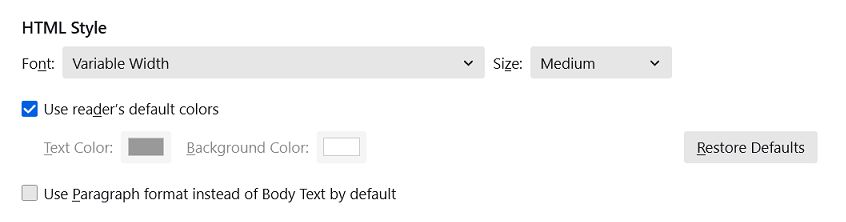
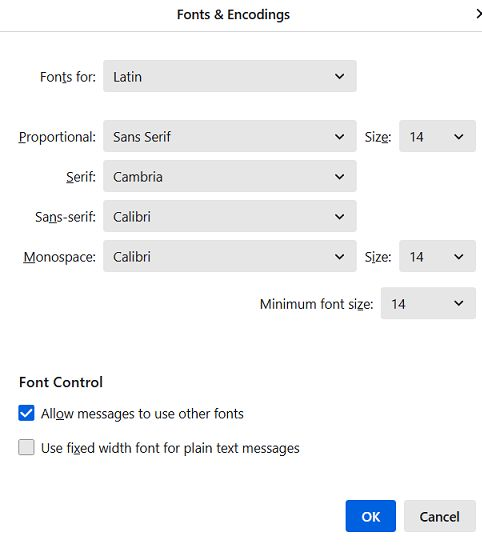
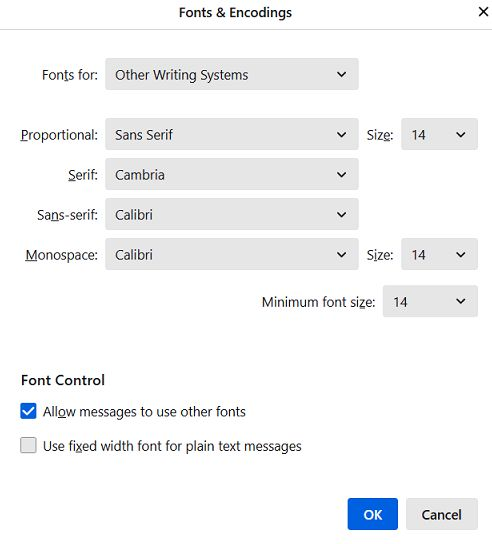
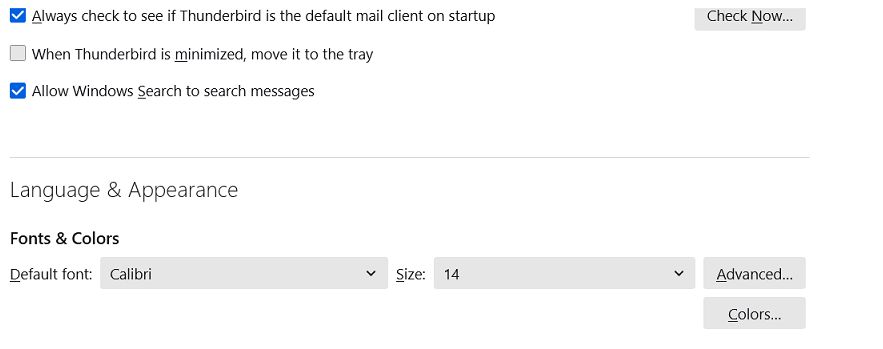
please understand that thunderbird does not use points, but pixels. You need to increase the size from 11 to 15. And, from the article I gave you, set the desired font to both the latin and the other one for all fonts, including the minimum size.
Further, from the article I gave you, Thunderbird does NOT include font size in emails unless you force large or extra large or small. The font size you see on screen is for you. If sent without font size - or as plain text - the recipient's email client sets the size. That is why I recommend setting the HTML composition font to variable width, as that frees the recipient to see the font in his/her chosen font and font size.

Everything in the world relating to fonts is points related, but TB uses pixels. OK, that may be the dumbest thing I've heard in a while but OK. But, it still doesn't solve the problem that the composition window font is way to small and there appears to be no way to fix this. I've tried the above recommendations but nothing addressed the problem.
The link above, https://support.mozilla.org/en-US/questions/1462509, says that TB uses Points. So now there is conflicting information, but still no solution to the problem that the composition window fonts are too small to be usable.
Muudetud cherry7 poolt
The forts are controllable. If you would please post screenshots of the screens as in my attachments, I think this can be resolved. I do encourage setting the settings>composition to variable-width font and normal font size, and let the other screen settings do the work.