


Firefox maxes out CPU

When I boot FireFox, there will be up to 21 lines in my Task Manager of FireFox processes, and the CPU will be maxed out. Why?
All Replies (2)

Have a look. https://support.mozilla.org/en-US/questions/1401082#answer-1557050 It would be helpful if you provide all the details about Firefox, like how many windows and tabs are open. Here is what it looks like for me on Win 7 with 2 Firefox windows. One has 53 tabs and the other has 12. see screenshots You should post a screenshot showing the Task Manger Performance tab so we can see what specs you're working with.

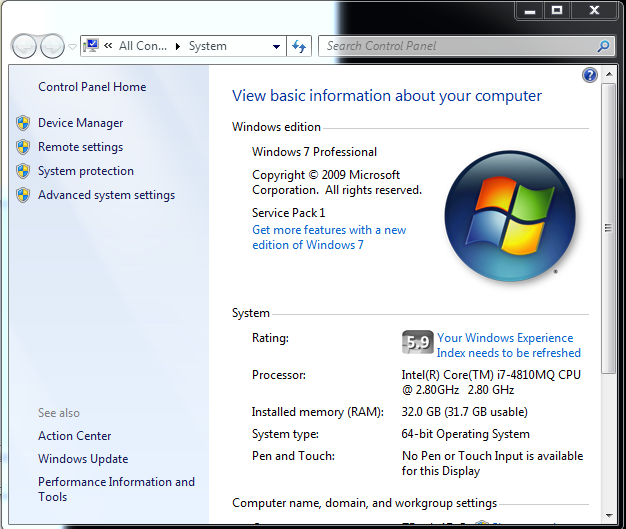
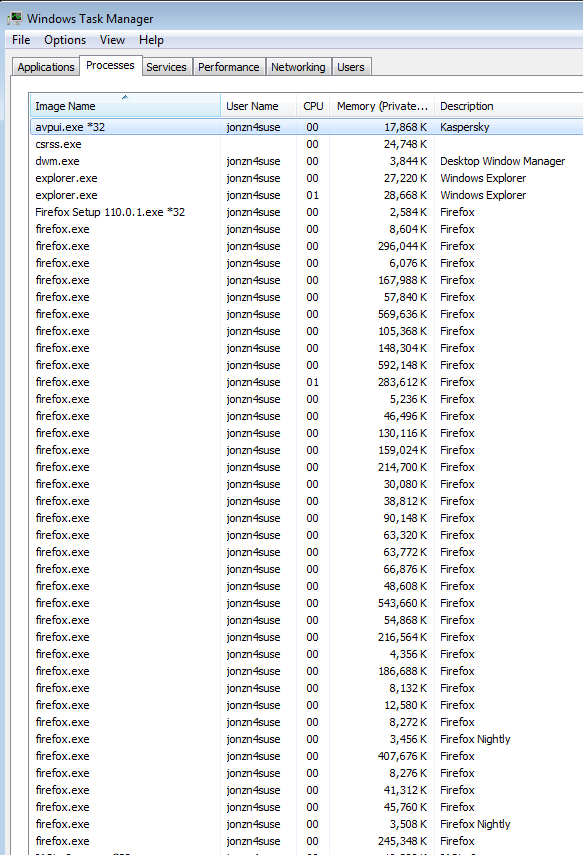
Muudetud jonzn4SUSE poolt
It is quite normal to see more Firefox processes running.
- process for the main Firefox thread (user interface)
- one or more content processes
you see more content processes when Fission is enabled - process for the compositor thread
- process for extensions
- process for WebRender when this feature is enabled
There are several toolkit.aboutProcesses prefs on the about:config page to show more info. You can find the current multi-process state on the Troubleshooting Information page (about:support).
- "Help -> Troubleshooting Information"
"Application Basics":<be>Multiprocess Windows and Fission Windows
"Remote Processes" (Web Content)
You can check the about:memory and about:processes pages for info about all processes. See also the about:unloads page for info about the tabs.