


How to Trim URL in URL Bar

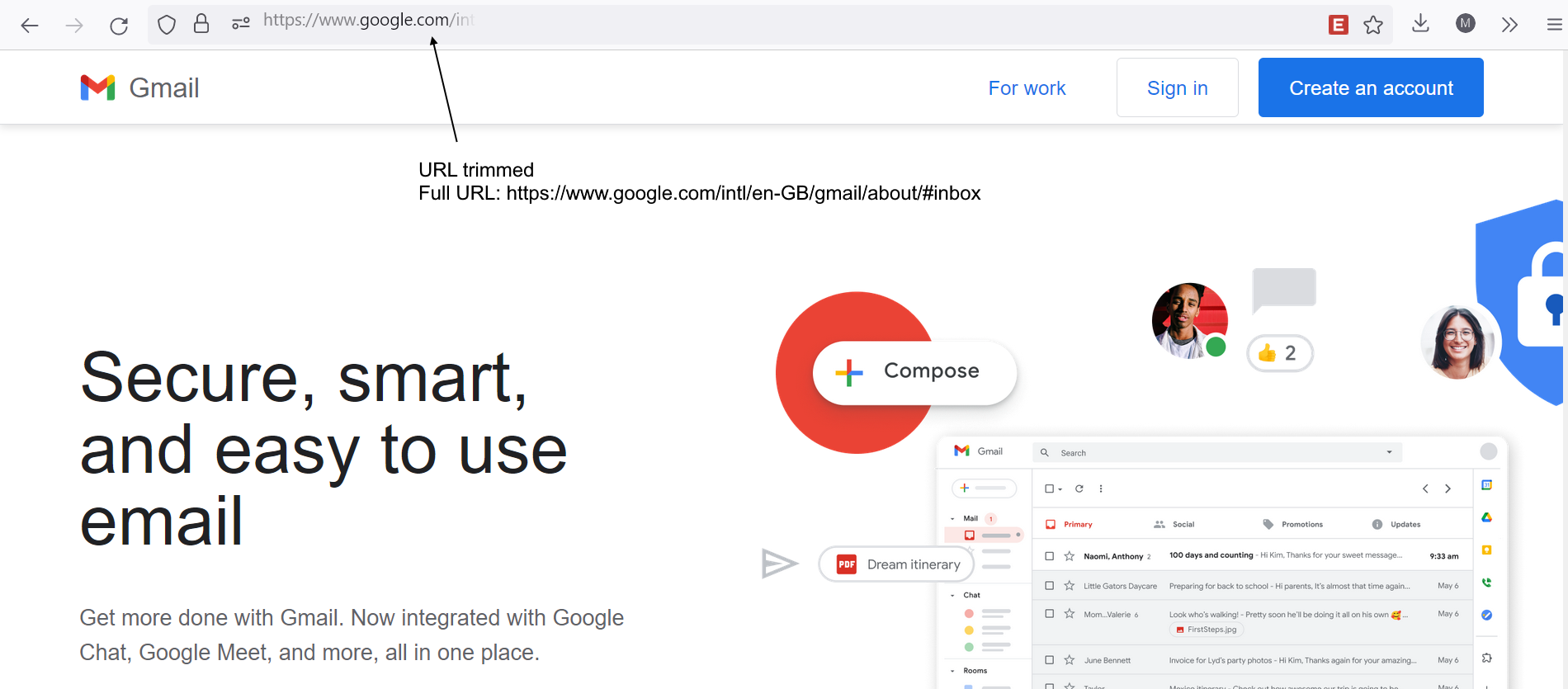
The URL in the URL bar is trimmed. I went to about:config and disabled "browser.urlbar.trimURLs", but it still did not work after I restarted Firefox. (see images)
Firefox version: 105.0 (on beta update channel)
I later then found out that there is a lot of unused space on the right. (see https://1drv.ms/v/s!Ag9_47ED3j7sgsZhkB02k7gI3lavyg) How do I remove / make use of the space on the right of the URL bar? How do I turn off the trimming of the URL?
Any help is appreciated!
The URL in the URL bar is trimmed.
I went to about:config and disabled "browser.urlbar.trimURLs", but it still did not work after I restarted Firefox. (see images)
Firefox version: 105.0 (on beta update channel)
I later then found out that there is a lot of unused space on the right. (see https://1drv.ms/v/s!Ag9_47ED3j7sgsZhkB02k7gI3lavyg)
How do I remove / make use of the space on the right of the URL bar?
How do I turn off the trimming of the URL?
Any help is appreciated!

Solución elegida
Just found the solution.
1. Go to "about:config" 2. Turn off "layout.css.moz-box-flexbox-emulation.enabled" (set to false)
That is it!
Leer esta respuesta en su contexto 👍 1Todas las respuestas (1)
Solución elegida
Just found the solution.
1. Go to "about:config" 2. Turn off "layout.css.moz-box-flexbox-emulation.enabled" (set to false)
That is it!