


Cookies and Data

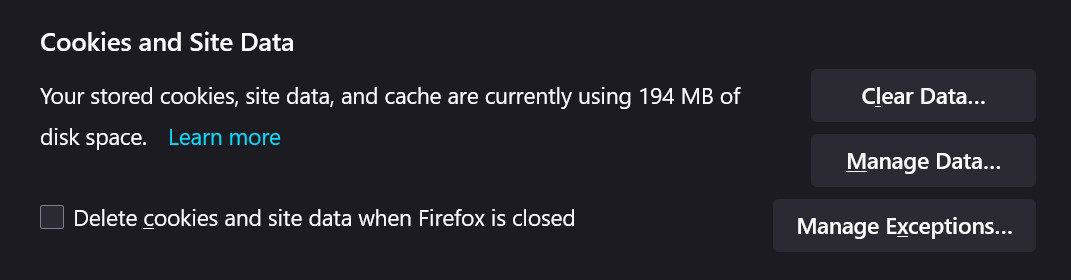
I want my cookies and site data deleted when I close firefox except for my search engine and a specific extension. I understand I can “Manage exceptions,” but I can not figure out how to make my extension an exception. Can I go about doing this? If so, how can I do it?
Thank you -Joe
Solución elegida
Hi Joe, for the website, how did you set the exception?
While you're on the site, you can use the Storage Inspector (Shift+F9) to see what domains the cookies are set on. For example, if you needed to make an exception for Google, you would need to carve out the base domain google.com and not just the www site. (The Storage Inspector can show/hide more columns. Right-click any column heading for more choices.)
I don't know what to say about the extension. It uses web storage instead of its own storage? That seems odd, unless it is merging its data with or modifying the site's own data. I think a site exception should work in that case, but don't have any way to test that. In the Storage Inspector, you can check the Local Storage section, too.
Leer esta respuesta en su contexto 👍 0Todas las respuestas (2)
Solución elegida
Hi Joe, for the website, how did you set the exception?
While you're on the site, you can use the Storage Inspector (Shift+F9) to see what domains the cookies are set on. For example, if you needed to make an exception for Google, you would need to carve out the base domain google.com and not just the www site. (The Storage Inspector can show/hide more columns. Right-click any column heading for more choices.)
I don't know what to say about the extension. It uses web storage instead of its own storage? That seems odd, unless it is merging its data with or modifying the site's own data. I think a site exception should work in that case, but don't have any way to test that. In the Storage Inspector, you can check the Local Storage section, too.
Thank you for the quick and informational replay!
What I did to make the extension work was go to the parent site for that extension and used the "Storage Inspector (Shift+F9)" command. When doing that, I looked for the name/value with the word "Extention." Then I copied the domain and pasted it into "Manage Exceptions." After those steps to test if it would work, I closed the browser and checked if the extension worked properly. It did.