


the send button has disappeared

how do i get the send/transmit button back? it dissapeared overnight. When i hit reply to an email the addressee appears but there is no send button to activate.
Solución elegida
You have the instruction on how to get it back. How about a screen shot of what you DO have or at least a description so we can stop the guessing games.
Todas las respuestas (6)
Is it specifically the Send button that's gone, or the entire toolbar it lives on?
Open a Write window, (use Reply if you like...) then…
No toolbar: alt then V then Toolbars and tick the boxes as required.
Toolbar but no button: alt, V then Toolbars then Customize. Drag the Send button back onto the toolbar
still cannot get a "send" or "transmit" button
Solución elegida
You have the instruction on how to get it back. How about a screen shot of what you DO have or at least a description so we can stop the guessing games.
Tried the above with no success. See screenshot uploaded
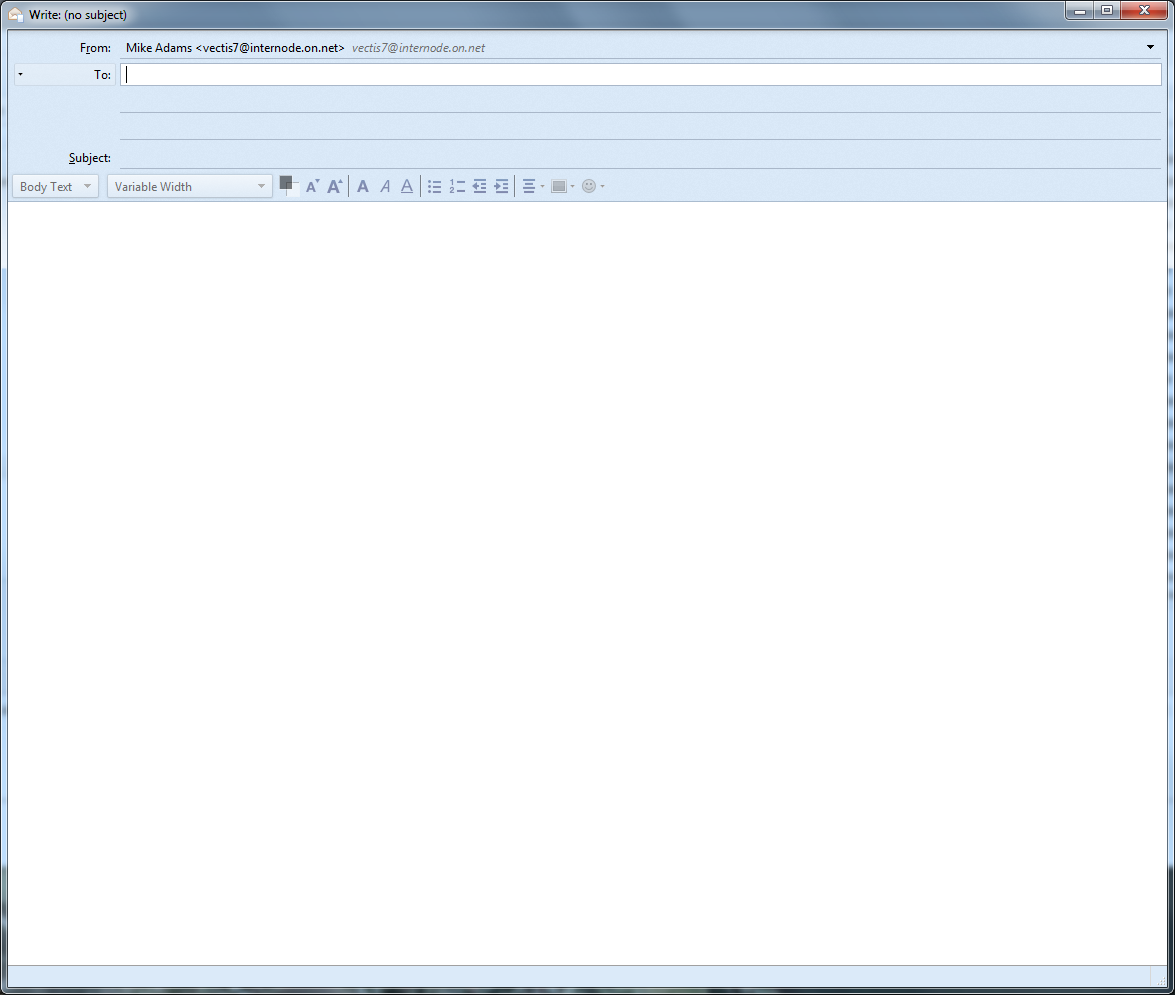
So, if you hold down alt and then press v, or alternatively, press F10, you're saying that you don't see a menu?
I tried that several times and the button has now appeared, very small in the top left hand corner, not large, lower down by the address bar where it normally lives!