remove add on

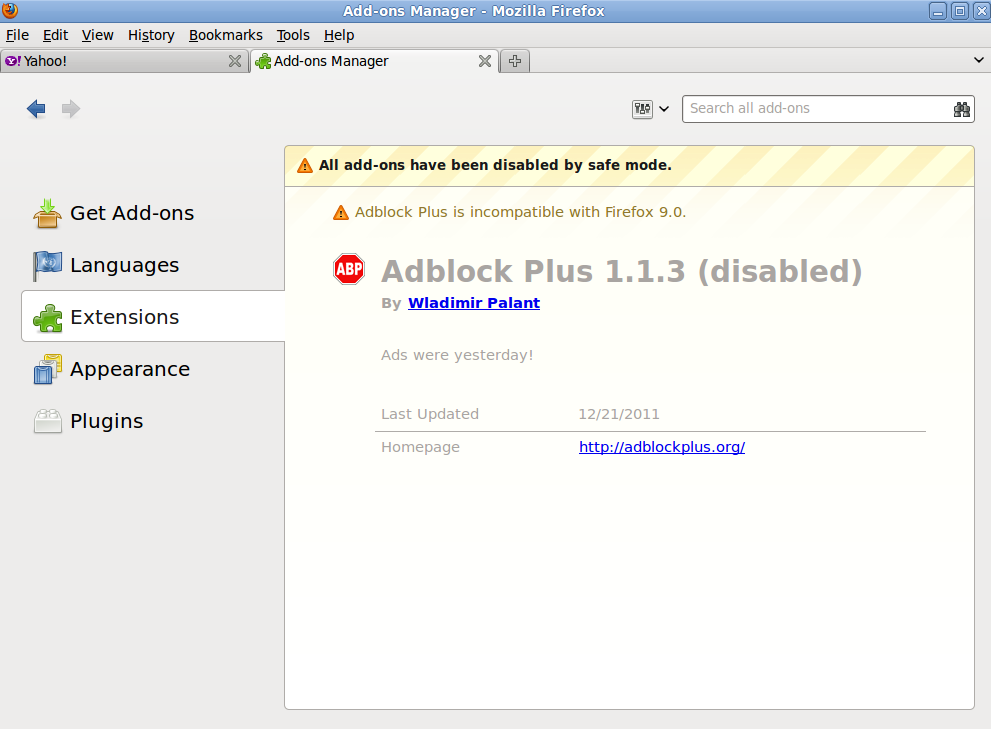
uh, yeah, per (below), THAT ain't working, any other smart idea's? Cause you know. Get an add on knowing there's no way to rid it. Real funny . . . TELL me how to rid Adblock Plus 1.1.3?
http://support.mozilla.com/en-US/kb/Uninstalling%20add-ons?s=remove+addon&r=1&as=s
How to remove extensions and themes
1. At the top of the Firefox window, click on the Firefox button (Tools menu in Windows XP), and then click Add-onsOn the menu bar, click on the Tools menu, and then click Add-onsAt the top of the Firefox window, click on the Tools menu, and then click Add-ons. The Add-ons Manager tab will openAt the top of the Firefox window, click on the Tools menu, and select Add-onsOn the menu bar, click on the Tools menu, and select Add-onsAt the top of the Firefox window, click on the Tools menu, and select Add-ons. The Add-ons window will open.
2. In the Add-ons Manager tabwindow, select the Extensions or AppearanceThemes panel.
3. Select the add-on you wish to remove.
4. Click the RemoveUninstall button. When prompted, click Uninstall to confirm.
5. Click Restart nowRestart Firefox if it pops up. Your tabs will be saved and restored after the restart.
uh, yeah, per (below), THAT ain't working, any other smart idea's? Cause you know. Get an add on knowing there's no way to rid it. Real funny . . . TELL me how to rid Adblock Plus 1.1.3?
http://support.mozilla.com/en-US/kb/Uninstalling%20add-ons?s=remove+addon&r=1&as=s
How to remove extensions and themes
1. At the top of the Firefox window, click on the Firefox button (Tools menu in Windows XP), and then click Add-onsOn the menu bar, click on the Tools menu, and then click Add-onsAt the top of the Firefox window, click on the Tools menu, and then click Add-ons. The Add-ons Manager tab will openAt the top of the Firefox window, click on the Tools menu, and select Add-onsOn the menu bar, click on the Tools menu, and select Add-onsAt the top of the Firefox window, click on the Tools menu, and select Add-ons. The Add-ons window will open.
2. In the Add-ons Manager tabwindow, select the Extensions or AppearanceThemes panel.
3. Select the add-on you wish to remove.
4. Click the RemoveUninstall button. When prompted, click Uninstall to confirm.
5. Click Restart nowRestart Firefox if it pops up. Your tabs will be saved and restored after the restart.
Όλες οι απαντήσεις (1)
there is the screen shot