


Images appearing too dark on Firefox

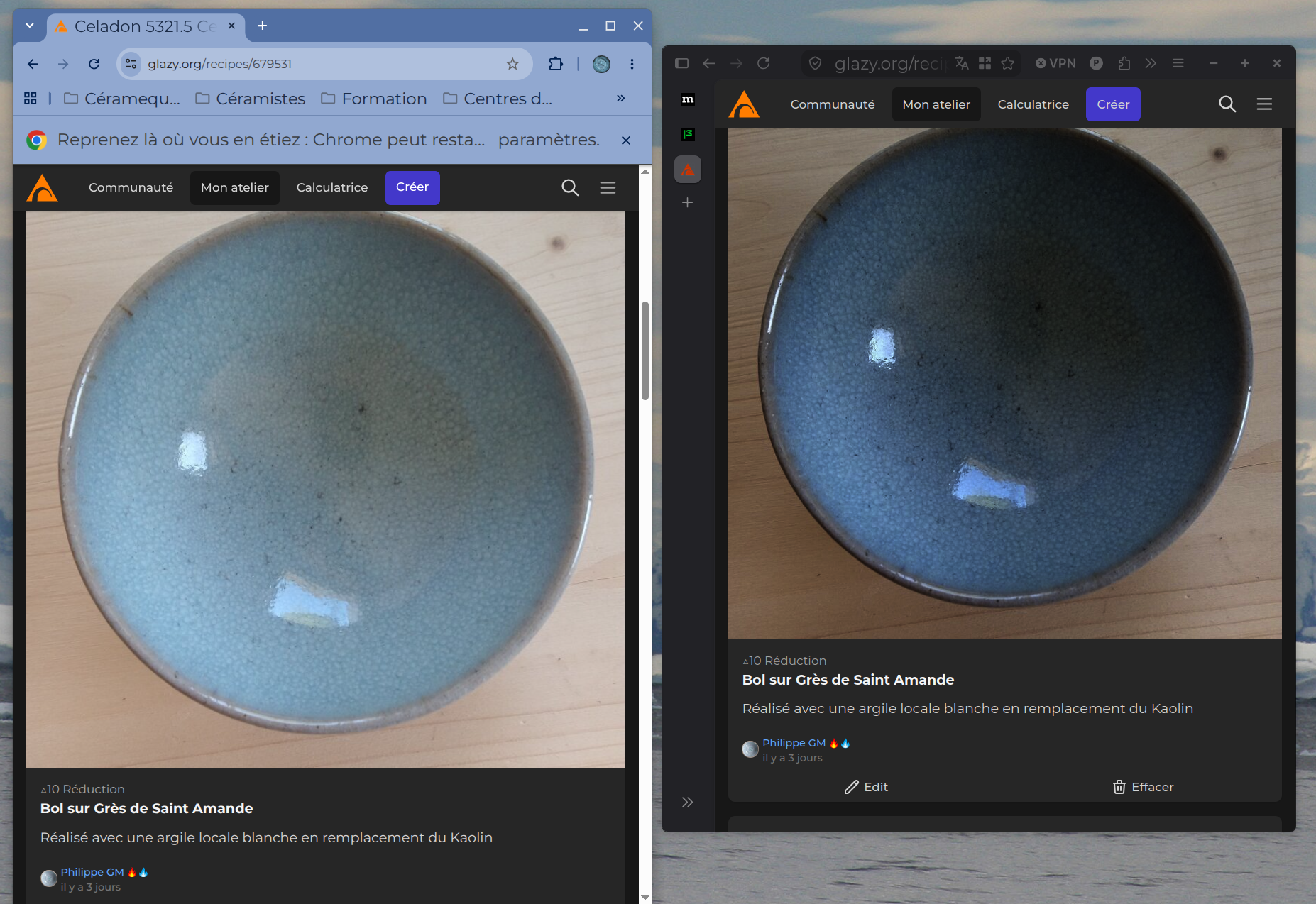
Hi There are image display issues with Firefox. The attached image shows a screenshot comparing the same page on Glazy.org: Chrome on the left and Firefox on the right. The image appears too dark in Firefox, making it difficult to work using that browser. Is this a bug or a setting that needs adjusting? I haven't been able to find a solution. Thanks for your help.
Επιλεγμένη λύση
Hi I have found a solution that work for me
Open about:config in Firefox or Zen. Find gfx.color_management.mode. Default is 2 (color-manage only tagged images). Set it to 0 (off) and fully restart the browser.
Όλες οι απαντήσεις (7)
I can't find this URL, but I guess it's a HDR photo.
Hi Thanks for the answer When I download it's a JPG file Dont know if its HDR or not Can't Firefox display HDR images correctly?
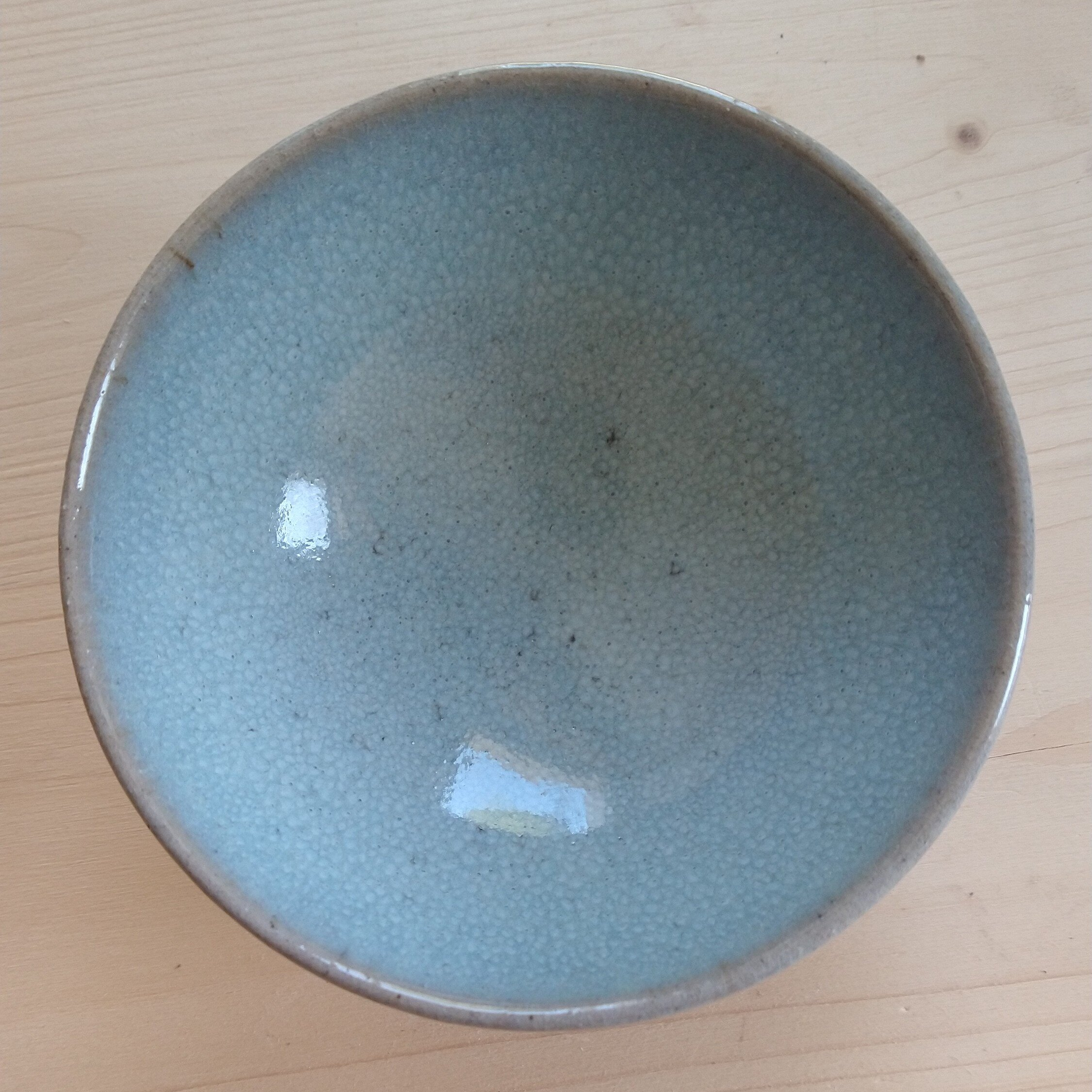
No it can't (yet). You can check it here -> https://www.wide-gamut.com/test/image-hdr
Every HDR photo is darker in Firefox.
Ok thank you That is not good news. I will therefore continue working with the Chrome browser
Επιλεγμένη λύση
Hi I have found a solution that work for me
Open about:config in Firefox or Zen. Find gfx.color_management.mode. Default is 2 (color-manage only tagged images). Set it to 0 (off) and fully restart the browser.
Interesting. Thank you for finding a solution!
It's not me :) Came from Zen Browser Github https://github.com/zen-browser/desktop/discussions/14897