


Strange zoom place in the new tab
Hi,
I noticed that somewhat recently the way new tab loooks has changed.
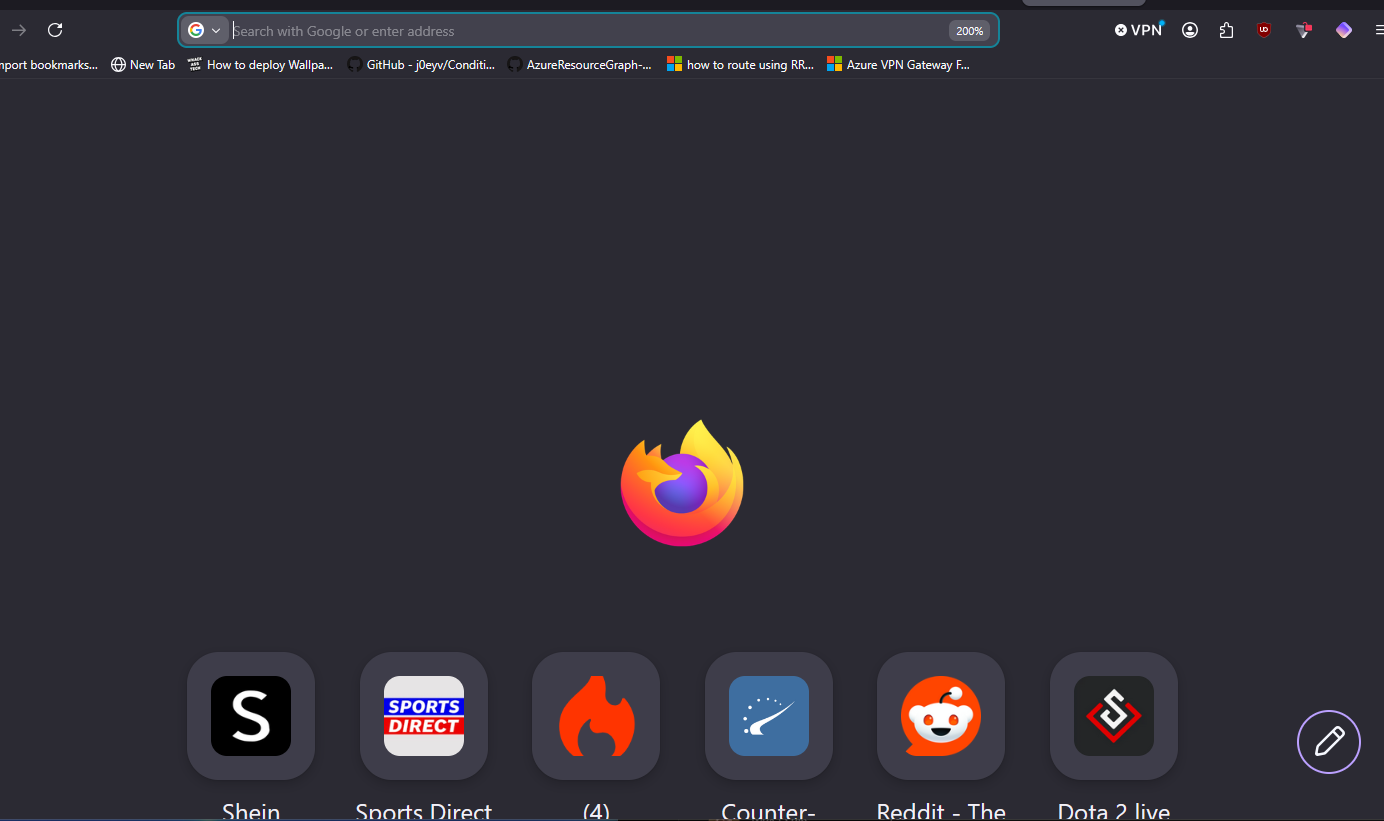
I always liked having it zoomed in, but I noticed that now when I zoom it in - it focuses on the empty space above tiles, which makes no sense to me. Ideally I would want the firefox logo to always be on top to get rid of the empty space and show more tiles.
This pretty much summarizes the issue, I hope it makes sense. Included a screenshot of what I am taking about.
Επιλεγμένη λύση
Hello
To see, you can try browser.newtabpage.activity-stream.nova.enabled value false
Try 1 - Go to configuration editor https://support.mozilla.org/en-US/kb/about-config-editor-firefox 2 - Enter a search term browser.newtabpage.activity-stream.nova.enabled You can double-click on the preference to set the value to false
Προβολή απάντησης εντός συζήτησης 👍 1Όλες οι απαντήσεις (2)
Επιλεγμένη λύση
Hello
To see, you can try browser.newtabpage.activity-stream.nova.enabled value false
Try 1 - Go to configuration editor https://support.mozilla.org/en-US/kb/about-config-editor-firefox 2 - Enter a search term browser.newtabpage.activity-stream.nova.enabled You can double-click on the preference to set the value to false
Agent virtuel said
Hello To see, you can try browser.newtabpage.activity-stream.nova.enabled value false Try 1 - Go to configuration editor https://support.mozilla.org/en-US/kb/about-config-editor-firefox 2 - Enter a search term browser.newtabpage.activity-stream.nova.enabled You can double-click on the preference to set the value to false https://connect.mozilla.org/t5/discussions/firefox-151-introduces-a-fresh-new-look-for-home-amp-new-tab/td-p/125715
Thanks, that looks better!