


Garbled text in the "Show all history" window

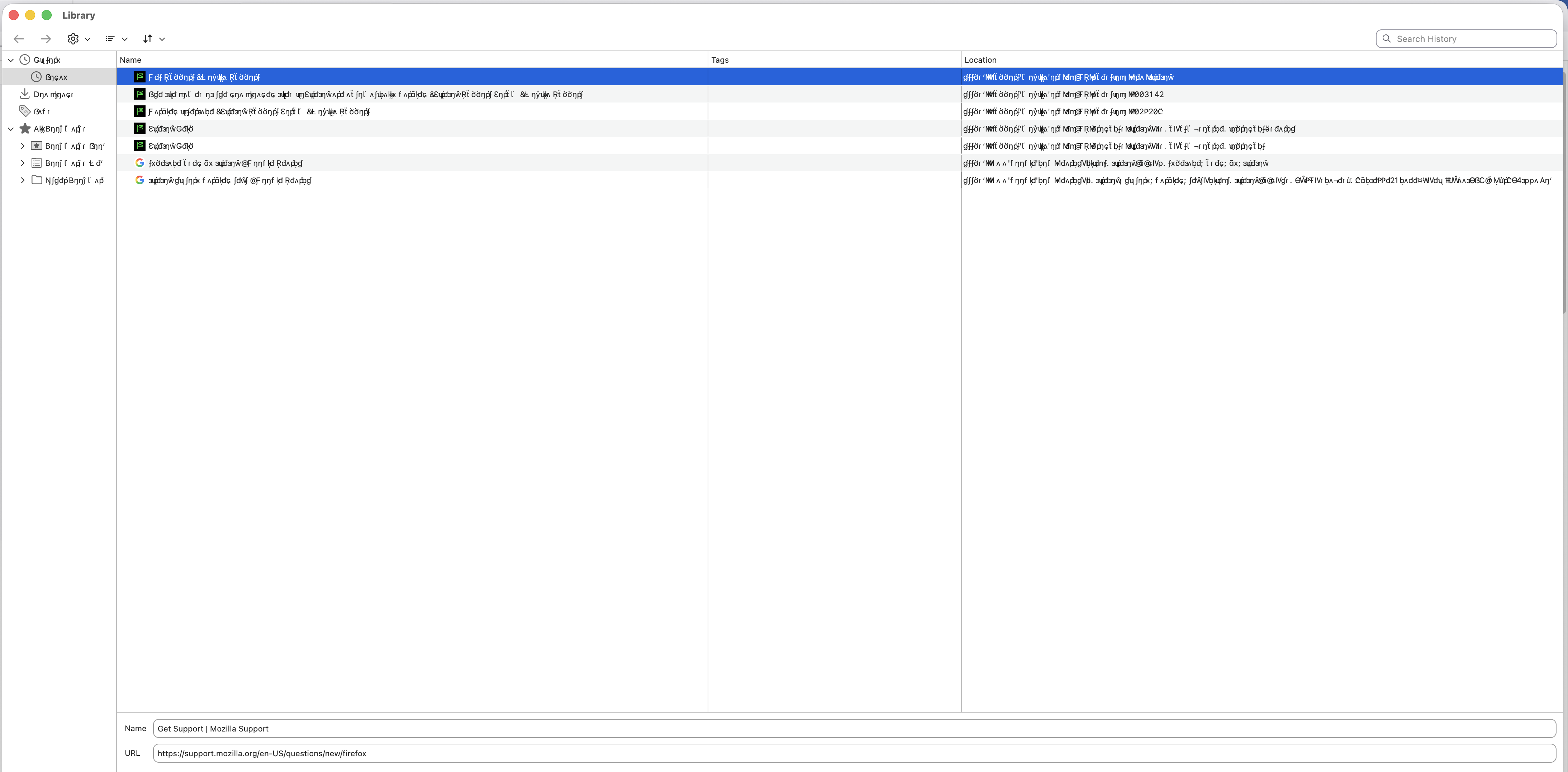
When opening the "Show all history" window (command Y) the text is garbled. I have checked the font book and there are no duplicated and I have validated all fonts. I have tried using the troubleshoot mode and occasionally the text is rendered correctly but mostly it has no effect. There is no other location in the browser where the text is garbled. I have tried changing the text in the advanced settings and both performance settings are disabled.
When opening the "Show all history" window (command Y) the text is garbled. I have checked the font book and there are no duplicated and I have validated all fonts. I have tried using the troubleshoot mode and occasionally the text is rendered correctly but mostly it has no effect. There is no other location in the browser where the text is garbled. I have tried changing the text in the advanced settings and both performance settings are disabled.
Τροποποιήθηκε στις από τον/την rupinjayal