


Windows 10 reached EOS (end of support) on October 14, 2025. If you are on Windows 10, see this article.

Αναζήτηση στην υποστήριξη

Προσοχή στις απάτες! Δεν θα σας ζητήσουμε ποτέ να καλέσετε ή να στείλετε μήνυμα σε κάποιον αριθμό τηλεφώνου ή να μοιραστείτε προσωπικά δεδομένα. Αναφέρετε τυχόν ύποπτη δραστηριότητα μέσω της επιλογής «Αναφορά παραβίασης».

Μάθετε περισσότερα

Microsoft Q&A displays unreadably small text which I can't correct other than repeatedly zooming. Do not have same problem win=th Safari.

  • 1 απάντηση
  • 0 έχουν αυτό το πρόβλημα
  • Τελευταία απάντηση από cor-el

Recently the MS Q&A site displays outrageously small text. FF is fully updated as is Sequoia. I don't have the same problem when accessing the same site in Safari. I have tries various setting combinations in FF Preferences for Zoom & Font [including Advanced] but nothing provides a remedy. I really don't want to stop using FF but this is unbearable... I spend much time in Q&A supporting MS product. The image on the left ia how FF displays the page, the image on the right is from Safari.
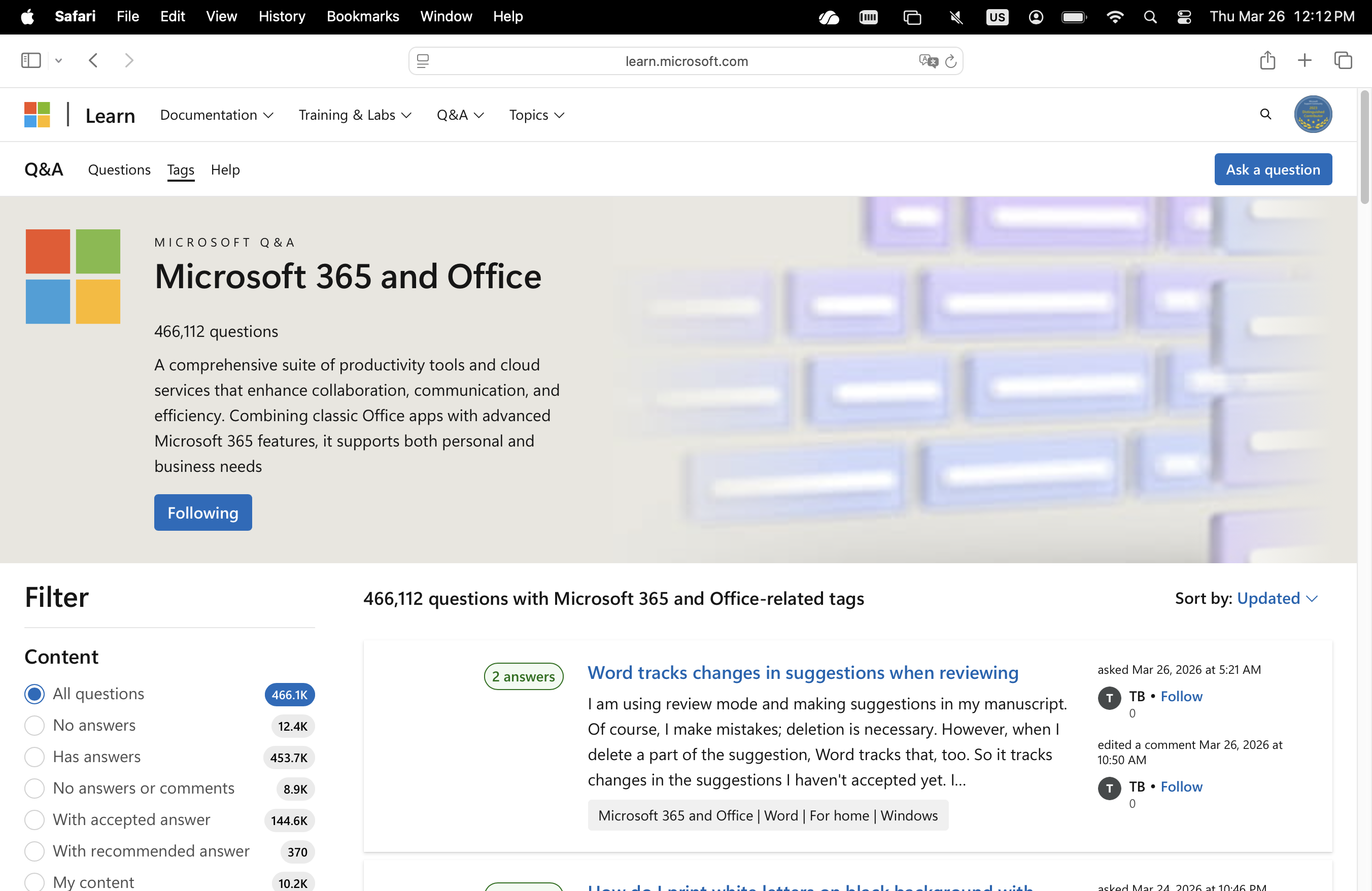
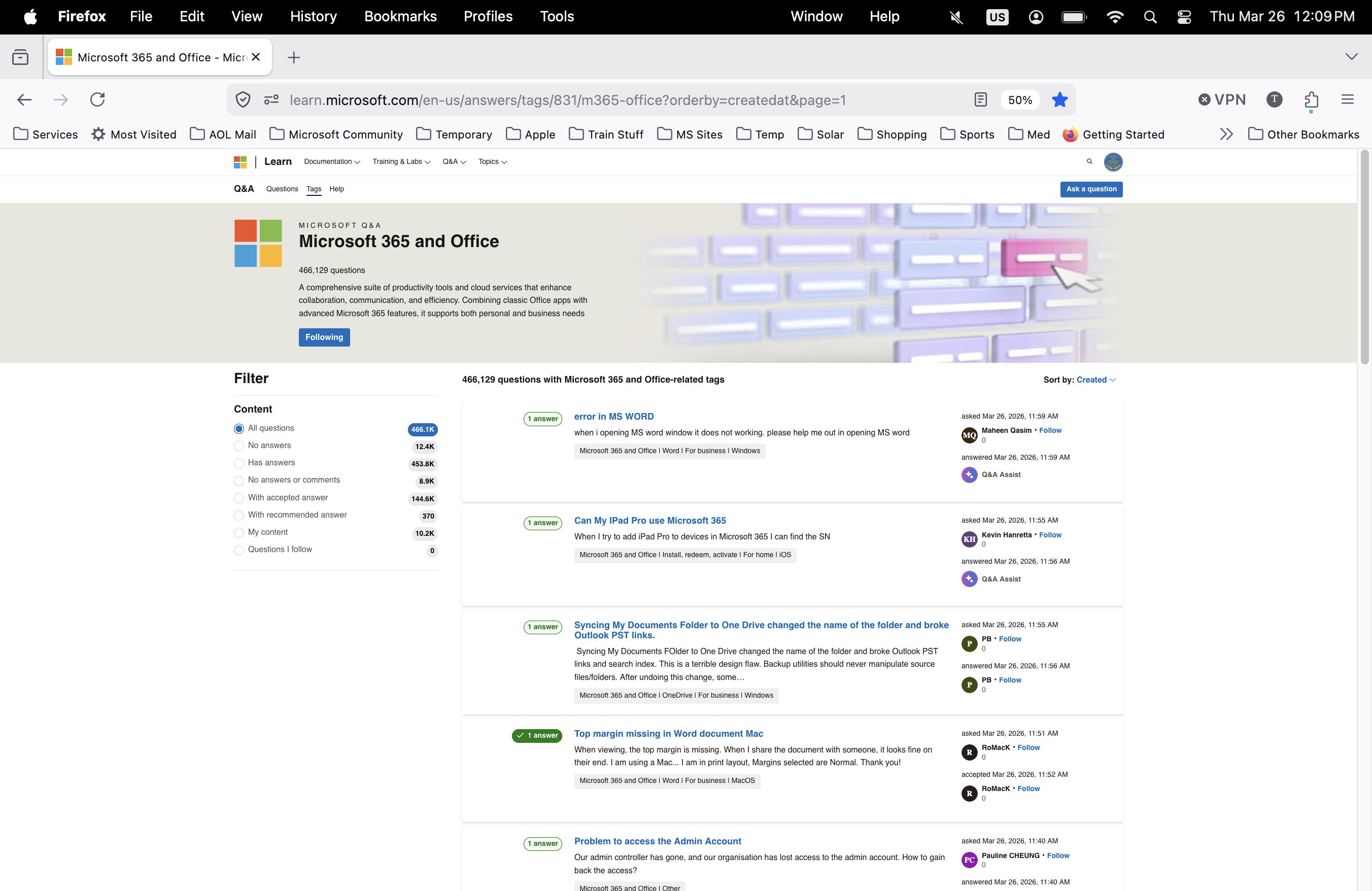
Recently the MS Q&A site displays outrageously small text. FF is fully updated as is Sequoia. I don't have the same problem when accessing the same site in Safari. I have tries various setting combinations in FF Preferences for Zoom & Font [including Advanced] but nothing provides a remedy. I really don't want to stop using FF but this is unbearable... I spend much time in Q&A supporting MS product. The image on the left ia how FF displays the page, the image on the right is from Safari.
Συνημμένα στιγμιότυπα

Όλες οι απαντήσεις (1)

From what you wrote above, it looks more the opposite: Left Safari and right Firefox. That right screenshot shows that the page is zoomed out to 50% what makes it look small. You can click the 50% icon in the location/address bar to reset the page zoom.

You may have accidentally zoomed webpage(s). Reset the page zoom on pages that cause problems.

  • View -> Zoom -> Reset (Ctrl+0/Command+0 (zero))
Υποβολή ερώτησης

Πρέπει να συνδεθείτε στον λογαριασμό σας για να απαντήσετε σε δημοσιεύσεις. Ξεκινήστε μια νέα ερώτηση εάν δεν διαθέτετε ακόμα λογαριασμό.