


Hide the "Open in NEW Container Tab" option in Firefox.
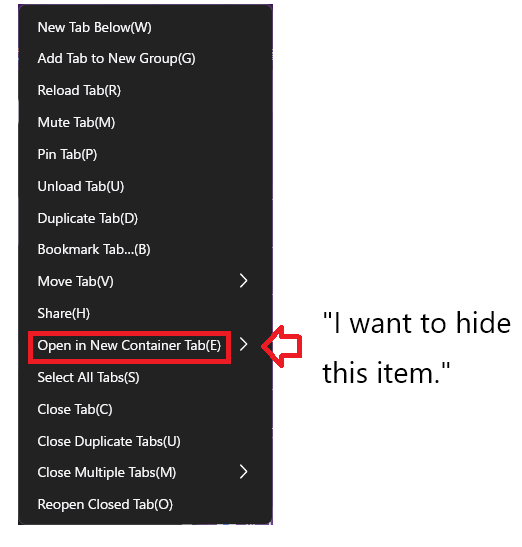
I want to hide the "Open in NEW Container Tab" option in Firefox. Is it possible to hide it through settings (such as About:config)?
I want to hide the "Open in NEW Container Tab" option in Firefox. Is it possible to hide it through settings (such as About:config)?
Όλες οι απαντήσεις (5)
Hello. It was in the settings menu, wasn't it? I overlooked it. Turning off "Enable container tabs" made it disappear. Solved. Thank you.
Note that some extensions require Container Tabs and therefor force containers on, i.e. you can't disable it. You see a message to inform you.
- Settings -> General -> Tabs -> Enable Container Tabs
Hello
How to use Firefox containers https://support.mozilla.org/en-US/kb/how-use-firefox-containers
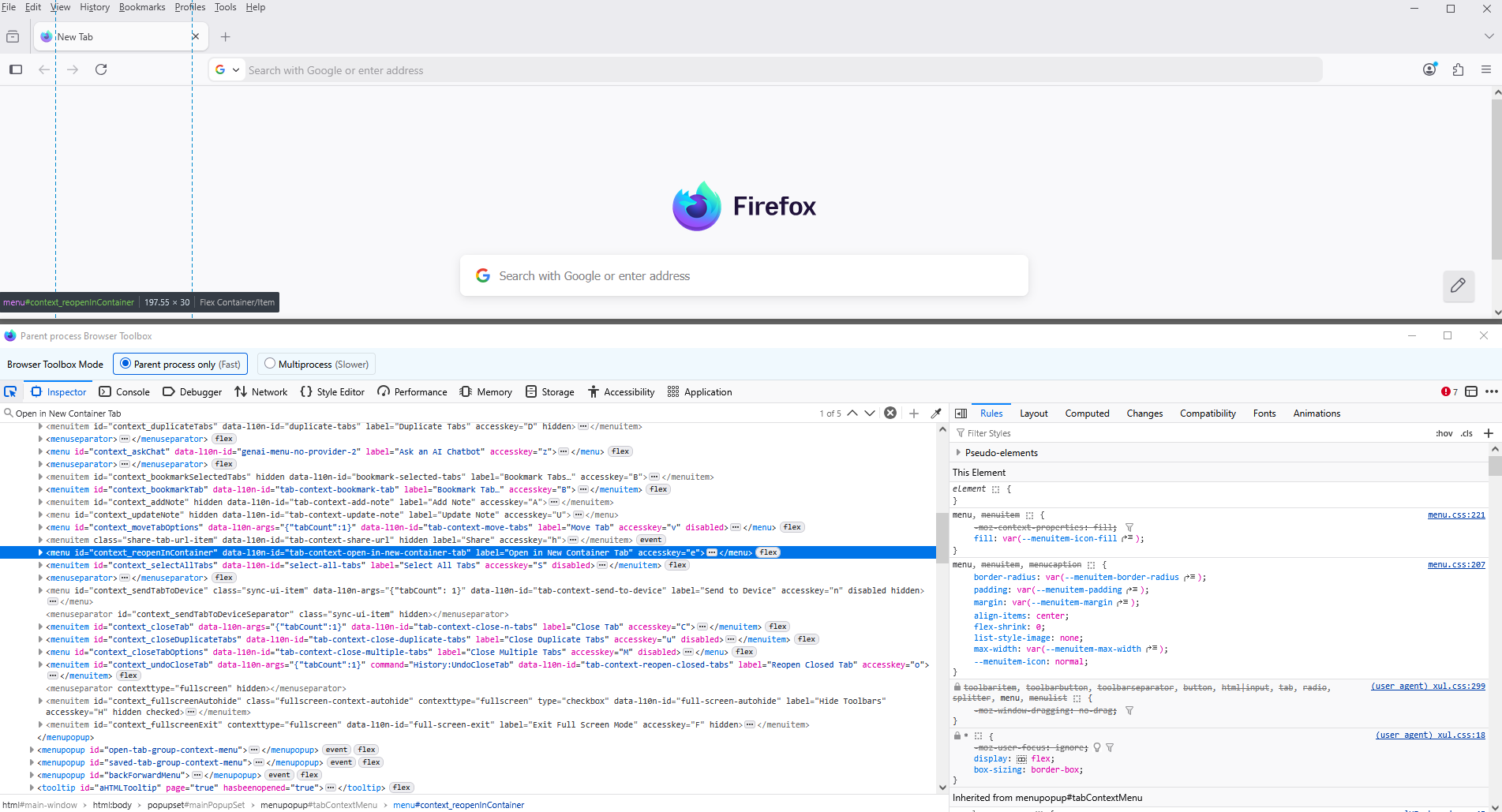
You can try an code userChrome.css
#context_reopenInContainer{display:none!important;}
With the help of Browser Toolbox https://firefox-source-docs.mozilla.org/devtools-user/browser_toolbox/index.html
Open a link in a new container tab You can open a link in a new tab on the same or a different container. Right-click any link to open the context menu. Select Open Link in New Container Tab.