


Cannot connect to Microsoft Office web editors (word, excel, powerpoint)

I recently updated to 147.0.1, and now it seems I can no longer access word/excel/powerpoint files for online editing. I have already tried clearing cookies, disabling adblockers, disabling tracking protection, running in a private window, all the way down to completely reinstalling Firefox 147 fresh. This has persisted for roughly a week, so it does not seem to be an issue with my own network connection, nor with Microsoft's services, nor my files specifically since I can edit the files online from my PC at work. The error message specifically reads:
We can't connect to the server at usc-excel.officeapps.live.com (or usc-word-edit.officeapps.live.com or usc-powerpoint.officeapps.live.com, respectively).
I could previously access these files to edit when I was still on Firefox 146, so I'm guessing it's something going on with 147. Has anyone encountered similar issues with Web Office apps, and perhaps found a resolution?
Επιλεγμένη λύση
OS on the live USB stick worked, because it had Firefox 146 built in and not 147.0.1.
This seems to be resolved though, 147.0.2 just updated and now it all works again.
Προβολή απάντησης εντός συζήτησης 👍 0Όλες οι απαντήσεις (4)
What OS? What Desktop? X11 or Wayland? I have no issues with office. see screenshot Does it happen with Firefox in Troubleshoot Mode? https://support.mozilla.org/en-US/kb/diagnose-firefox-issues-using-troubleshoot-mode#search
Did you clear your browser cache? https://support.mozilla.org/en-US/kb/clear-cookies-and-site-data-firefox
Try downloading Firefox from Mozilla. Download, unzip, and run firefox-bin from the folder and see if you have the same issue. https://www.mozilla.org/en-US/firefox/all/#product-desktop-release
Operating System: openSUSE Tumbleweed 20260123
KDE Plasma Version: 6.5.5
KDE Frameworks Version: 6.22.0
Qt Version: 6.10.1
Kernel Version: 6.18.6-1-default (64-bit)
Graphics Platform: X11
Processors: 12 × Intel® Core™ i7-9850H CPU @ 2.60GHz
Memory: 128 GiB of RAM (125.1 GiB usable)
Graphics Processor: Intel® UHD Graphics 630
Manufacturer: HP
Product Name: HP ZBook 17 G6
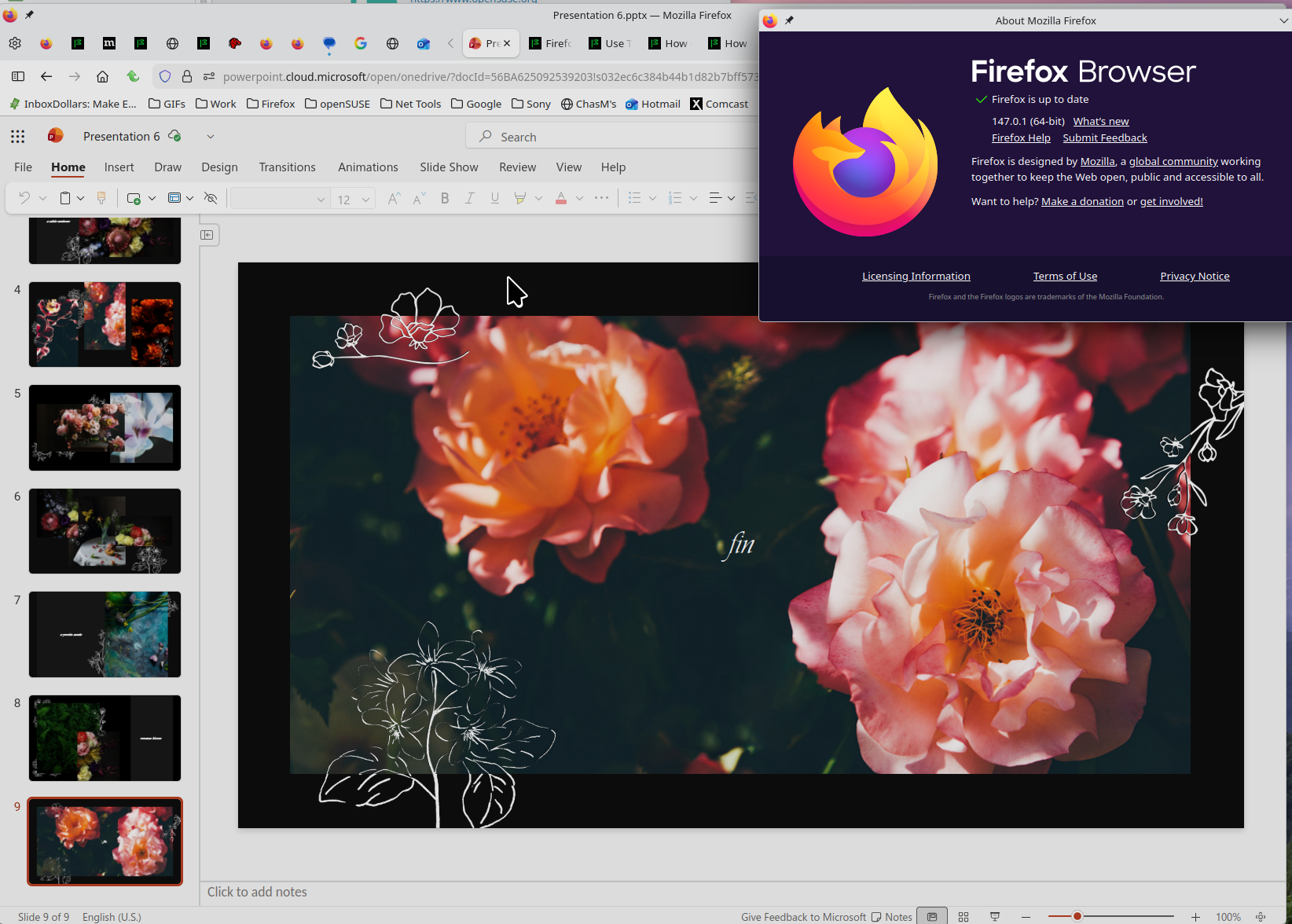
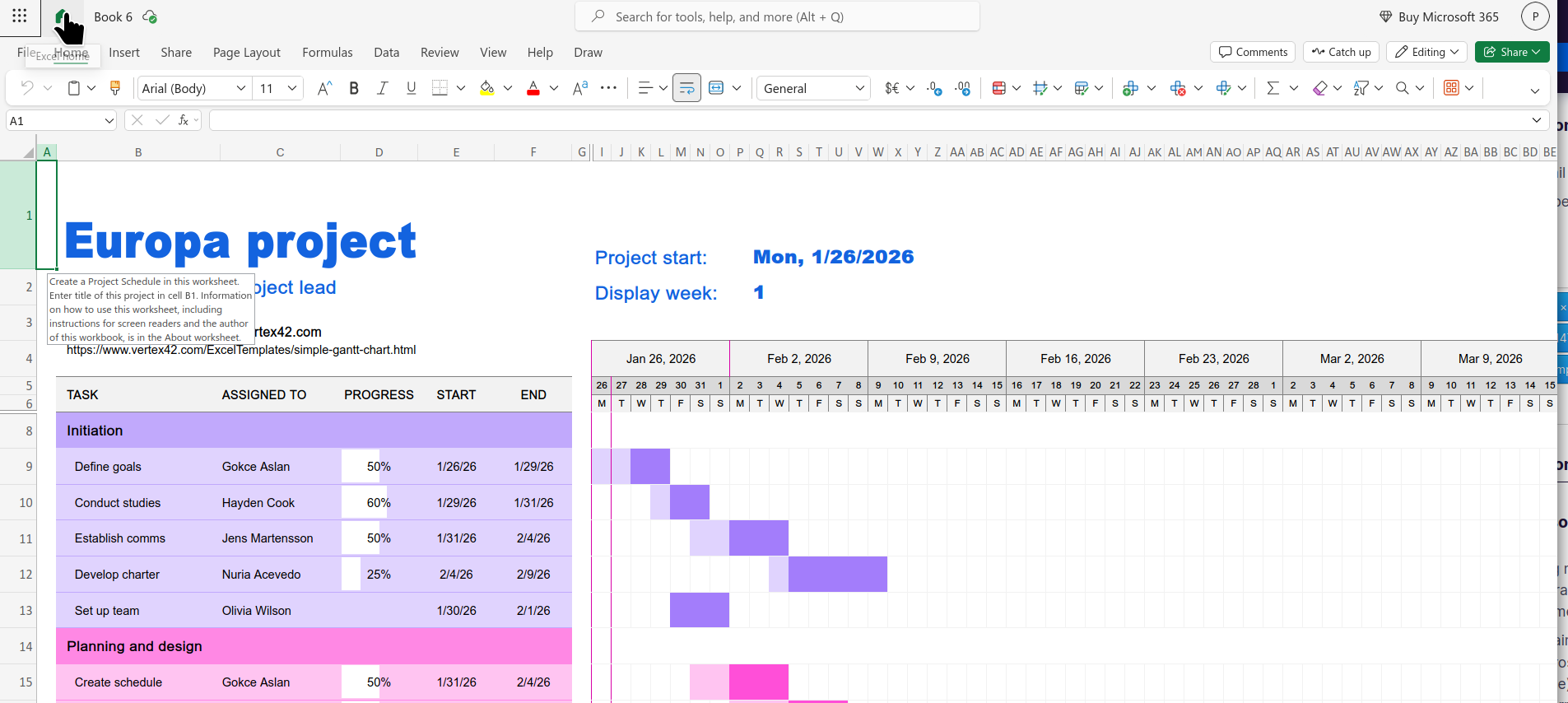
Τροποποιήθηκε στις από τον/την jonzn4SUSE
- Linux Mint 22.3 - Cinnamon desktop - X11, I believe - Yes, it happens in troubleshoot mode - Yes, I tried clearing all cache and cookies - Downloading straight from Mozilla rather than via package manager was how I already tried the fresh install, problem persists
I'm thinking of reverting all the way back to the ESR version, haven't tried it yet.
System Info: [code] System:
 Kernel: 6.14.0-37-generic arch: x86_64 bits: 64 compiler: gcc v: 13.3.0 clocksource: tsc
 Desktop: Cinnamon v: 6.6.6 tk: GTK v: 3.24.41 wm: Muffin v: 6.6.3 vt: 7 dm: LightDM v: 1.30.0
   Distro: Linux Mint 22.3 Zena base: Ubuntu 24.04 noble
Machine:
Type: Desktop Mobo: Micro-Star model: PRO H610M-G WIFI DDR4 (MS-7D46) v: 1.0
CPU:
 Info: 16-core (8-mt/8-st) model: 12th Gen Intel Core i9-12900KF bits: 64 type: MST AMCP
   smt: enabled arch: Alder Lake rev: 2 cache: L1: 1.4 MiB L2: 14 MiB L3: 30 MiB
Graphics:
 Device-1: NVIDIA GA104 [GeForce RTX 3070 Lite Hash Rate] vendor: ASUSTeK driver: nvidia
   v: 580.95.05 arch: Ampere pcie: speed: 16 GT/s lanes: 16 ports: active: none
   off: HDMI-A-1,HDMI-A-2 empty: DP-1,DP-2,DP-3 bus-ID: 01:00.0 chip-ID: 10de:2488 class-ID: 0300
See what happens with your OS on a live usb stick and also try a different desktop.
Επιλεγμένη λύση
OS on the live USB stick worked, because it had Firefox 146 built in and not 147.0.1.
This seems to be resolved though, 147.0.2 just updated and now it all works again.