Restoring tabs lost from closing firefox closed all tabs even though 'open previous windows and tabs on startup' is on
Several times now I've closed firefox while having the open previous windows and tabs on startup on only for all my tabs to have been closed (with this time in particular being annoying due to losing tabs that I needed to have the specific link for). Is there any way to restore tabs lost in this way?
Επιλεγμένη λύση
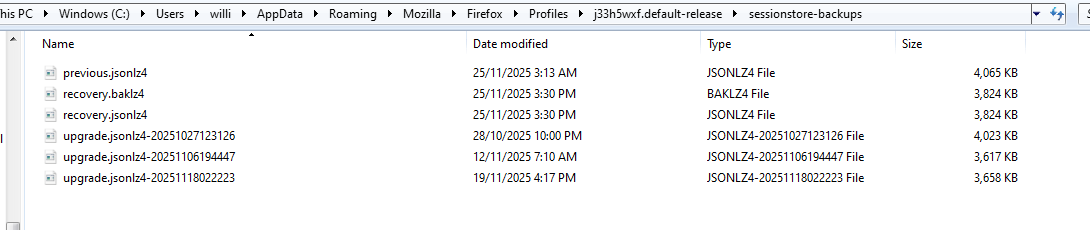
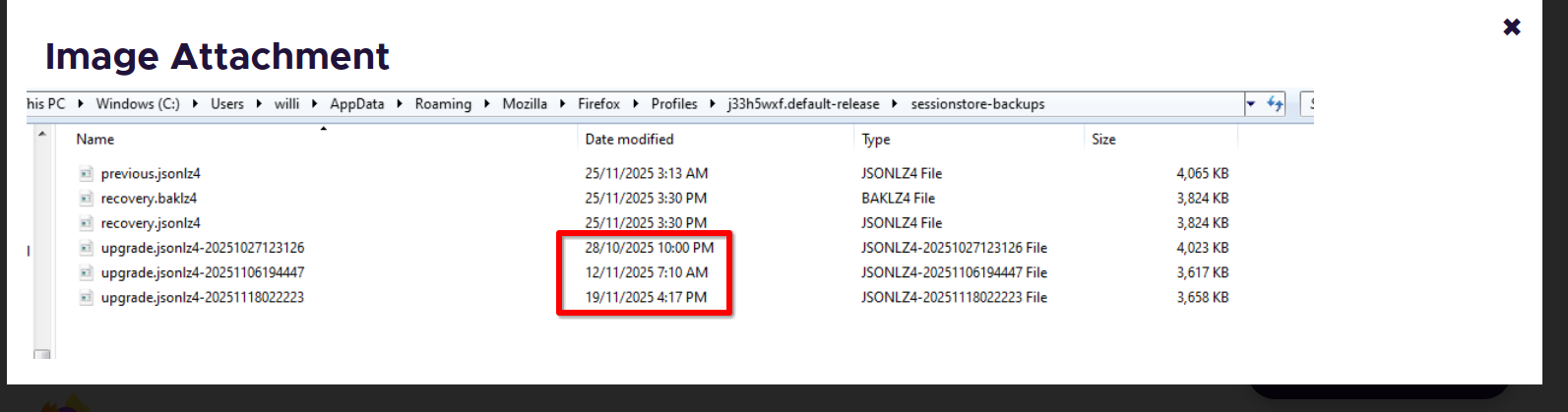
Looking at your screenshot. see screenshot With Firefox closed you will see a file called sessionstore.jsonlz4 in your profile folder. If it's not the session you're looking for, you can either rename or delete it. Then looking at the files in your sessionstor-backups folder, pick a date(Oct 28th, Nov 12th, and Nov 19th) and make a copy of that file, rename it to sessionstore.jsonlz4, and then move it into your profile folder. Now open Firefox and you should see the session from that date. Just rinse and repeat the process for whichever date you chose to use. It looks like the Oct 28th file and the Nov 25th files are close to the same size and should have a similar session.
Προβολή απάντησης εντός συζήτησης 👍 0Όλες οι απαντήσεις (5)

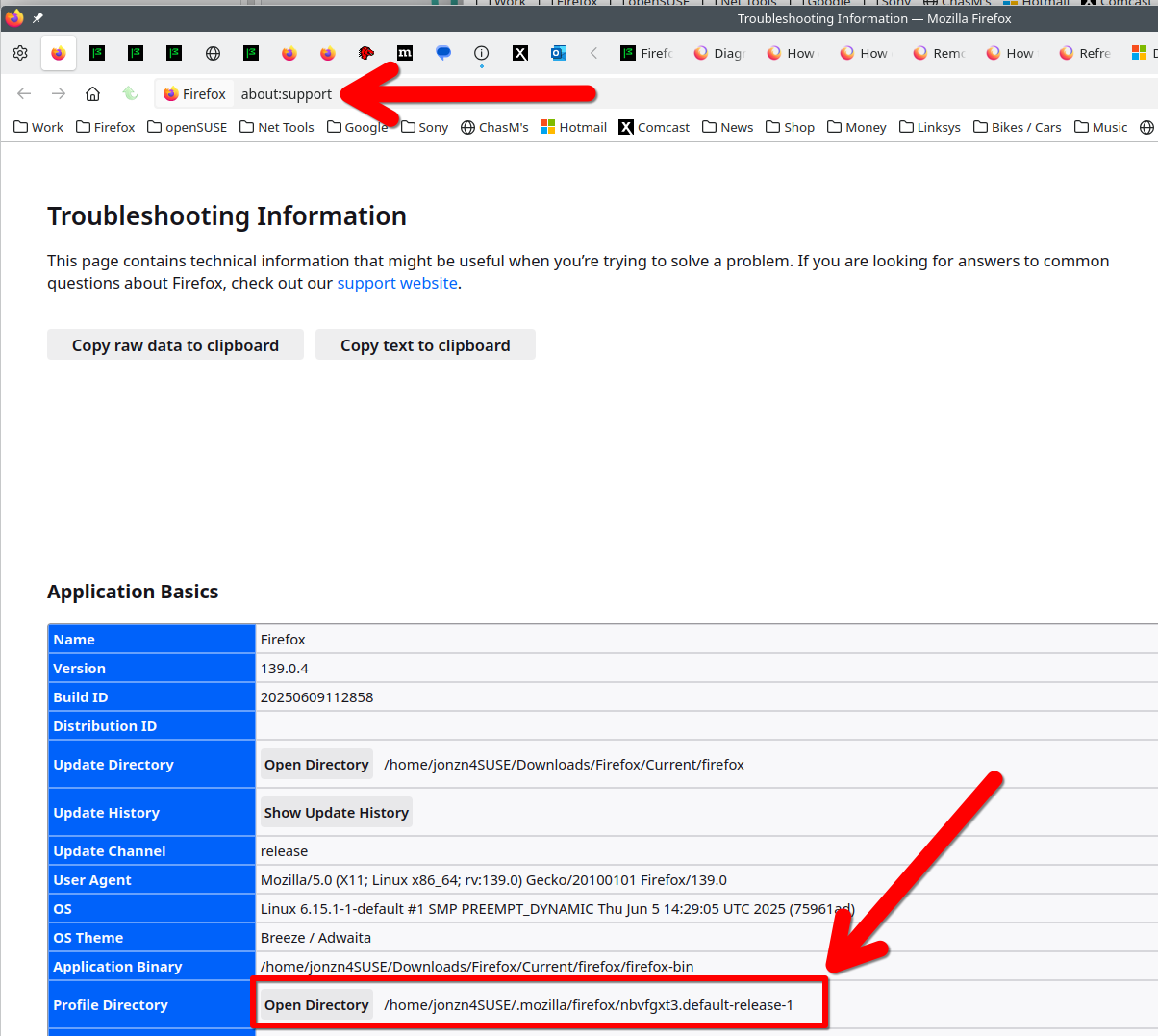
Yes, it happens a wee bit to often, but you can recover if the sessionstore-backup files have not been reset. Post a screenshot of the files in your sessionstore-backup folder which is located in your profile folder. see screenshots Show the files in a detailed view so we can see the size of the files.
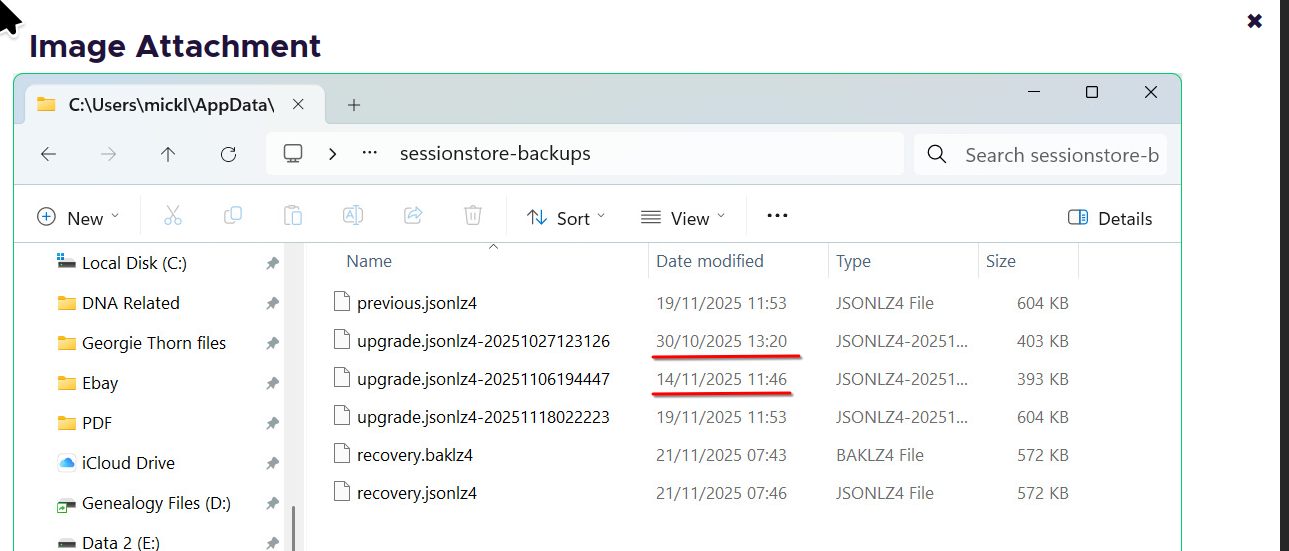
hopefully this screenshot is good and the files are right but i did turn my pc off in the interim - also just as a note the time zone i'm in is gmt so it is as recent as possible. Additionally incase its relevant for the file size, I had in the ballpark of 20-50 tabs open.
Επιλεγμένη λύση
Looking at your screenshot. see screenshot With Firefox closed you will see a file called sessionstore.jsonlz4 in your profile folder. If it's not the session you're looking for, you can either rename or delete it. Then looking at the files in your sessionstor-backups folder, pick a date(Oct 28th, Nov 12th, and Nov 19th) and make a copy of that file, rename it to sessionstore.jsonlz4, and then move it into your profile folder. Now open Firefox and you should see the session from that date. Just rinse and repeat the process for whichever date you chose to use. It looks like the Oct 28th file and the Nov 25th files are close to the same size and should have a similar session.

jonzn4SUSE said
Looking at your screenshot. see screenshot With Firefox closed you will see a file called sessionstore.jsonlz4 in your profile folder. If it's not the session you're looking for, you can either rename or delete it. Then looking at the files in your sessionstor-backups folder, pick a date(Oct 28th, Nov 12th, and Nov 19th) and make a copy of that file, rename it to sessionstore.jsonlz4, and then move it into your profile folder. Now open Firefox and you should see the session from that date. Just rinse and repeat the process for whichever date you chose to use. It looks like the Oct 28th file and the Nov 25th files are close to the same size and should have a similar session.
I finally found the files - in two different folders. I was able to rename the sessionstor-backup folder, but cannot rename / cut / delete the sessionstore.jsonlz4 file nor the upgrade.jsonlz4 file.
Firefox is closed right? No need to rename the folders. Just making a copy of one of the files then rename it and then moving it to your profile folder. It would be helpful if you show any error messages. You should be able to just right click and make a copy. Then rename it and then move it.