


Importing data

I've usede Safari for years, but want to try Firefox. I've tried to import data, bookmarks and so from safari, but can't do it. Firefox says: Select the Safari file. But which one? And where do I find it? I've find the app Safari – but there's a lot of files underneath it.
I've usede Safari for years, but want to try Firefox. I've tried to import data, bookmarks and so from safari, but can't do it. Firefox says: Select the Safari file. But which one? And where do I find it? I've find the app Safari – but there's a lot of files underneath it.
Όλες οι απαντήσεις (3)
Hi,
Please see Importing Safari data into Firefox.
Hi Denys Where I stumble is this message. Which file am I suppossed to open? If I try to find the Safari file on my Mac, I can't select that. I can open it and then I'll find a lot of sub-files. Which of them do I select? Or must I just skip this step and export from Safari?
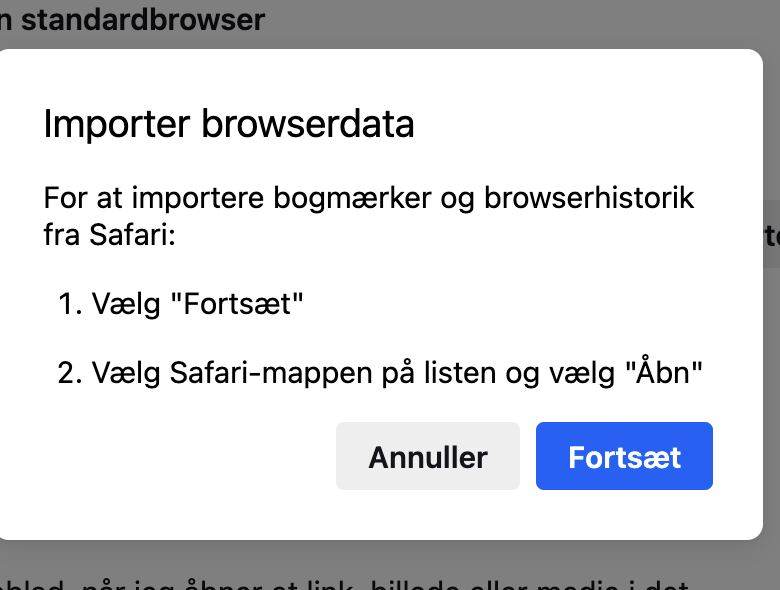
Hi,
As far as I understand, you need to choose the Safari folder, not a single file.