


Windows 10 reached EOS (end of support) on October 14, 2025. If you are on Windows 10, see this article.

Αναζήτηση στην υποστήριξη

Προσοχή στις απάτες! Δεν θα σας ζητήσουμε ποτέ να καλέσετε ή να στείλετε μήνυμα σε κάποιον αριθμό τηλεφώνου ή να μοιραστείτε προσωπικά δεδομένα. Αναφέρετε τυχόν ύποπτη δραστηριότητα μέσω της επιλογής «Αναφορά παραβίασης».

Μάθετε περισσότερα

Αυτό το νήμα αρχειοθετήθηκε. Κάντε νέα ερώτηση αν χρειάζεστε βοήθεια.

I can't sign into my Proton mail account via Thunderbird for Android - "Checking incoming server settings failed"

  • 2 απαντήσεις
  • 1 έχει αυτό το πρόβλημα
  • 196 προβολές
  • Τελευταία απάντηση από Wayne Mery
  • Αρχειοθετήθηκε

I am trying to sign into my Proton mail account. On the Thunderbird app, I tap the Menu and select Settings. Then, I select Add account, type my Proton email address, and tap Next. The "Configuration found" screen is displayed. I proceed to type my Proton password correctly and tap Next. Then, there is an error that says "Checking incoming server settings failed". Does this mean Thunderbird does not fully support Proton mail?
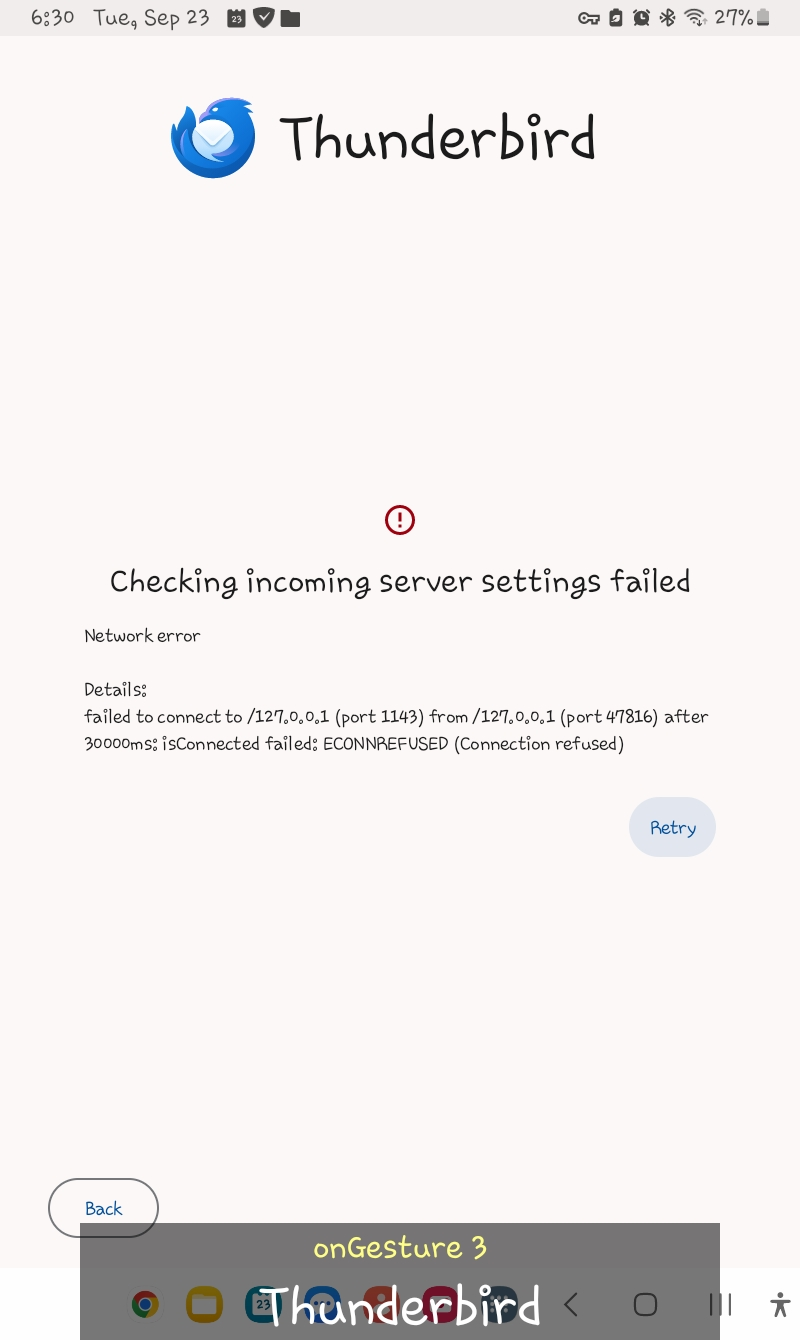
I am trying to sign into my Proton mail account. On the Thunderbird app, I tap the Menu and select Settings. Then, I select Add account, type my Proton email address, and tap Next. The "Configuration found" screen is displayed. I proceed to type my Proton password correctly and tap Next. Then, there is an error that says "Checking incoming server settings failed". Does this mean Thunderbird does not fully support Proton mail?
Συνημμένα στιγμιότυπα

Τροποποιήθηκε στις από τον/την Wayne Mery

Όλες οι απαντήσεις (2)

Hello, Proton mail doesn't support direct IMAP. You need to use the proton bridge: https://proton.me/support/protonmail-bridge-clients-windows-thunderbird

Τροποποιήθηκε στις από τον/την Bogomil Shopov - Бого

The bridge does not exist for Android afaict. You will need to convince the proton folks to provide one.