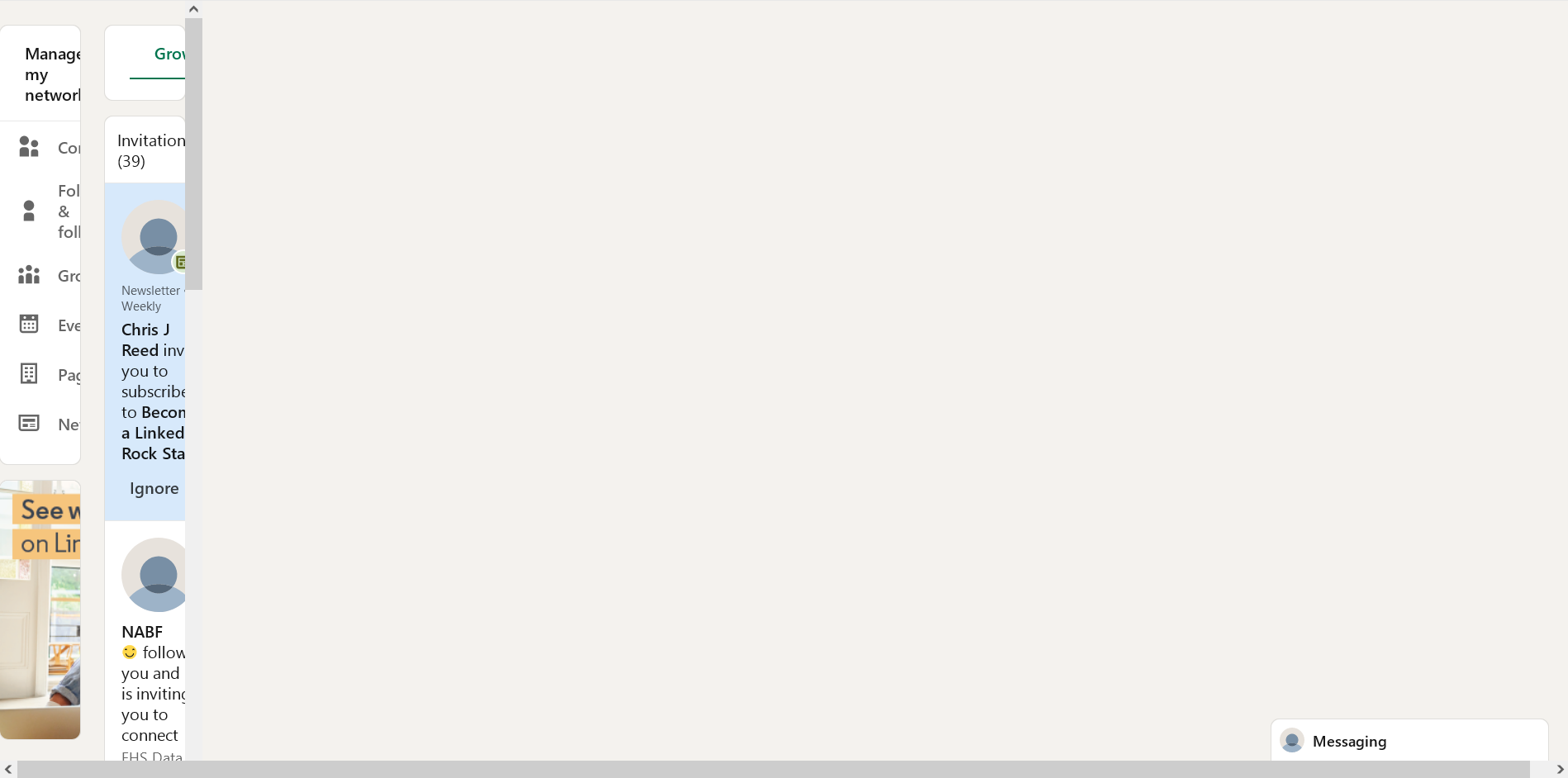
Firefox load Webpage section cramped

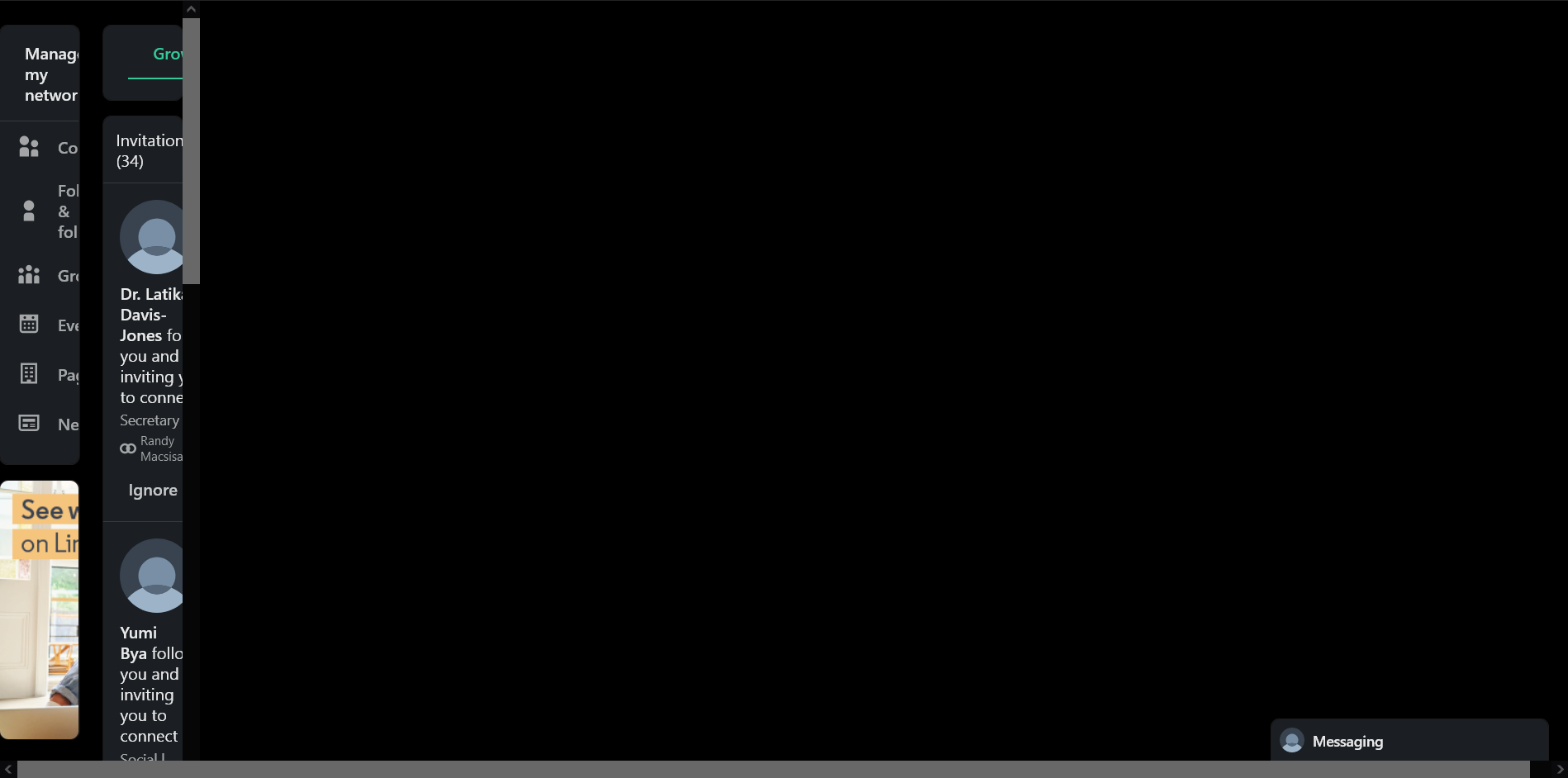
Hi, My Firefox browse Linkedin / My Network section page gets cramped (attach). Can you guide me how to configure my Firefox to view this page properly?
Report to Linkedin is unresolved for months, they tell me to blame browser. I am not a full time programmer, but will try to learn HTML to fix this. I need My Network section to find job. Presently seek work, no income. Please help. 115.18.0esr (64-bit)
Όλες οι απαντήσεις (2)
Update January 3rd, 2025.
Linkedin Support informs: "there are DNS elements being blocked at the browser level. They do not load on HTTP IPV6, but do load on HTTPS IPV6 and IPV4." www.linkedin.com/help/linkedin/answer/a1375126
I have flush DNS. After login to Linkedin, I click on padlock icon, Connection secure, More information, Clear cookies and site data, then I had to login again, and for a moment, www.linkedin.com/mynetwork/grow/ was visible properly for a moment. The next time I visited My Network again, the columns were cramped as attached.
I repeat this process but the webpage did not recover, columns still cramp.
Appreciate your guidance on how to set my Firefox browser 115.18.0esr (64-bit) to be able to load www.linkedin.com/mynetwork/grow/ webpage properly.
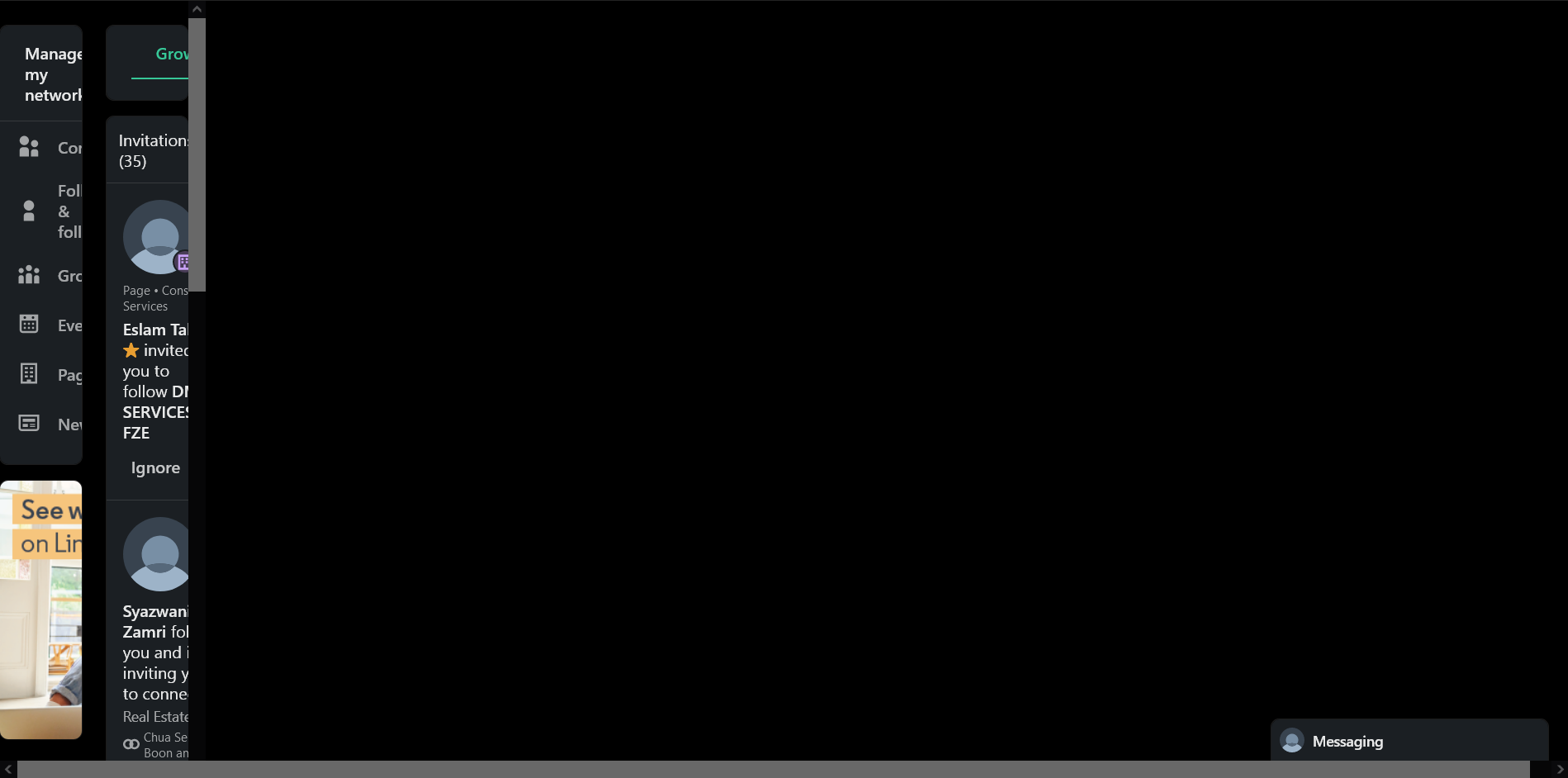
Update: 8 January 2025 1. Firefox updated 115.19.0es 2. Visit to Linkedin.com / My Network still suffer columns cramped in as attached. 3. Please, Mozilla help with your Firefox browser.