


Windows 10 reached EOS (end of support) on October 14, 2025. If you are on Windows 10, see this article.

Αναζήτηση στην υποστήριξη

Προσοχή στις απάτες! Δεν θα σας ζητήσουμε ποτέ να καλέσετε ή να στείλετε μήνυμα σε κάποιον αριθμό τηλεφώνου ή να μοιραστείτε προσωπικά δεδομένα. Αναφέρετε τυχόν ύποπτη δραστηριότητα μέσω της επιλογής «Αναφορά παραβίασης».

Μάθετε περισσότερα

Αυτό το νήμα αρχειοθετήθηκε. Κάντε νέα ερώτηση αν χρειάζεστε βοήθεια.

Account Recognition & Entre

  • 1 απάντηση
  • 0 έχουν αυτό το πρόβλημα
  • 79 προβολές
  • Τελευταία απάντηση από cor-el

EMBARRASSINGLY I REALIZED WHAT I NEEDED TO DO. THIS IS THEREFORE NO LONGER NEEDED TO BE ANSWERED, SO YOU CAN SIMPLY MARK IT SOLVED IF YOUD LIKE. THANKS!

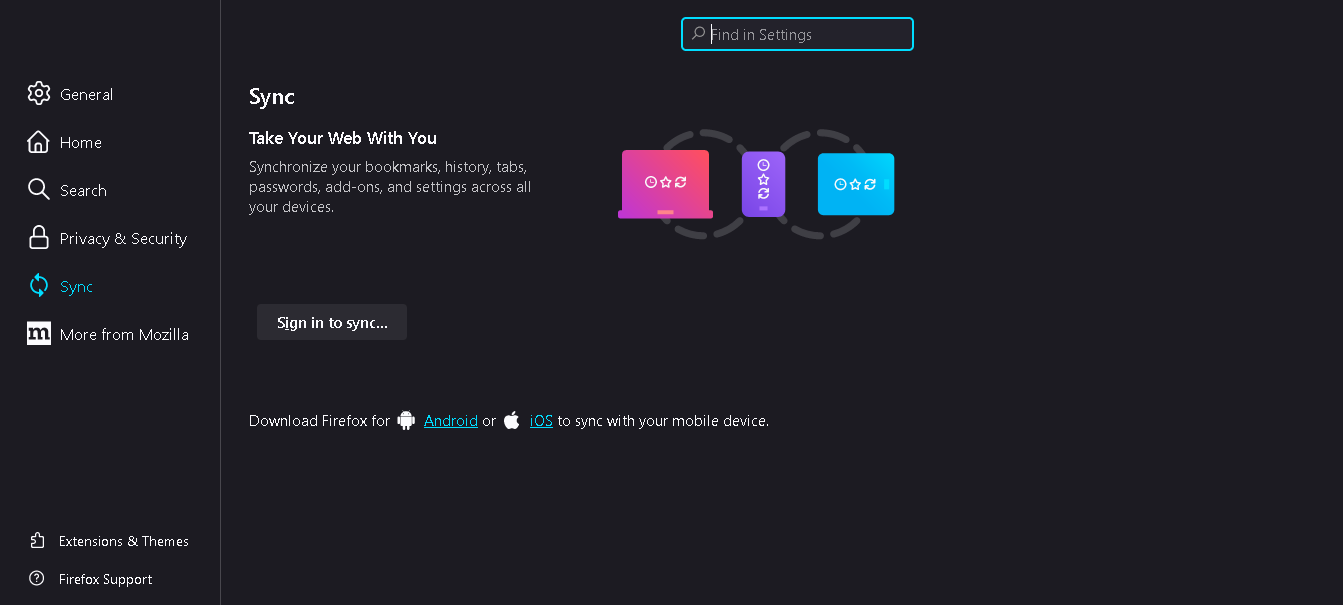
I chose to reinstall Firefox browser in order to start over fresh and ensure a security refresh. Once installed, I created an entirely new Mozilla account with new info. However, when I go up to the top right of the browser and click on the little icon of the circle with a bust in it (the Account icon), it simply opens the preferences and related settings, it does not allow me to sign in to any account, nor does it show if I am already signed into any account. Is this a malfunction of the iteration I installed, or am I misunderstanding something?

Thanks in advance for your help!

PS attached is what page I am shown when clicking the aforementioned icon
'''EMBARRASSINGLY I REALIZED WHAT I NEEDED TO DO. THIS IS THEREFORE NO LONGER NEEDED TO BE ANSWERED, SO YOU CAN SIMPLY MARK IT SOLVED IF YOUD LIKE. THANKS!''' I chose to reinstall Firefox browser in order to start over fresh and ensure a security refresh. Once installed, I created an entirely new Mozilla account with new info. However, when I go up to the top right of the browser and click on the little icon of the circle with a bust in it (the Account icon), it simply opens the preferences and related settings, it does not allow me to sign in to any account, nor does it show if I am already signed into any account. Is this a malfunction of the iteration I installed, or am I misunderstanding something? Thanks in advance for your help! PS attached is what page I am shown when clicking the aforementioned icon
Συνημμένα στιγμιότυπα

Τροποποιήθηκε στις από τον/την Caleb

Επιλεγμένη λύση

Did you miss the "Sign in to sync..." link that shows in the screenshot :wink: ?

See also:

Προβολή απάντησης εντός συζήτησης 👍 0

Όλες οι απαντήσεις (1)

Επιλεγμένη λύση

Did you miss the "Sign in to sync..." link that shows in the screenshot :wink: ?

See also:

Τροποποιήθηκε στις από τον/την cor-el