


Password not accepted by Thunderbird when attempting to access [edited] @centurytel.net

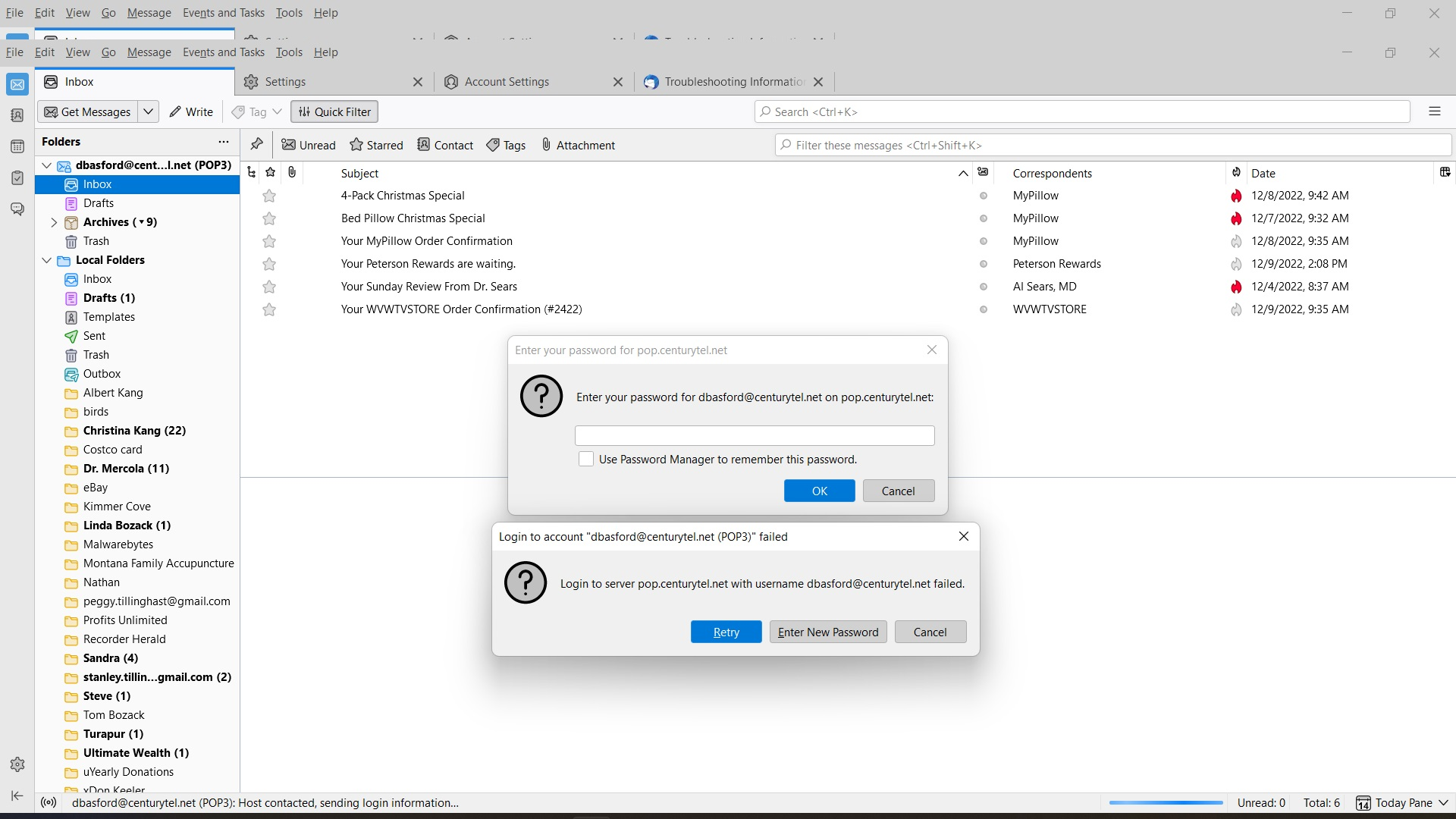
We can login to our Centurytel email via the Thunderbird web browser, but Thunderbird will not accept the password. This issue began on 12/10/2022. See the attached files to see what we see. We normally never have to type the password as it is saved in the computer and auto fill inserts the password. We type the correct password to access the email but Thunderbird will not communicate with Centurylink's server. Please correct this issue ASAP and inform me when completed. Thank you. Sandy Basford

Τροποποιήθηκε στις από το χρήστη James
Όλες οι απαντήσεις (1)
Please understand that Thunderbird is just a messenger. That is, Thunderbird *is* communicating with your server and is reporting back to you what the server says. And the server says your password is incorrect. This is a problem that you must correct. I did a lookup at this URL of centurylink that may assist: https://www.centurylink.com/home/help/internet/email/how-to-set-up-your-email-server-settings-to-go-through-pop-and-smtp.html
The URL states that the login for a PC will not be the same as for online and there is a link where you are to log in for new password.