Windows 10 reached EOS (end of support) on October 14, 2025. If you are on Windows 10, see this article.

Αναζήτηση στην υποστήριξη

Προσοχή στις απάτες! Δεν θα σας ζητήσουμε ποτέ να καλέσετε ή να στείλετε μήνυμα σε κάποιον αριθμό τηλεφώνου ή να μοιραστείτε προσωπικά δεδομένα. Αναφέρετε τυχόν ύποπτη δραστηριότητα μέσω της επιλογής «Αναφορά παραβίασης».

Μάθετε περισσότερα
Αυτό το νήμα αρχειοθετήθηκε. Κάντε νέα ερώτηση αν χρειάζεστε βοήθεια.
Αρχειοθετήθηκε

Thunderbird does not recognize e-mail provider's settings as valid.

sfhowes απαντήθηκε
harold4

I am trying to configure Thunderbird 91. See attached graphic "Configuration in T-Bird 91 - Password Not Shown.jpg". Every entry on that page is correct. I have verified those entries with my e-mail provider. Yet, the "done button" is greyed - T-Bird for some reason does not like those entries.

The second graphic, Configuration in T-Bird 91 - Error Message.jpg" is the error message T-Bird gives me when I try to force it to accept my data.

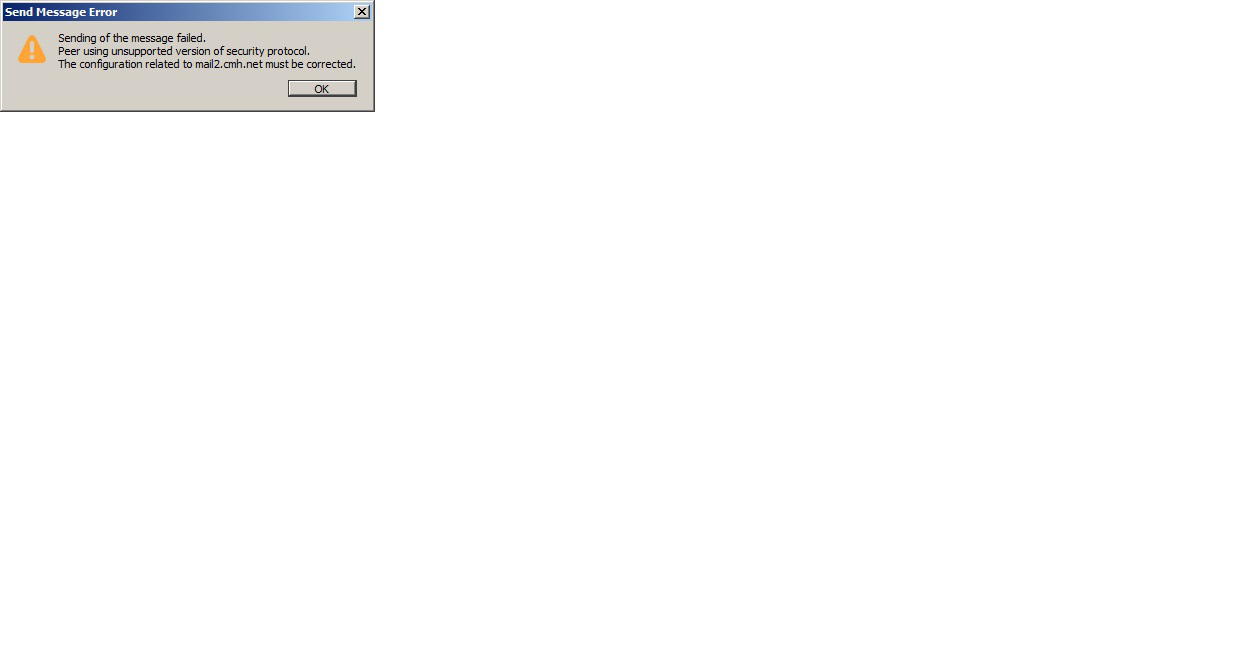
The third graphic, "Sending Myself a Test Message - Error Message.jpg" is the error message I get when I try to send an e-mail to myself.

T-Bird is trying to tell me that my use name is my full e-mail address. That is wrong. My user name for this e-mail provider is simply my first name.

Suggestions, please.

I am trying to configure Thunderbird 91. See attached graphic "Configuration in T-Bird 91 - Password Not Shown.jpg". Every entry on that page is correct. I have verified those entries with my e-mail provider. Yet, the "done button" is greyed - T-Bird for some reason does not like those entries. The second graphic, Configuration in T-Bird 91 - Error Message.jpg" is the error message T-Bird gives me when I try to force it to accept my data. The third graphic, "Sending Myself a Test Message - Error Message.jpg" is the error message I get when I try to send an e-mail to myself. T-Bird is trying to tell me that my use name is my full e-mail address. That is wrong. My user name for this e-mail provider is simply my first name. Suggestions, please.
Συνημμένα στιγμιότυπα

Όλες οι απαντήσεις (1)

The 'peer using unsupported version' error is due to the mail server not supporting the version of TLS required by TB 78. By changing a preference, the version on the server can be accepted by TB:

https://support.mozilla.org/en-US/questions/1295861

https://support.mozilla.org/en-US/kb/thunderbird-78-faq#w_after-upgrading-to-thunderbird-78-i-cannot-receive-or-send-email-messages