Windows 10 reached EOS (end of support) on October 14, 2025. If you are on Windows 10, see this article.

Avatar for Username

Αναζήτηση στην υποστήριξη

Προσοχή στις απάτες! Δεν θα σας ζητήσουμε ποτέ να καλέσετε ή να στείλετε μήνυμα σε κάποιον αριθμό τηλεφώνου ή να μοιραστείτε προσωπικά δεδομένα. Αναφέρετε τυχόν ύποπτη δραστηριότητα μέσω της επιλογής «Αναφορά παραβίασης».

Μάθετε περισσότερα
Αυτό το νήμα αρχειοθετήθηκε. Κάντε νέα ερώτηση αν χρειάζεστε βοήθεια.
Αρχειοθετήθηκε

about:config won't open

(Dead_Fox)

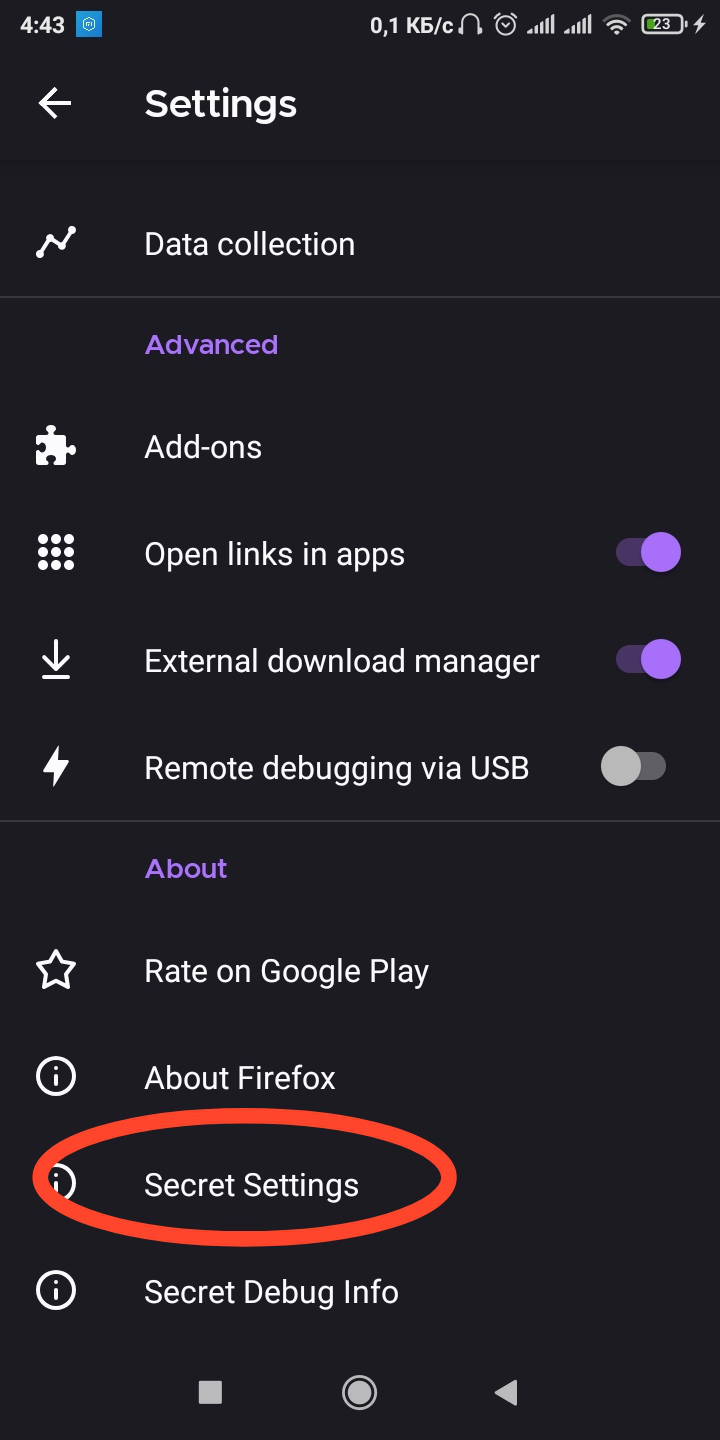
Hi I am facing a very strange problem. I cannot open the "about: config" page. The page comes out empty (img.1) Tried different search engines, different modes and security settings, nothing. Also, the viewing function in PC mode does not help. Please tell me what to do?

I searched a lot for information on the net, but did not find a single site that would talk about such a problem

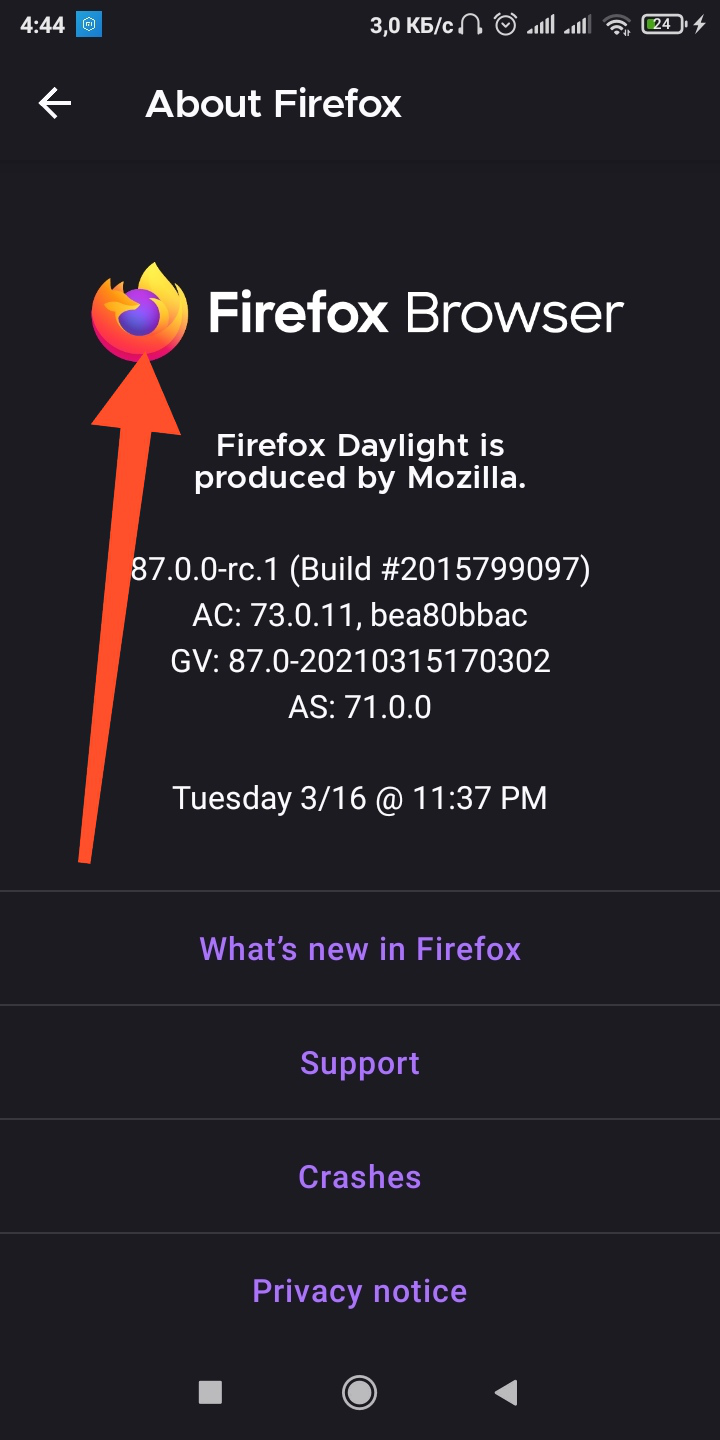
There is also a question about "Secret Settings" that opens in the settings, the "About Firefox" tab, but the tab is empty. Maybe there is an opportunity to make the tab work?

P.S. To activate the "Secret Settings" tab, you need to repeatedly click on the Firefox icon in the "About Firefox" tab (Fig. 2), the browser will notify you that the "debug menu is enabled". After that, two additional tabs will appear in the settings menu (Fig. 3).

All add-ons were disabled in the "about: config" page and the page was added to the browser security "exceptions".

Thank you in advance for your cooperation))
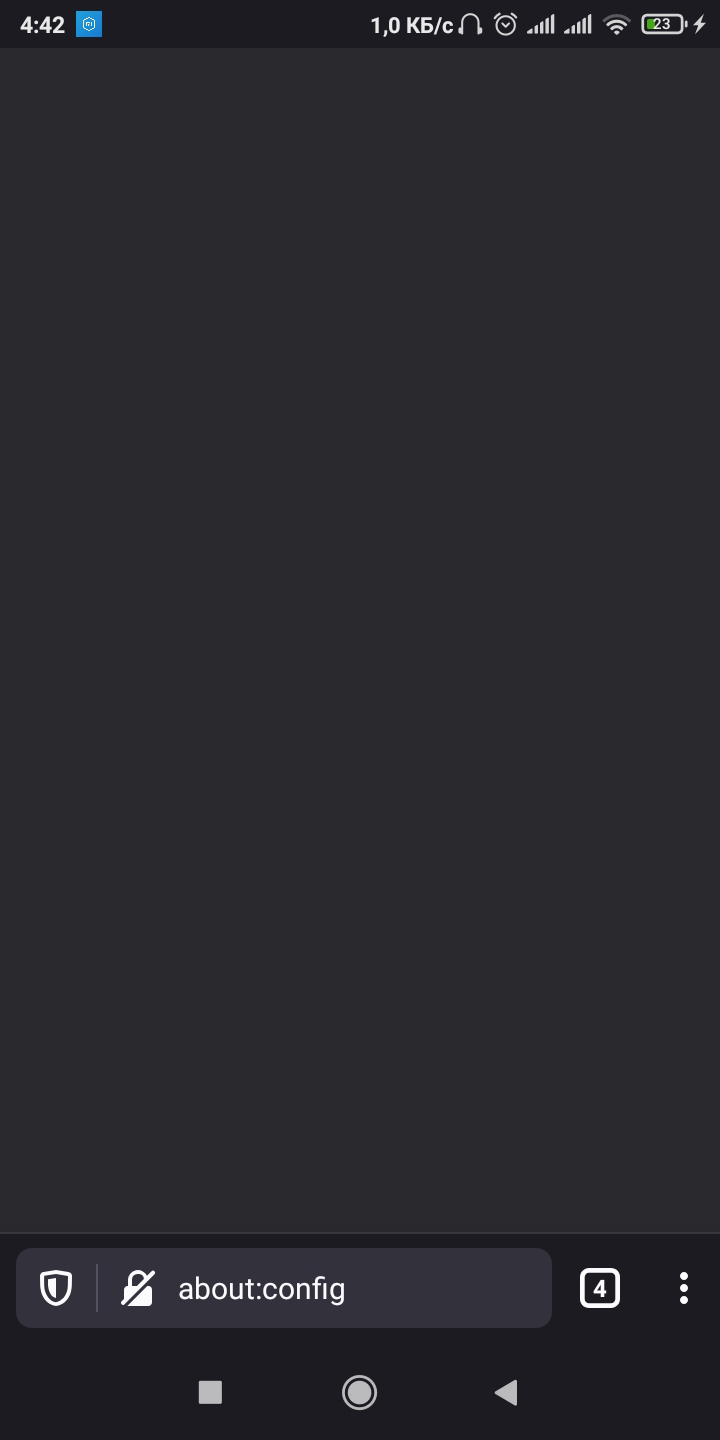
Hi I am facing a very strange problem. I cannot open the "about: config" page. The page comes out empty (img.1) Tried different search engines, different modes and security settings, nothing. Also, the viewing function in PC mode does not help. Please tell me what to do? I searched a lot for information on the net, but did not find a single site that would talk about such a problem There is also a question about "Secret Settings" that opens in the settings, the "About Firefox" tab, but the tab is empty. Maybe there is an opportunity to make the tab work? P.S. To activate the "Secret Settings" tab, you need to repeatedly click on the Firefox icon in the "About Firefox" tab (Fig. 2), the browser will notify you that the "debug menu is enabled". After that, two additional tabs will appear in the settings menu (Fig. 3). All add-ons were disabled in the "about: config" page and the page was added to the browser security "exceptions". Thank you in advance for your cooperation))
Συνημμένα στιγμιότυπα

Τροποποιήθηκε στις από τον/την (Dead_Fox)

Όλες οι απαντήσεις (2)

Ok, I already figured out that I can't use "about:config" on Android. But can you use "Secret Settings"?

Hi

About:config is made available in the Beta and Nightly versions of Firefox for Android.

The secret settings function is populate where there is an feature that you may wish to help test.