


When saving an edited PDF form the text is rendered exceedingly large
Greetings, I am trying to fill out a PDF form using Firefox's built in PDF viewer and form editor. I'm running Linux (Ubuntu) with Firefox 84. I am able to successfully view and "Open" the PDF within the browser, and even edit the text properly. However, upon saving or printing, the text gets rendered with a massive font size nullifying the ability to edit in browser. I've been trying to find some online resources without success, and can't seem to find others reporting a similar case.
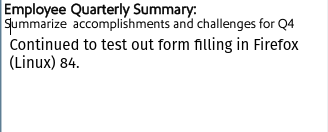
I've disabled all extensions and restarted Firefox, but did not notice any change in behavior. Any tips for debugging? Attached are two pics of the PDF form while editing, and then the rendered PDF after saving.

Όλες οι απαντήσεις (6)
Can you try downloading a new version to a separate folder, then running it from there to test the same process.
https://www.mozilla.org/en-US/firefox/all/#product-desktop-release
Hey @jonzn4SUSE, just tried a couple different PDFs. Unless you meant a new version of Firefox into a separate folder (portable install)?
Can you either update the version of Firefox via your distro or download a new of Firefox to a separate folder and test the site.
Just updated and now on 84.0.2, same issue.
Can we access this file to see if we can replicate the issue?
Sure, here is a blanked out PDF . Reproduction steps: - Open PDF in Firefox - Add/change text in the primary body of PDF - Save as a new PDF (or overwrite) - Observe large rendered text by opening the PDF in Firefox and opening print dialog, or opening the PDF in a different PDF viewer on your computer.