


mozilla.cfg not working
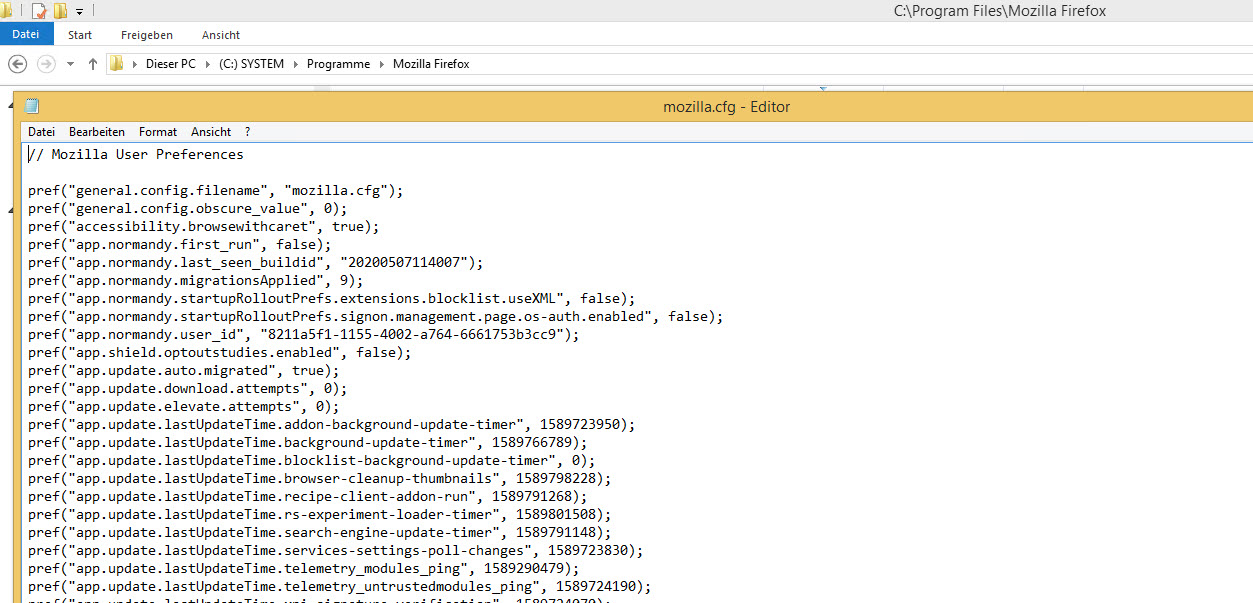
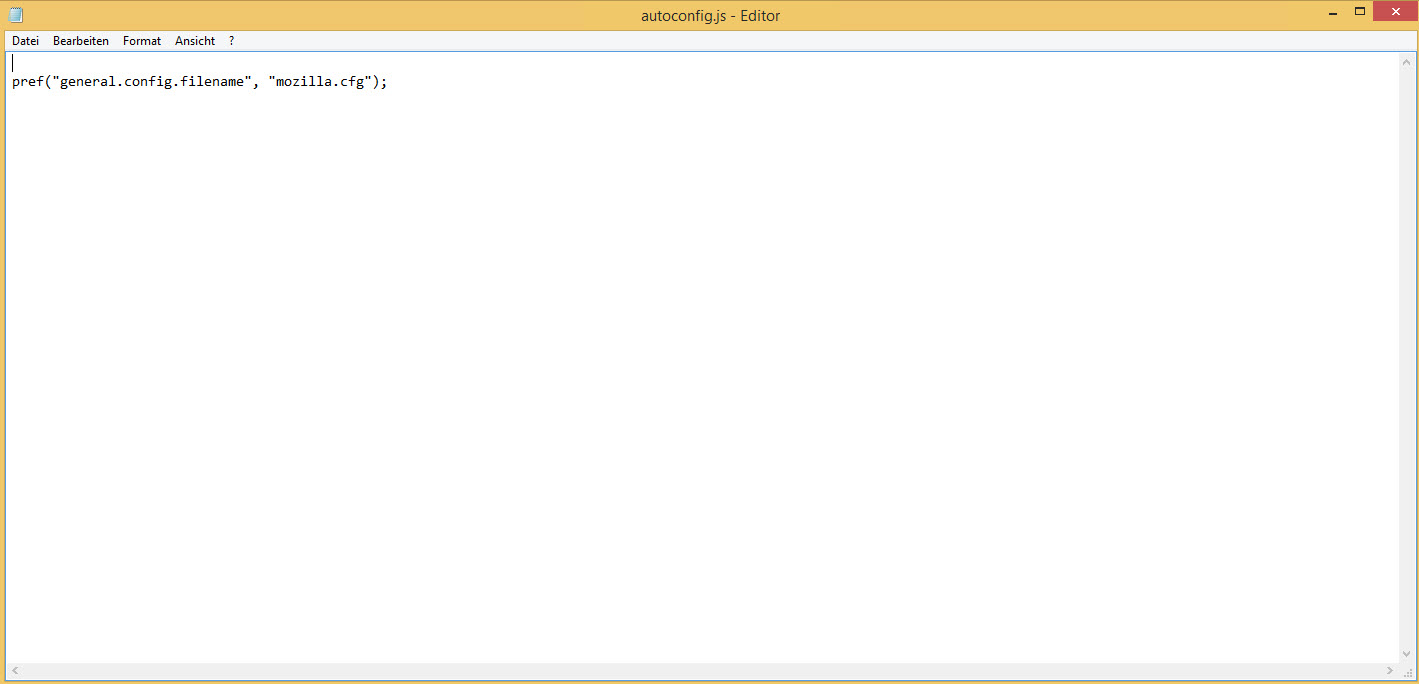
Hello I have problems with my mozilla.cfg and autoconfig.js it looks like the .cfg does not work if i login with another windows user path: mozilla.cfg: C:\Program Files\Mozilla Firefox path: autoconfig.js : C:\Program Files\Mozilla Firefox\defaults\pref
what is wrong ?
Thanks
Επιλεγμένη λύση
Note that the first two pref() lines in your mozilla.cfg file should be in your autoconfig.js file in defaults\pref folder.
//
pref("general.config.filename", "mozilla.cfg");
pref("general.config.obscure_value", 0);
autoconfig.js needs to use Unix line endings (LF instead of CR/LF). See also:
Προβολή απάντησης εντός συζήτησης 👍 1Όλες οι απαντήσεις (5)
It looks like your files are probably saved as .txt files instead of the correct file extension. For example, since Microsoft Notepad says the file is called mozilla.cfg in the title bar, it's actually called mozilla.cfg.txt.
When you save a file with Microsoft Notepad, it will automatically save them as a .txt, even if you specify the extension, unless you save the file type as All files.
It's often hard to notice this, since Windows automatically hides the file extension unless you go to View in the Windows File Explorer and check File name extensions.
Remove the .txt file extensions and you should be fine.
Hope this helps.
Επιλεγμένη λύση
Note that the first two pref() lines in your mozilla.cfg file should be in your autoconfig.js file in defaults\pref folder.
//
pref("general.config.filename", "mozilla.cfg");
pref("general.config.obscure_value", 0);
autoconfig.js needs to use Unix line endings (LF instead of CR/LF). See also:
Τροποποιήθηκε στις από τον/την cor-el
the problem was the user profile in windows, not the config from mozilla, thanks
Hello again
Today I installed Firefox 76 x64 with a new Windows 10 1909 18363
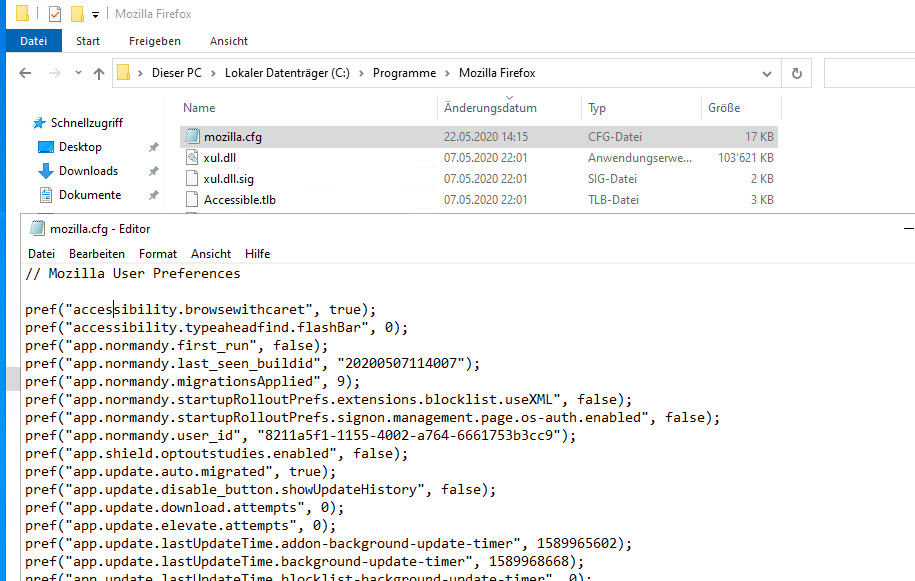
my mozilla.cfg is the same as at the beginning of this tread but the mozilla.cfg does not work if I test with general.config.filename and general.config.obscure_value I see the entrys check my attachments...
what is wrong ? Thanks
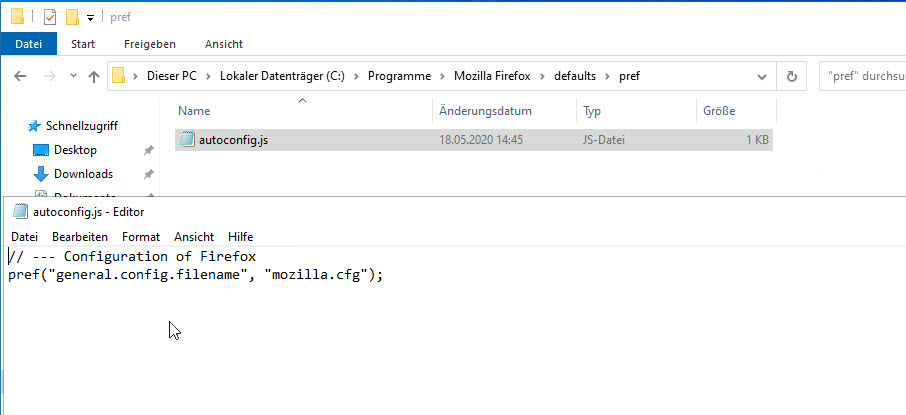
You need this content in the autoconfig.js file that is placed in the "defaults\pref" directory where the channel-prefs.js file is located.
//
pref("general.config.filename", "mozilla.cfg");
pref("general.config.obscure_value", 0);
pref("general.config.sandbox_enabled", false);
- autoconfig.cfg and autoconfig.js need to start with a comment line (//)
- autoconfig.js needs to use Unix line endings (LF instead of CR/LF)
See also: