


How can I change the keyboard shortcut for the Run command in Scratchpad?

Recent versions of Firefox add the Scratchpad to the web tools docked on the side or bottom. This is good.
However, the keyboard shortcut for run is Cmd-R (or Ctrl-R on Windows). The problem with this is that they cause the window to reload, since this is also the shortcut for for Refresh. This is annoying.
I know I can use the Cmd-I or Cmd-L shortcuts, but they have side effects.
I am loathe to add an addon to change just a single shortcut.
Is it possible to change the shortcut to something like Cmd-Enter?
Επιλεγμένη λύση
Found this bug report, so this is a known issue.
- Bug 1442163 - Can not run the script on scratchpad by using shortcut key. [Ctrl/Cmd+R]
This command also doesn't work properly.
- Bug 1240435 - The shortcut of |Reload and Run| doesn't work [Ctrl/Cmd+Shift+R]
(please do not comment in bug reports
https://bugzilla.mozilla.org/page.cgi?id=etiquette.html)
Όλες οι απαντήσεις (4)

Using Windows so where are you seeing the Scratchpad at? Screen on a Mac?
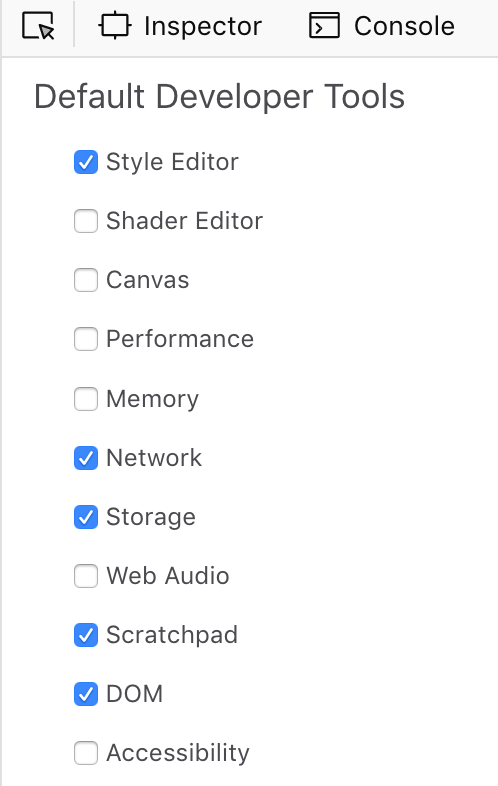
In the Web Developer Settings, you can turn on Scratchpad in the Default Developer Tools.
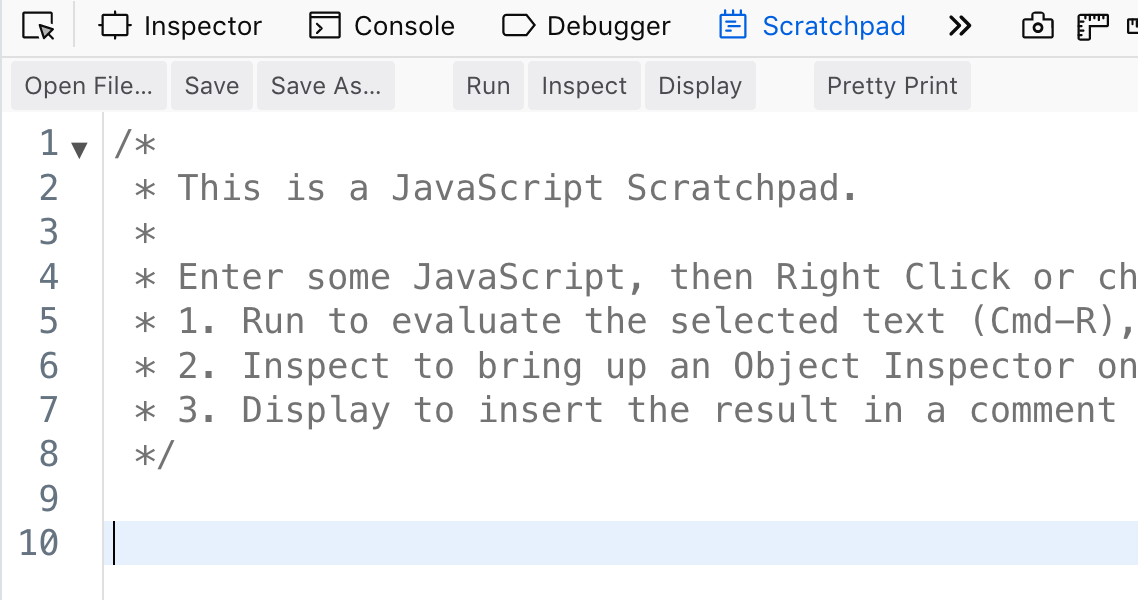
From there, you can select it from the tabs at the top of the tools. I have the tools docked to the right of the browser.
Note that the ⇧F4 short cut, as well as choosing from the Tools menu, will open Scratchpad in a new window.
The ability to use the use Scratchpad in the toolbox is relatively new ( https://developer.mozilla.org/en-US/docs/Tools/Scratchpad#Opening_Scratchpad_in_the_Toolbox ).
Τροποποιήθηκε στις από τον/την manngo
Επιλεγμένη λύση
Found this bug report, so this is a known issue.
- Bug 1442163 - Can not run the script on scratchpad by using shortcut key. [Ctrl/Cmd+R]
This command also doesn't work properly.
- Bug 1240435 - The shortcut of |Reload and Run| doesn't work [Ctrl/Cmd+Shift+R]
(please do not comment in bug reports
https://bugzilla.mozilla.org/page.cgi?id=etiquette.html)
Thanks for looking into that. I tried to find something but was unsuccessful.