


Windows 10 reached EOS (end of support) on October 14, 2025. If you are on Windows 10, see this article.

Search Support

Avoid support scams. We will never ask you to call or text a phone number or share personal information. Please report suspicious activity using the “Report Abuse” option.

Learn More

userchrome for Thunderbird 149 today panel in monthly calendar

  • 1 ŋuɖoɖo
  • 0 masɔmasɔ sia le wosi
  • 16 views
  • Nuɖoɖo mlɔetɔ Mapenzi
  • Open

Using https://support.mozilla.org/en-US/questions/1544905 as an example I placed this in my profile's userchrome.css and restarted thunderbird:

.calendar-month-day-box-current-month[relation="today"] {

   border: 10px solid red;

}

It seems not to be working in thunderbird 148.0.1 (64-bit on windows 11).

So I found the today panel in the debugger and added border: 10px solid red; to its element. That worked perfectly, as the attached image confirms. It also confirms the class is correct and that it contains the today relation.

I can't see the userchrome.css file in the debugger, which seems strange. But I edited the body colour in userchrome.css and that worked, so I know the file is being used. So why is the change to the today panel being ignored?

To confirm that I had the correct userchrom
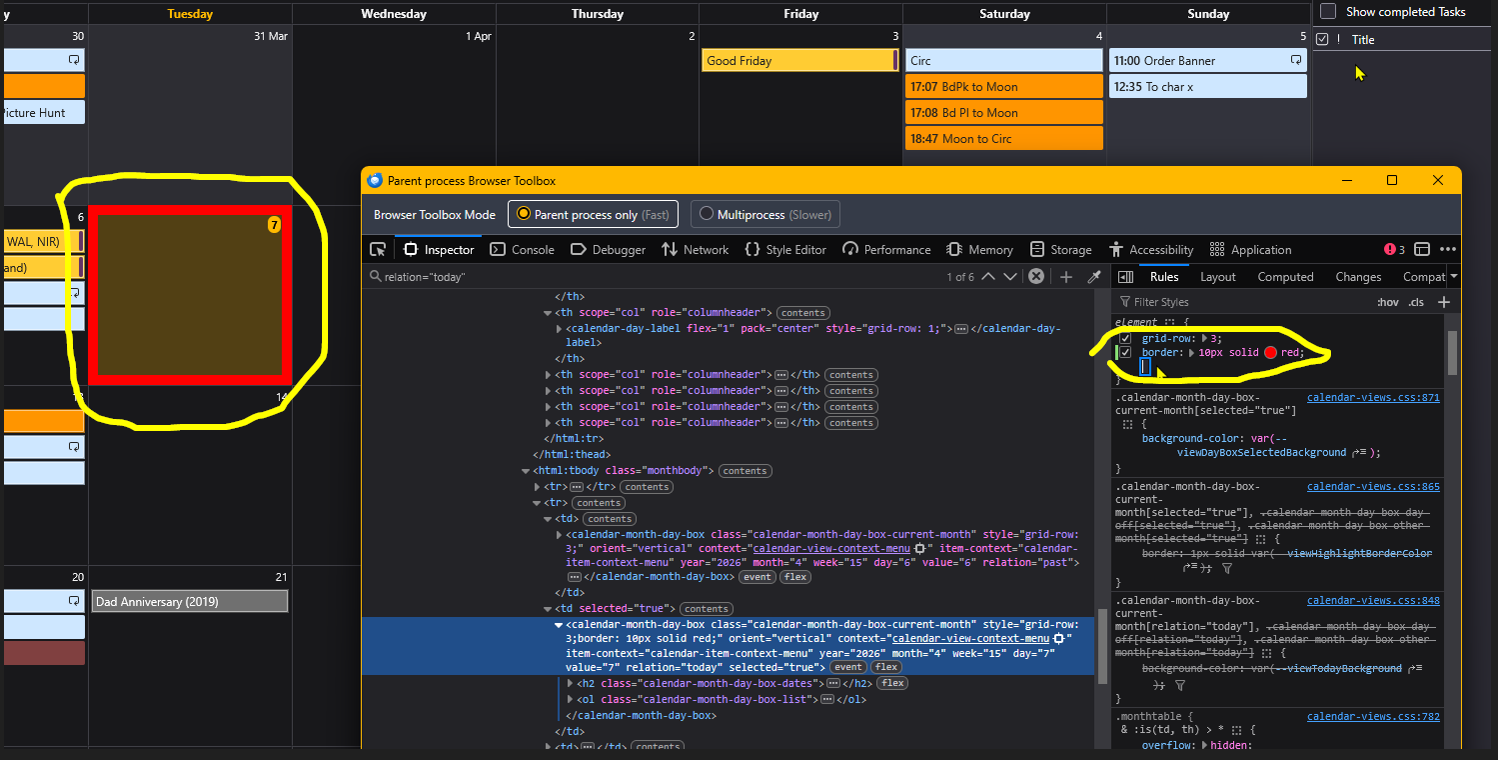
Using [https://support.mozilla.org/en-US/questions/1544905 https://support.mozilla.org/en-US/questions/1544905] as an example I placed this in my profile's userchrome.css and restarted thunderbird: .calendar-month-day-box-current-month[relation="today"] { border: 10px solid red; } It seems not to be working in thunderbird 148.0.1 (64-bit on windows 11). So I found the today panel in the debugger and added '''border: 10px solid red;''' to its element. That worked perfectly, as the attached image confirms. It also confirms the class is correct and that it contains the today relation. I can't see the userchrome.css file in the debugger, which seems strange. But I edited the body colour in userchrome.css and that worked, so I know the file is being used. So why is the change to the today panel being ignored? To confirm that I had the correct userchrom
Screen ƒe photowo kpe ɖe eŋu

All Replies (1)

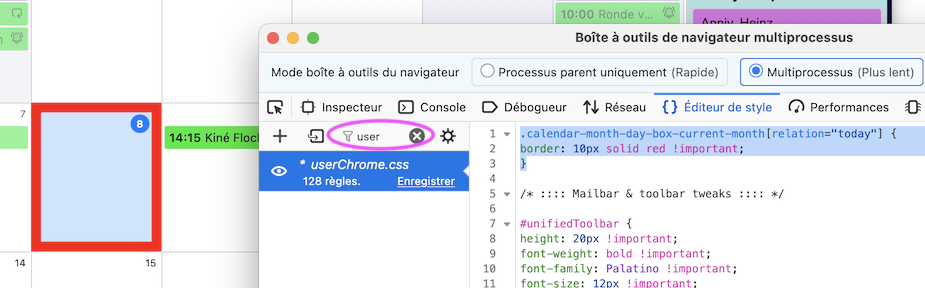
To display your userChrome.css in the left panel of the Developer Toolbox you must click on "Style Editor", then type "user" in the "Filter style sheets" box
Bia biabia

You must log in to your account to reply to posts. Please start a new question, if you do not have an account yet.