


Łączenie skrzynek odbiorczych różnych kont

Dzień dobry, Mam app thunerbird na telefonie z android. W aplikacji istnieje folder zintegrowana skrzynka odbiorcza. Chciałbym odbierać w jednej skrzynce moje wiadomości z różnych kont na komputerze z win 11. Nie mogę sobie z tym poradzić. Proszę o pomoc. Pozdrawiam
Jacek Bąk
Ɖɔɖɔɖo si wotia
Super, to było to. Dziękuję bardzo.
All Replies (5)
On your PC, click view>folders>Unified Folders (IF the menu bar is not visible, press Alt key first.) Now, if all accounts are not represented, rightclick on each unified folder, such as inbox, and click 'subscribe'. There will be a tickbox for each folder of the accounts. You can check or uncheck to adjust. This feature only works for folders that have the same name in each account. Folders that are unique to an account will continue to be listed separately under the account name.
Na komputerze nie mam możliwości wyboru Widok > Foldery > Foldery Ujednolicone - nie istnieje Foldery Ujednolicone.
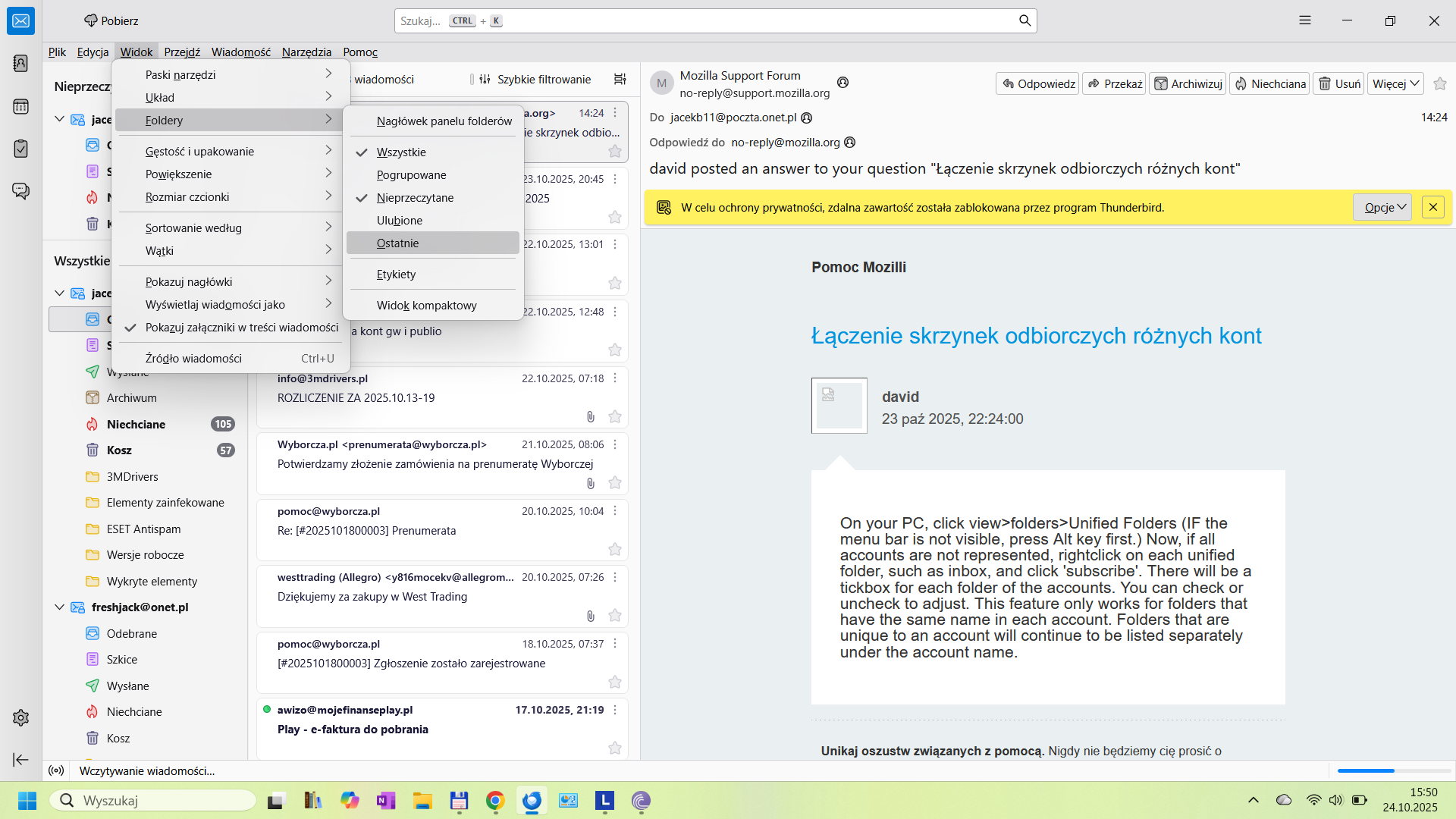
I think that is a translation issue. The word on your menu is pogrupowane - which I think means 'grouped' - click that.
Ɖɔɖɔɖo si wotia
Super, to było to. Dziękuję bardzo.
You are very welcome. :)