Wo archive tread sia.
Meɖekuku bia biabia yeye ne ehia kpeɖeŋu.

Wode archive me
To to apply multiple filers in Thunderbird's "filter Messages" box

I have Thunderbird 128.5.1esr (64-bit). I want to apply multiple filters in one query e.g. I want to check e-mails sent from "abc@xyz.com" to "prq@xyz.com" with subject "Regarding OS installation" in one query. How to apply such filters? In Outlook, we can do it like "From:abc@xyz.com,To:prq@xyz.com,Subject:prq@xyz.com" How to do such things in Thunderbird?
I have Thunderbird 128.5.1esr (64-bit). I want to apply multiple filters in one query e.g. I want to check e-mails sent from "abc@xyz.com" to "prq@xyz.com" with subject "Regarding OS installation" in one query. How to apply such filters? In Outlook, we can do it like "From:abc@xyz.com,To:prq@xyz.com,Subject:prq@xyz.com"
How to do such things in Thunderbird?
All Replies (2)
I can not believe I am answering this.
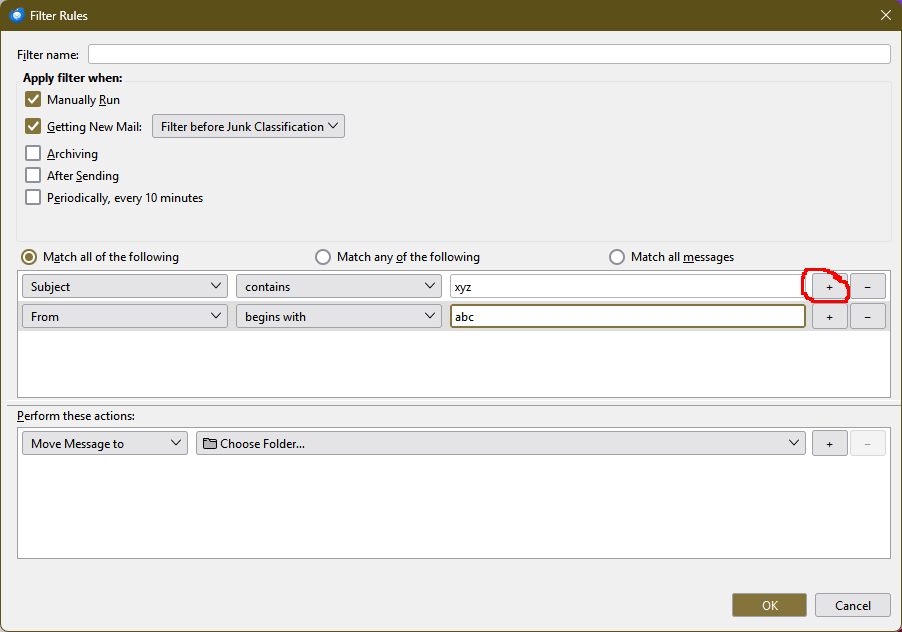
See image.
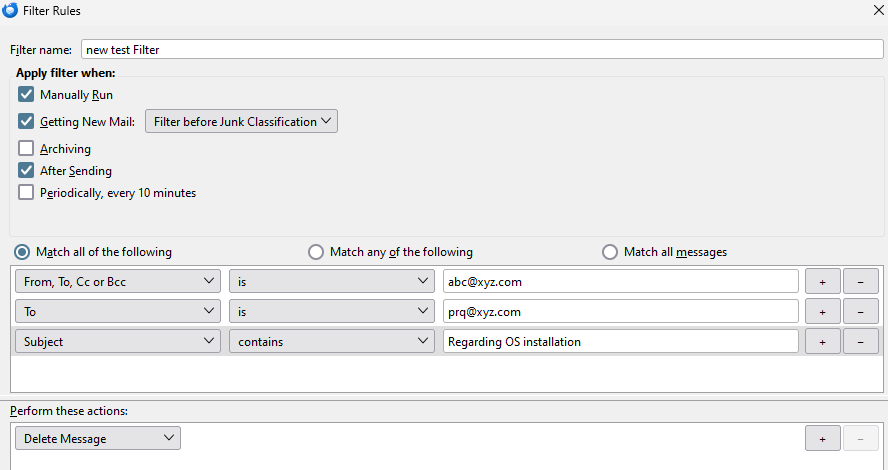
Click the circled button in the attached picture to add filters. Select 'Match all' or 'Match any' depending on if the filters must be applied as an AND statement or an OR condition.