


where did my bookmarks go

i went to my bookmarks, and only a tiny bit of them are there. where did the rest of them go. my newest ones. i tried system restore, did nothing. how can i get these back. all of them
Wubrane rozwězanje
You can check for problems with the places.sqlite database file in the Firefox profile folder.
- http://kb.mozillazine.org/Bookmarks_history_and_toolbar_buttons_not_working_-_Firefox
- https://support.mozilla.org/kb/Bookmarks+not+saved#w_fix-the-bookmarks-file
Wšykne wótegrona (6)
ALL MY BOOKMARKS ARE GONE! INCLUDING THE ICON THAT I NEED TO FIND THEM! WHY DOES FIRE FOX KEEP TELLING US THAT THEY ARE USER FRIENDLY THEN TURN AROUND AND MAKE THINGS MORE DIFFICULT, IF NOT IMPOSSIBLE, TO FIND? I WENT TO OPEN UP FIRE FOX AND I WAS AUTOMATICALLY SENT THRU AN 'UPDATE' SEQUENCE. WHEN IT WAS DONE I LOOKED FOR MY BOOKMARKS AND EVERYTHING IS GONE! NOT EVEN AN ICON "ANYWHERE ON THE PAGE" TO CALL THEM UP WITH! IF FIRE FOX KEEPS THIS SHIT UP I WILL STOP USING THEM AND TELL THEM HOW FAR UP THEIR ASS THEY CAN SHOVE THEMSELVES! GET YOUR HEADS OUT OF YOUR ASS FIRE FOX, OR JOIN INTERNET EXPLORER IN THE "NO LONGER USED" STACK OF WEB BROWSERS!
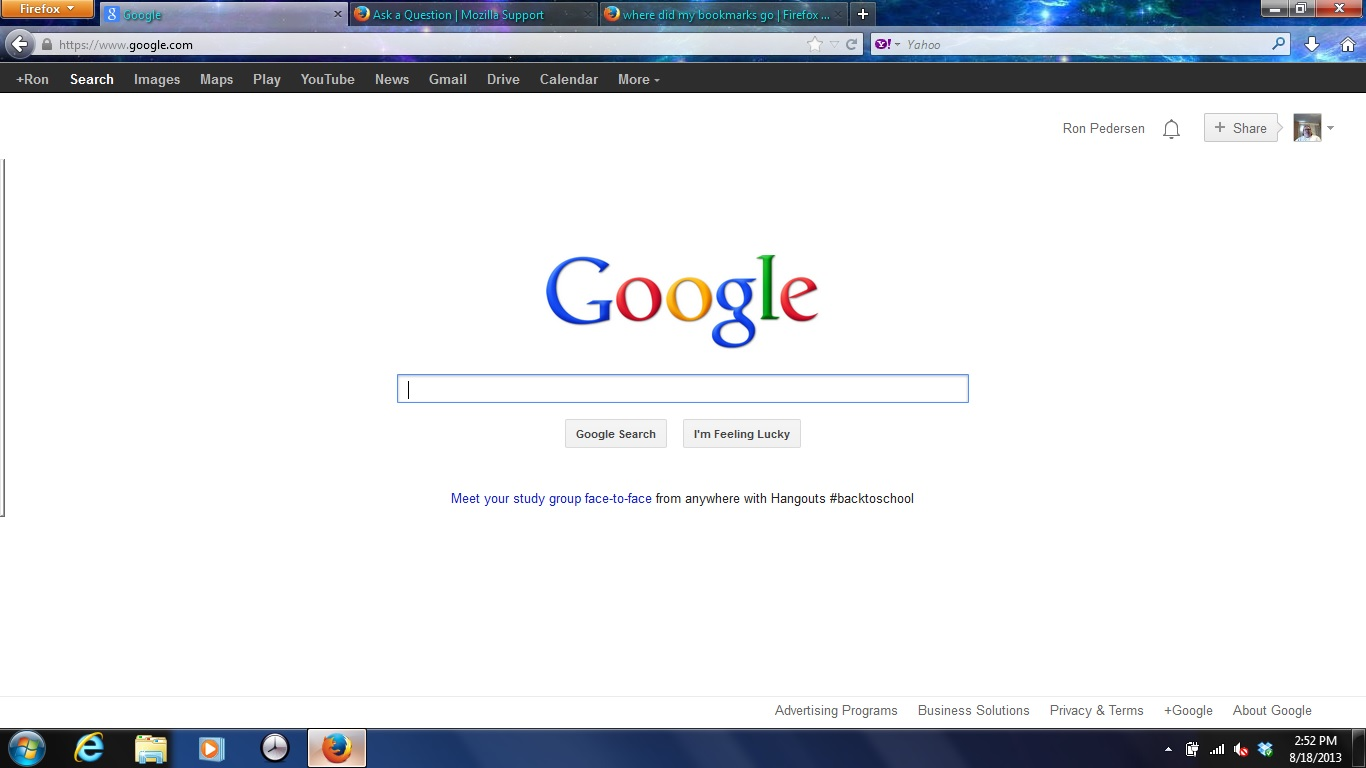
Wubrane rozwězanje
You can check for problems with the places.sqlite database file in the Firefox profile folder.
Hi ronald5969, to show the Bookmarks Toolbar, try one of these:
- right-click a blank area of the tab bar > Bookmarks Toolbar
- tap the Alt key > View menu > Toolbars > Bookmarks Toolbar
Wót jscher2000 - Support Volunteer změnjony
Hi ronald5969, if the Bookmarks Menu drop-down button disappeared from your main toolbar, try using the Customize feature to restore it. You can access that using either:
- right-click a blank area of the tab bar > Customize
- tap the Alt key > View menu > Toolbars > Customize
The icon should have the word Bookmarks next to it. The other "star" button just opens and closes the Bookmarks sidebar (you can do that manually using Ctrl+b if you like).
