


A certain program starts consuming processor resources when a video is activated.

A certain program starts consuming processor resources when a video is activated, this program has nothing to do with the video in question, plugin-container.exe is disabled, the problem doesn't occur in IE, the program which is consuming inappropriate processor resources is using the processobject, XP pro, processor consuming ends when video is stopped.
The program in question uses a timer for scanning the process list 300 times per second by a thread and the process object. However, even when I turn this scan off still the program is consuming inappropriate processor resources. When plugin-container.exe was enabled the problem was even worse in terms of that the computer was locked.
Wšykne wótegrona (8)
What is this mysterious program called?
See also What is plugin-container
The mysterious program: C:\Program\the.rifle\bin\rifle.exe
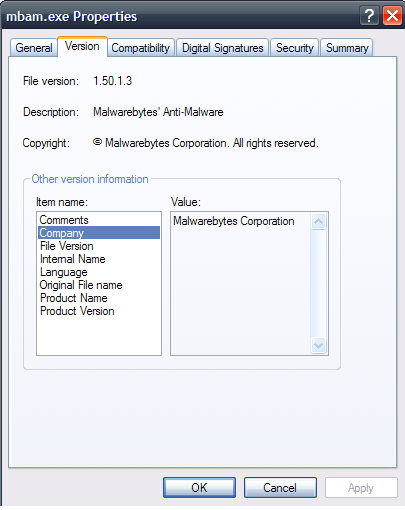
Could you please go to that location, then right click rifle.exe and go to Properties.
Next, click the Version tab and then click the link called "Company" and let me know which company is listed. As an example, I've posted a screenshot to the malwarebytes.exe file to illustrate where you should be looking.
I have developed this program by myself, and it's clean.
Hmmm.. sounds like you have some reprogramming to do to prevent your creation from consuming CPU cycles in the way you describe.
But, the problem doesn't occur in Internet Explorer. That's strange isn't it? I do prefer Firefox.
Internet Explorer is an integral part of the Windows operating system, but Firefox isn't.
Have a look at this article which might provide some clues: https://developer.mozilla.org/en/Firefox_4_for_developers
Well, my program is a VB.NET program and it has nothing to do with HTML. It's a pure client program not using internet either. But why is Firefox making my program start consuming processor resources? And as I said in an earlier post when c:\program\mozilla firefox\plugin-container.exe was enabled the problem occured already at start of Firefox 4.0.1? I can't do anything further about this, I'm afraid. So I hope that the developers of Firefox take a lock on this.