


Windows 10 reached EOS (end of support) on October 14, 2025. If you are on Windows 10, see this article.

Pomoc pśepytaś

Glědajśo se wobšudy pomocy. Njenapominajomy was nigda, telefonowy numer zawołaś, SMS pósłaś abo wósobinske informacije pśeraźiś. Pšosym dajśo suspektnu aktiwitu z pomocu nastajenja „Znjewužywanje k wěsći daś“ k wěsći.

Dalšne informacije
Toś ta nitka jo se archiwěrowała. Pšosym stajśo nowe pšašanje, joli trjebaśo pomoc.
Rozwězany Archiwěrowany

FIX THIS!

Umbra Coda

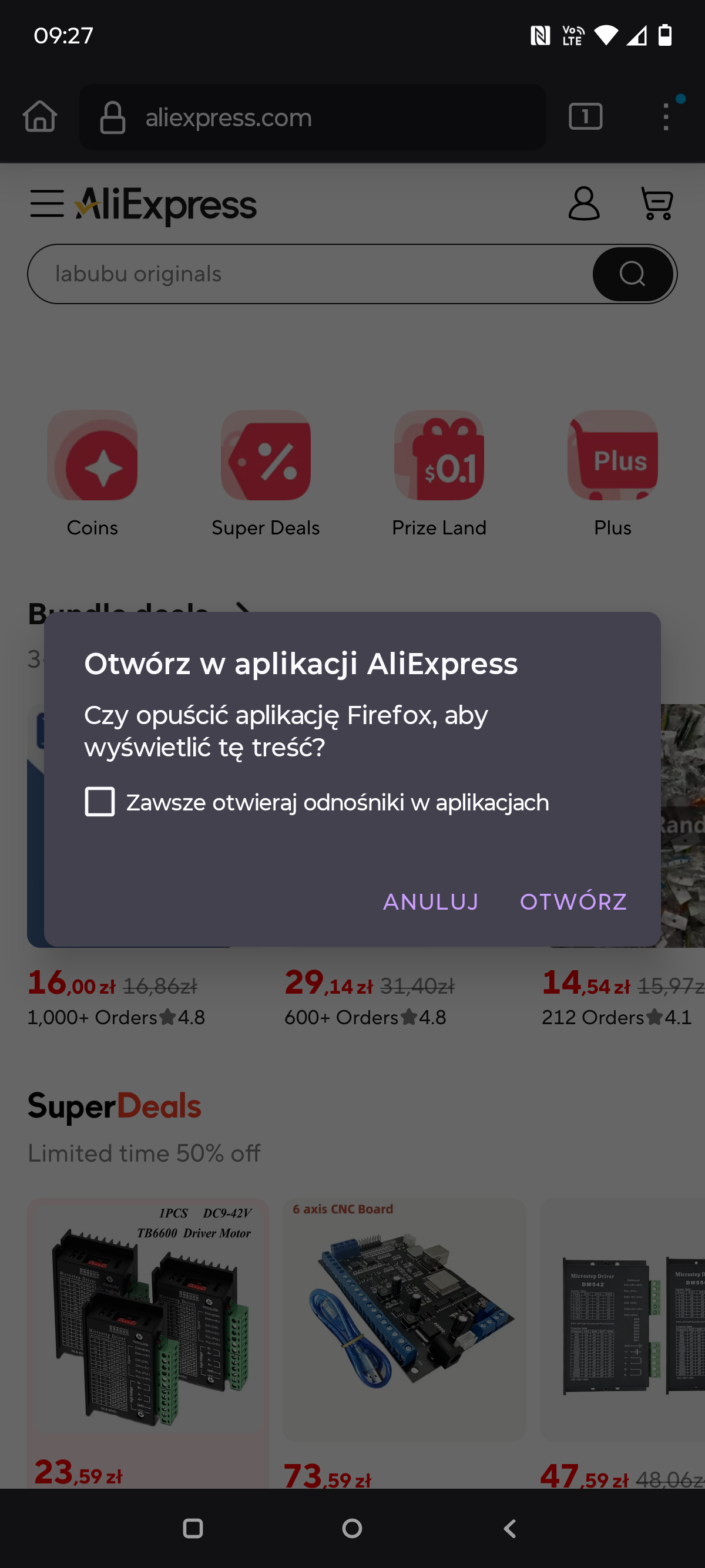
Please fix this! I specifically set it in the settings (on Android) so that no websites open in apps. And yet it keeps asking me whether to open them! There’s no option to "don’t ask again".

Here’s an example: I have two accounts on AliExpress — one is logged into the app, the other in the web browser! And I absolutely don’t want it to open in the app, because what for???

Please fix it so that when I have it set in the settings not to open in the app, it really doesn’t open — and doesn’t keep asking like an idiot!?

Please fix this! I specifically set it in the settings (on Android) so that no websites open in apps. And yet it keeps asking me whether to open them! There’s no option to "don’t ask again". Here’s an example: I have two accounts on AliExpress — one is logged into the app, the other in the web browser! And I absolutely don’t want it to open in the app, because what for??? Please fix it so that when I have it set in the settings not to open in the app, it really doesn’t open — and doesn’t keep asking like an idiot!?

Wšykne wótegrona (4)

look this image
Wubrane rozwězanje

Hi there,

You may want to check out Set Firefox for Android to open links in native apps and set the Setting to Never.

The first thing I did was set it to "NEVER"! And yet it still asks about the app.

Can you try to update to 141 to see if it might fix it?