


Folder Pane, Supernova 115

Please tell me how to unhide Local Folders in the Folder Pane. When this latest Thunderbird version installed I was checking things out and clicked "Hide Local Folders" in the pane. A mistake obviously because I can't find any way to show them again, nor any reference in settings, tools, or Thunderbird help. Thanks.
Wšykne wótegrona (4)
Wubrane rozwězanje
To the right of the 'New Message' icon are three dots. That is a menu dropdown. Uncheck 'hide local folders'
I do not have a "New message " icon as such - In German "Verfassen" is just one of the many icons in the (top) menubar (see screenshot)
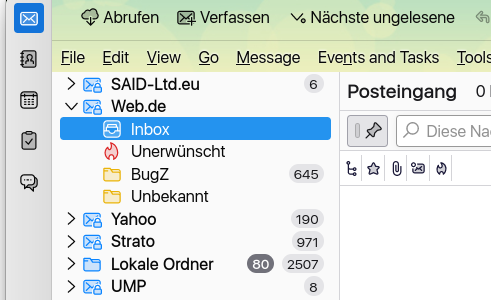
click view>folder>folder pane header. That should create the 'new message' button and the three dot menu,
Carottinger schrieb
I do not have a "New message " icon as such - In German "Verfassen" is just one of the many icons in the (top) menubar (see screenshot)
When hiding this menu also the "New message" button and the three dots disappear. Under view->Folders you can unhide the menubar again.