


Windows 10 reached EOS (end of support) on October 14, 2025. If you are on Windows 10, see this article.

Pomoc pśepytaś

Glědajśo se wobšudy pomocy. Njenapominajomy was nigda, telefonowy numer zawołaś, SMS pósłaś abo wósobinske informacije pśeraźiś. Pšosym dajśo suspektnu aktiwitu z pomocu nastajenja „Znjewužywanje k wěsći daś“ k wěsći.

Dalšne informacije
Toś ta nitka jo se archiwěrowała. Pšosym stajśo nowe pšašanje, joli trjebaśo pomoc.
Archiwěrowany

Home Page and New Tab personalized to Google Search Main Search Page

SenatorPage

I’m using Firefox 103.0.1 (64-Bit) on a Windows 10 Home Version/Build 10.0.19044

My Firefox Home page is set to Google.com with the URL of: https://www.google.com

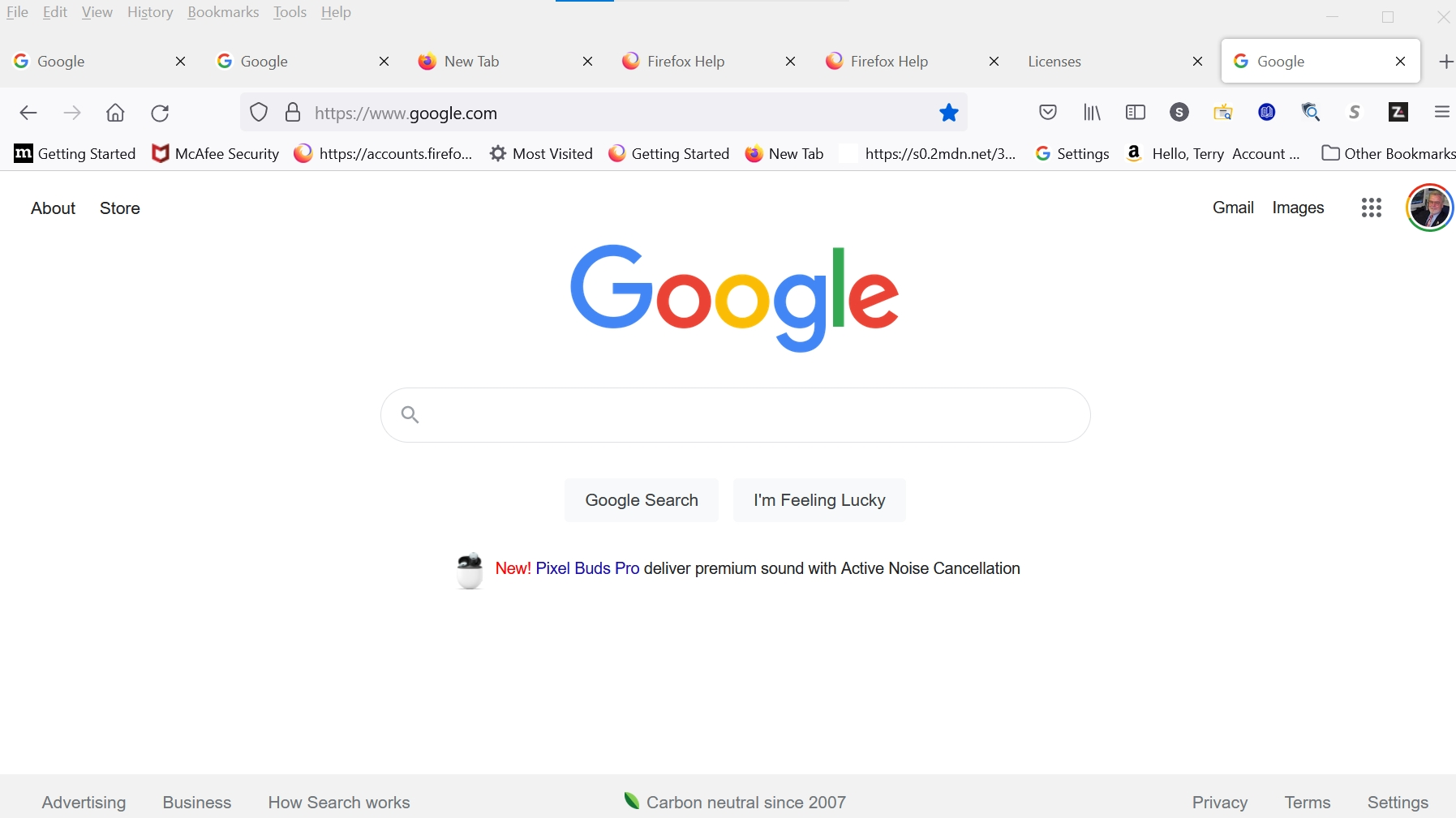
Additionally, New Tabs are set to the same Google main search page. A major frustration is that, intuitively, one would expect the input cursor to be blinking-away and chomping-on-the-bit waiting for the user’s query. No such luck… it seems necessary to manually use the mouse / finger or pointing device to put the focus in the webpage’s Search window located below the colored Google logo.

How do I adjust a setting to place the expected input cursor where we expect it to be (without the manual intervention)?

Image of Homepage attached

Thank You, Terry Page Senator.Page@Verizon.net or SenatorPage@GMail.com
I’m using Firefox 103.0.1 (64-Bit) on a Windows 10 Home Version/Build 10.0.19044 My Firefox Home page is set to Google.com with the URL of: https://www.google.com Additionally, New Tabs are set to the same Google main search page. A major frustration is that, intuitively, one would expect the input cursor to be blinking-away and chomping-on-the-bit waiting for the user’s query. No such luck… it seems necessary to manually use the mouse / finger or pointing device to put the focus in the webpage’s Search window located below the colored Google logo. How do I adjust a setting to place the expected input cursor where we expect it to be (without the manual intervention)? Image of Homepage attached Thank You, Terry Page Senator.Page@Verizon.net or SenatorPage@GMail.com
Pśipowjesone fota wobrazowki

Wšykne wótegrona (1)

The cursor always appears in the address bar and you have to place it in the search bar yourself. If you have the problem that your typing moves to the address bar when you want to use the search bar, there is a preference you can change for that.