


Passwords Will Not Save, Nor Will "Password Exporter" work.

I recently bought a new computer. I transferred my Firefox profile from my old computer to my new computer, which worked like a charm. Although everything is working well, there is one thing that won't work. Passwords will no longer save. I don't even get the drop down box that gives the option to save a password. And no matter what I try, there are no "Saved Logins" in my "Saved Logins" section.
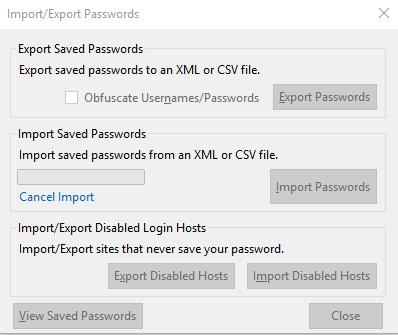
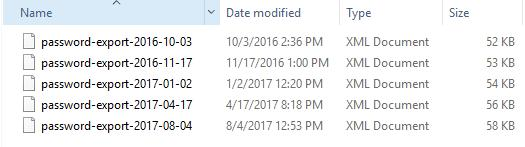
Also, as a backup, I had saved my passwords from my old computer using the "Password Exporter" extension. But when I try to import those passwords to my new computer, all the options on the extension turn grey and freeze. I hit the "Import Passwords" selection, after going to Options - Security - Import/Export Passwords. But although I'm able to click the option "Import Passwords" in the little box that appears, as well as choose the correct saved XML document, as soon as I do, every choice turns grey and freezes.
I've tried everything I could find here in the help section and nothing, none of the fixes, have worked. Please help!
Wubrane rozwězanje
No, I wasn't in safe browsing. That was one of the first things I checked even though I never use safe browsing.
I goggled answers to this password mystery for 3 days before coming here. Then I spent a few days here trying everything everyone suggested. There were no new solutions left to try.
So, I "Refreshed Firefox." And it worked like a charm! I lost my add-ons, but that's no big deal since I know what they were and can easily get them again.
What a relief to have my passwords back! (Refresh is not such a scary thing after all!)
Thanks everyone for trying to help me!
Toś to wótegrono w konteksće cytaś 👍 1Wšykne wótegrona (2)
Wubrane rozwězanje
No, I wasn't in safe browsing. That was one of the first things I checked even though I never use safe browsing.
I goggled answers to this password mystery for 3 days before coming here. Then I spent a few days here trying everything everyone suggested. There were no new solutions left to try.
So, I "Refreshed Firefox." And it worked like a charm! I lost my add-ons, but that's no big deal since I know what they were and can easily get them again.
What a relief to have my passwords back! (Refresh is not such a scary thing after all!)
Thanks everyone for trying to help me!
Wót Allygator změnjony
Well done !!! You've done a terrific job and I sure am glad that you've got things back to normal.
Would you be a dear and mark your last post as 'Chosen Solution' ?
That way others will know what solved the problem and they might benefit from it.
Thank you in advance !