


Quota bar reads 0% yet it's actually near capacity

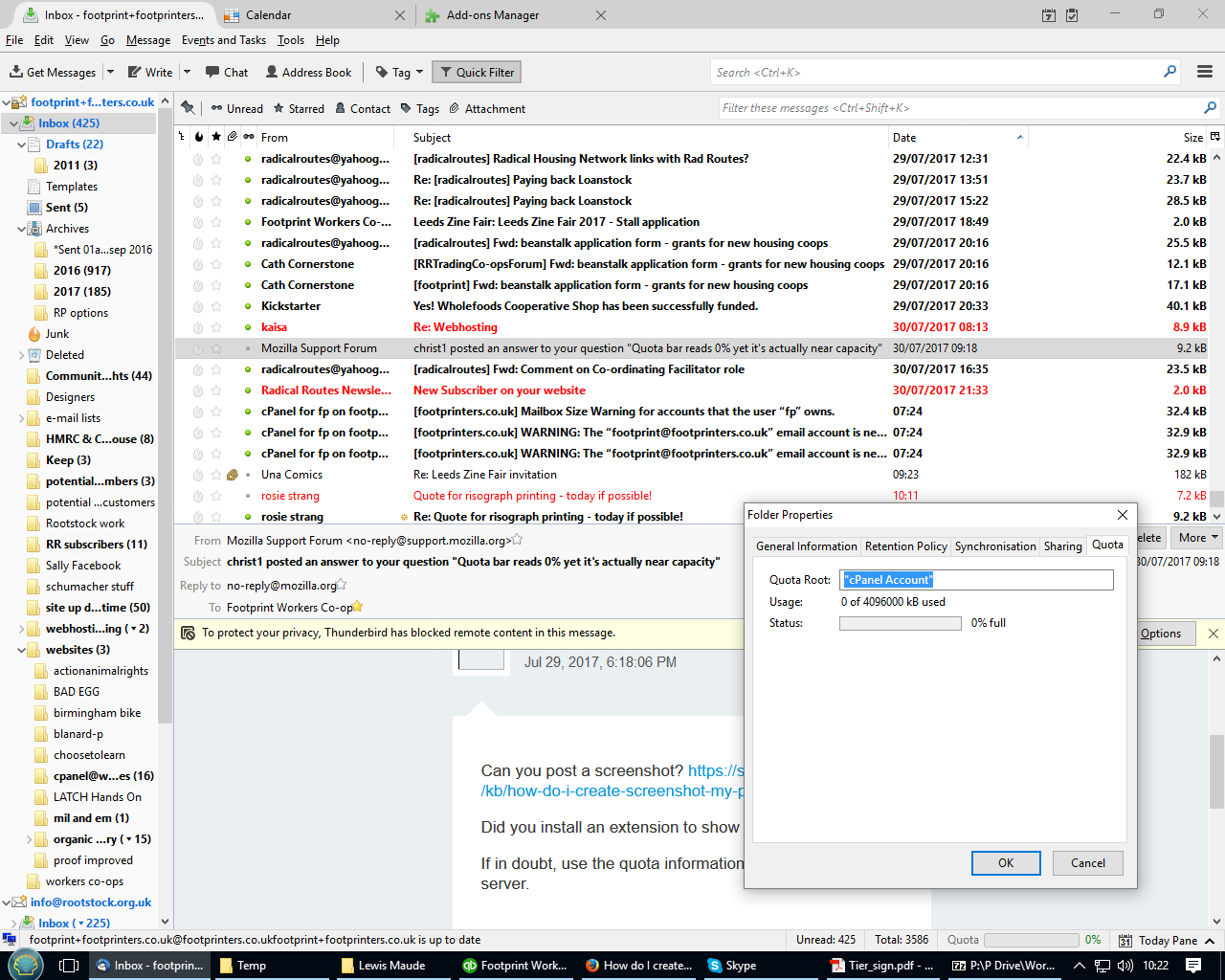
Our inbox quota bar in Thunderbird has started reading 0% regardless of its actual status. Through our hosting we get warnings when it's at 90% and so we know it's actually around this mark a lot of the time. In the inbox folder properties under "General Information" it manages to flag up 92MB of data via IMAP but under "Quota" the Quota Root is listed as "cPanel account", and 0%.
Wšykne wótegrona (3)

Can you post a screenshot? https://support.mozilla.org/kb/how-do-i-create-screenshot-my-problem
Did you install an extension to show quota information?
If in doubt, use the quota information provided by the server.
Sure, here's a screenshot. Yes, it's an extension:
When the quota information as per your screenshot is provided by an extension you'd need to contact the extension author. As said before, if in doubt, use the information provided by the server.