


My downloads window is showing as open, but it has disappeared. Where is it?

The downloads window is showing as open, however I can't see it anywhere. I have checked Preferences> General and made sure that the option for the downloads window to show when downloading files, however it is still nowhere to be seen.
I have checked all desktop areas. When you click on window > downloads, the window fails to appear. This has been happening since the last two updates.
Alle Antworten (5)
How do you know your downloads window is open, if you can't see it?
Perhaps it is closed and you expected it to stay open. (and that would agree with what you said about last two updates -- the default was changed)
Tools > Options > General
Downloads:
- [X] Show the Downloads window when downloading a file
- [_] Close it when all downloads are finished
To view the Downloads window at anytime use "Ctrl+J" {"Cmd+J" on Mac"}
- https://support.mozilla.com/en-US/kb/Keyboard%20shortcuts
- More complete list (Windows oriented) see key at top to help with Mac/Linux
http://dmcritchie.mvps.org/firefox/keyboard.htm
Please mark "Solved" one answer that will best help others with a similar problem -- hope this was it.
Thanks for your reply.
As I said in the original post, I have selected the relevant option (as you have also suggested) for the downloads window to open when downloading files.
When I click on 'Window' on the menu bar on the top of the page, the window shows as open (as it lists all the open windows at any one time); yet when i click on it, the window doesn't appear.
I have done a search on here and the web in general to try and find a solution, and tried various things, none of which have made the downloads window re-appear.
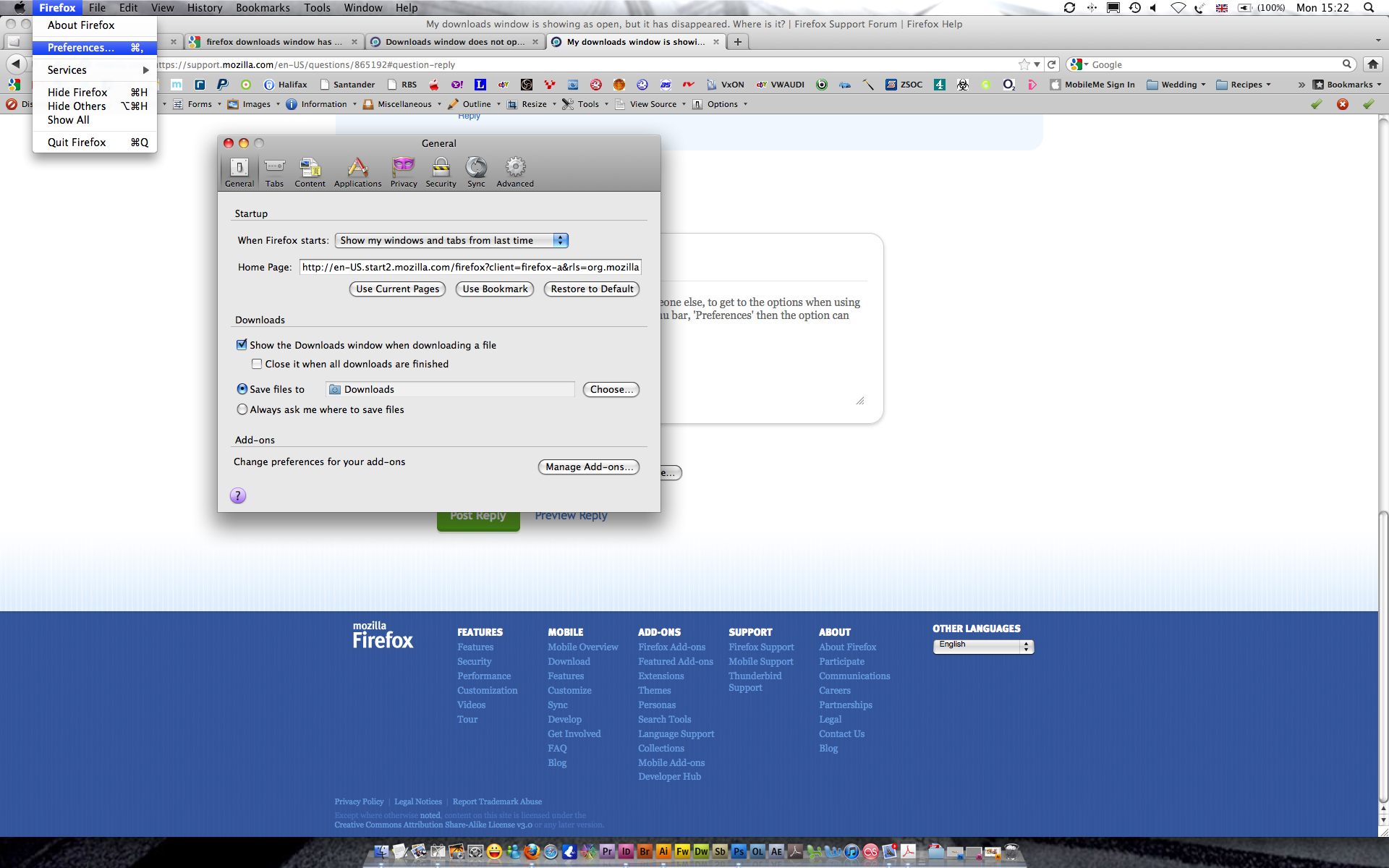
Also, as I know your answer may help someone else, to get to the options when using a mac, you click on 'Firefox' on the top menu bar, 'Preferences' then the option can be found on the general tab.
Below shows the location by screenshot.
Actually I was trying to point out that there are two options, not just one option. One option is what you mentioned 1st time and 2nd time. But does Ctrl+J work or not.
Downloads:
- [X] Show the Downloads window when downloading a file
- [_] Close it when all downloads are finished
I had no idea what you meant by this:
- <<When I click on 'Window' on the menu bar on the top of the page, the window shows as open (as it lists all the open windows at any one time); yet when i click on it, the window doesn't appear. >>
But I see now from your picture that on your Mac there is a menu item named "Window" there is no such menu item on Windows version of Firefox.
If the download is very short then the Download window will not open at all regardless of options.
Geändert am von David McRitchie