


Unwanted "Account Setup" window when opening .eml file.

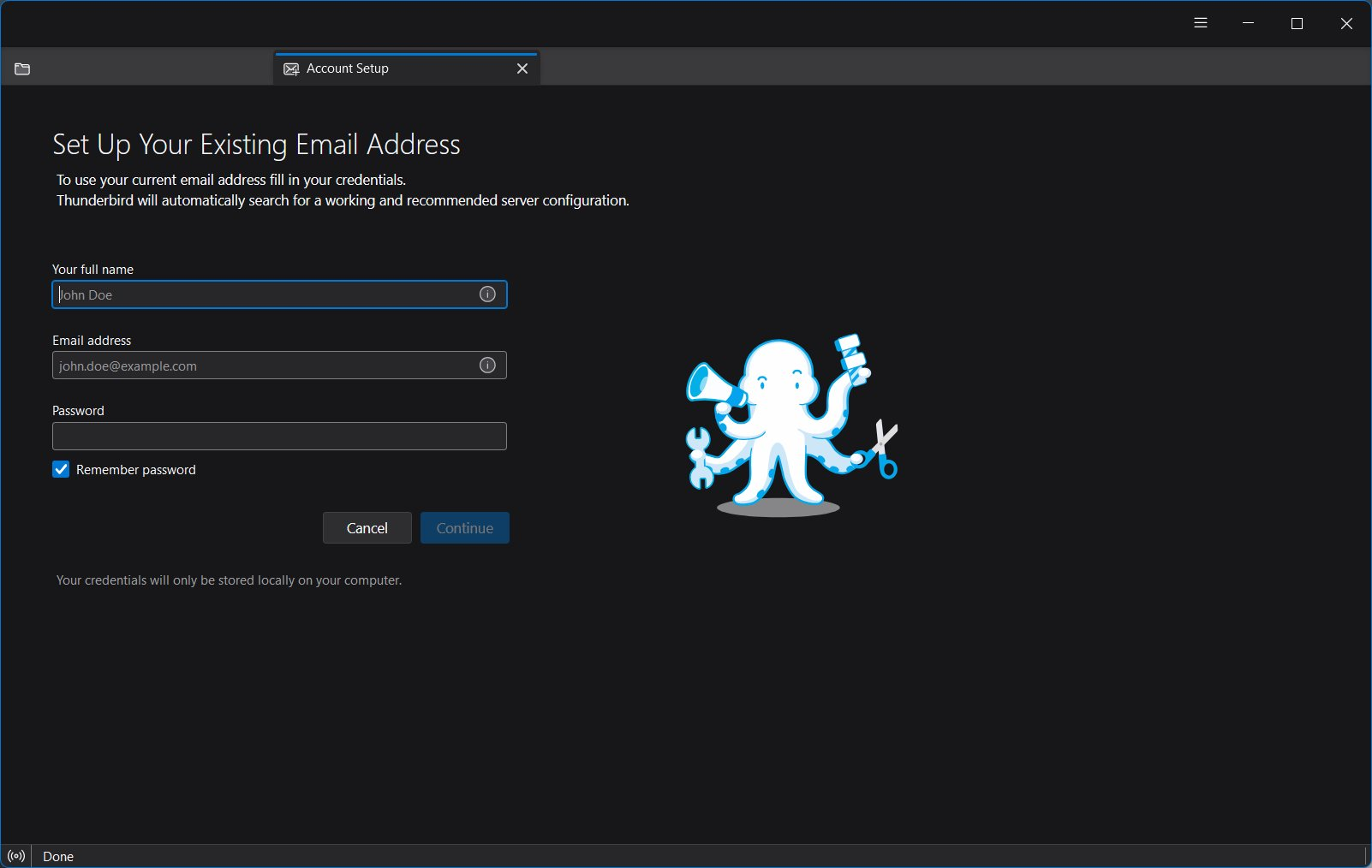
Whenever I attempt to open a .eml file from my hard drive, I receive the "Account Setup" window before the actual file opens. How do I get rid of "Account Setup" as an initial window when opening a file?
Alle Antworten (8)

Are you actually using TB with a valid account? If so, that will need to be troubleshot, as I can't reproduce the problem. If not, what you want to do won't work; do a web search for .eml viewer.
Ed said
Are you actually using TB with a valid account? If so, that will need to be troubleshot, as I can't reproduce the problem. If not, what you want to do won't work; do a web search for .eml viewer.
I am using a valid account (otherwise I could not have this exchange with you). I frequently save emails to my local hard drive as .eml (defalut) files, and need to retrieve them at a later date / time. When retrieving the saved file, by double-clicking on the file, Thunderbird always gives me the "Account Setup" screen, then opens the saved file in another window shortly thereafter. This condition happens even when I have a Thunderbird process open in another window.
Some people do try to use TB to open email files without having an account :-)
What version of TB/OS? Has it always done that, or did it start recently?
Does that also happen if you have TB open in [Troubleshoot mode](https://support.mozilla.org/en-US/kb/troubleshoot-mode-thunderbird/)?
Hello Ed,
Thanks for your assistance. This issue has been taking place for several months. I did not initially report it as I was hoping that it would be resolved with one of the automatic updates Thunderbird provides.
In response to your requests for clarification:
- * Operating system is Windows 11, Version 25H2.
- * Thunderbird Version is 160.0 (64bit)
- * When running in Troubleshooting Mode, the problem remains.
- * There have been several automatic updates I have installed for both Thunderbird and Windows11 since the problem was first observed.
I am wondering if there is an error someplace in a registry entry that causes Thunderbird to think that it has not been installed when attempting to open an .eml file directly from Windows Explorer.
kanas said
I am wondering if there is an error someplace in a registry entry that causes Thunderbird to think that it has not been installed when attempting to open an .eml file directly from Windows Explorer.
Most unlikely as Thunderbird being a cross platform product uses the windows registry sparingly for Windows integration only, not it's own settings.
This it is asking for an account sounds like it starts up without a default profile.
Try the following.
Windowskey+R
Type Thunderbird-p and click ok.
You should be presented with a select profile dialog.
This is my rather messy one with decades of test profiles.
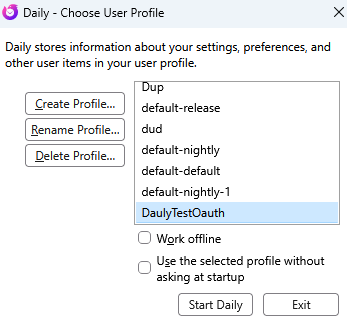 Select you normal profile (it will probably be names default-release) although other permutations of default have been used over the years.
Make sure to select the last option to use this profile automatically without asking at startup.
Now try your EML file.
IMO, it would be nearly impossible to figure out if there's a registry problem. You could simply reinstall TB and see if that fixes it.
I did find this old bug, which is still open but appears to no longer be valid. If reinstalling doesn't help, I'd suggest filing a new bug at https://bugzilla.mozilla.org/enter_bug.cgi/, referencing the old one.
Hello Matt,
Thanks for your recommendations.
See images attached.
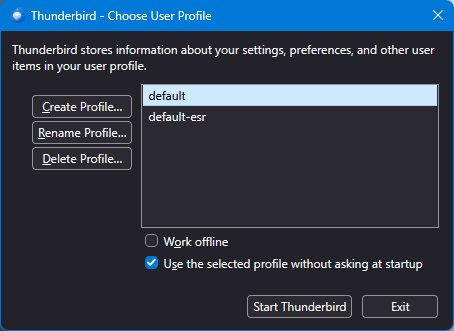
- First image: Windows +R reveals two profiles; default and default-esr. System was using default.
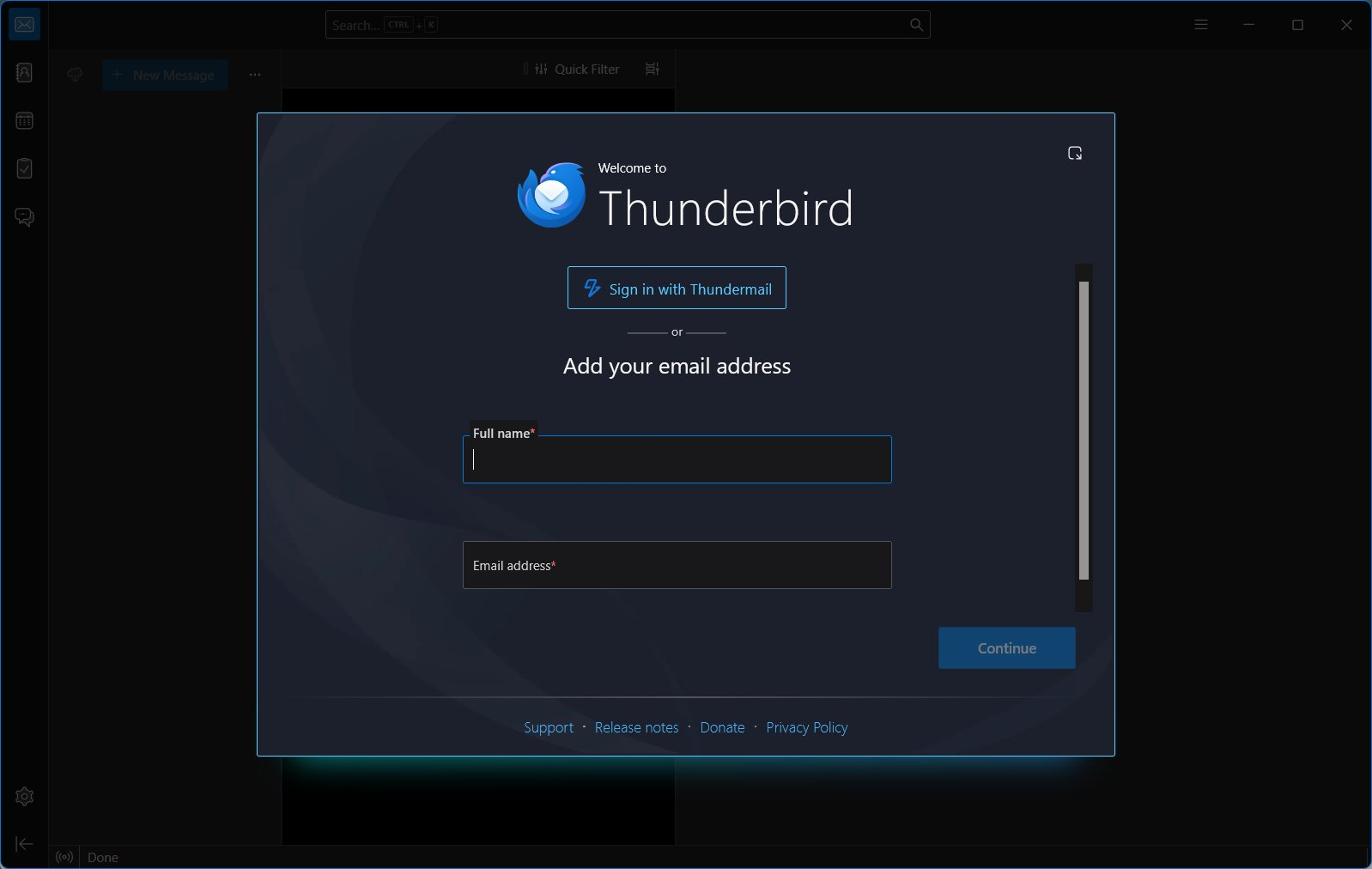
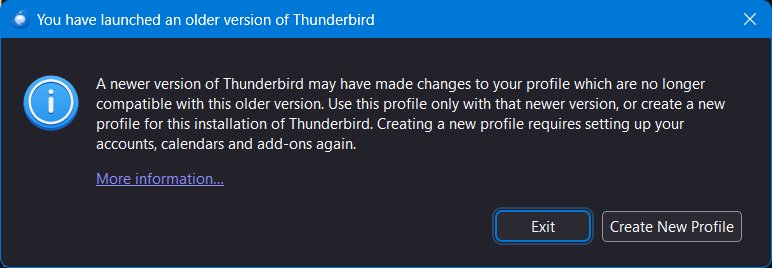
- Second image: I switched to default-esr and I receive a "Welcome to Thunderbird" screen, looking like it will require that I rebuild my identity and profile. I closed this instance of Thunderbird without doing anything.
- Third image: This window appears when attempting to open a .eml file from Windows Explorer (no other instance of Thunderbird running)
Please advise at your convenience

Windows is notorious for getting confused about what programs should deal with what file types and protocols.
Try changing Windows default email AND app for .eml files in Windows Settings to something OTHER THAN Thunderbird (Outlook is hopefully installed), then change them back to Thunderbird. Sometimes 'tickling' those settings puts things right.