


Why does my in box not show when I open Thunderbird unless there is a new message in it?

This just started yesterday: When I open thunderbird my inbox does not show up unless there is a new unread email in it. Also my previously set display columns and tool bar all have to be reset each time I open Thunderbird.
Alle Antworten (4)
Is the the Quick Filter tool bar activated and within it the filter "Show only unread messages" ?
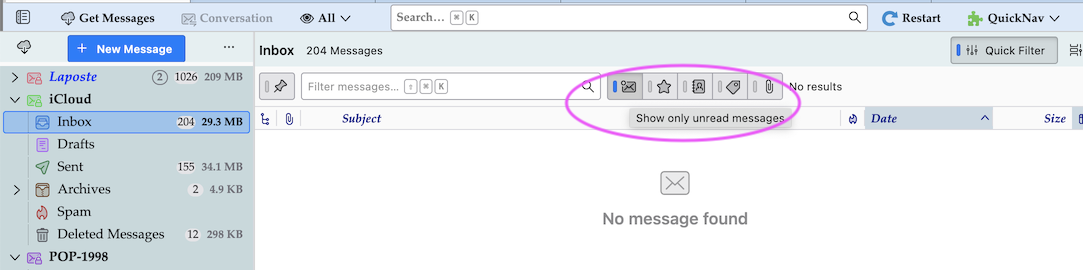
Geändert am von Mapenzi
Sorry for the delay in responding. The Quick Filter toll bar is not active. When I open thunderbird, the inbox say "No Messages". I then go to "File" and then "Get new messages for" account. Some times it takes several tries before all my messages (New and Old) appear in my inbox. Also, each time I open Thunderbird, I have to reset my columns.
I can't see a common denominator for the problems you describe. Does your antivirus software scan incoming and outgoing messages?
I just noticed that you posted the same problem in two other threads: https://support.mozilla.org/en-US/questions/1615095 https://support.mozilla.org/en-US/questions/1615613
Geändert am von Mapenzi
Thanks again for responding. I found the problem; It had to do with the "subscribe " option under the "File" tab. I had never used that option when I set up my Thunderbird account several years ago but for some reason, the app started only downloading messages that were selected in "Subscribe". Why - I don't know, but the problem was fixed after I "subscribed" to the folders I wanted.