


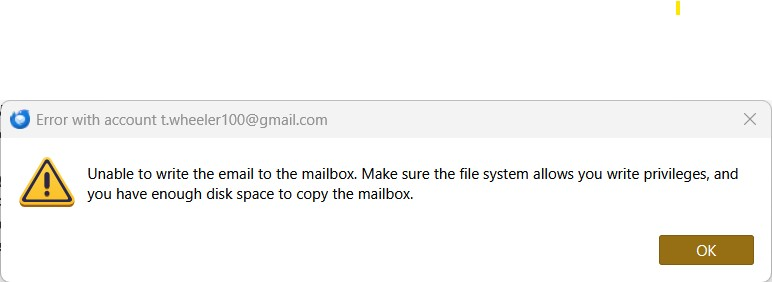
Unable to write the email to the mailbox - can't pop download emails from gmail

I'm getting a popup error message saying "Unable to write the email to the mailbox" on one of my gmail accounts. This has happened a few times before and I'm not sure how I managed to get it working again those times, seems hit-or-miss. I've compacted and run a repair on the inbox folder several times as suggested by others. I've updated and restarted Thunderbird and even updated windows and restarted more than once.
Windows 11 Pro Thunderbird 158.0 (64 bit)
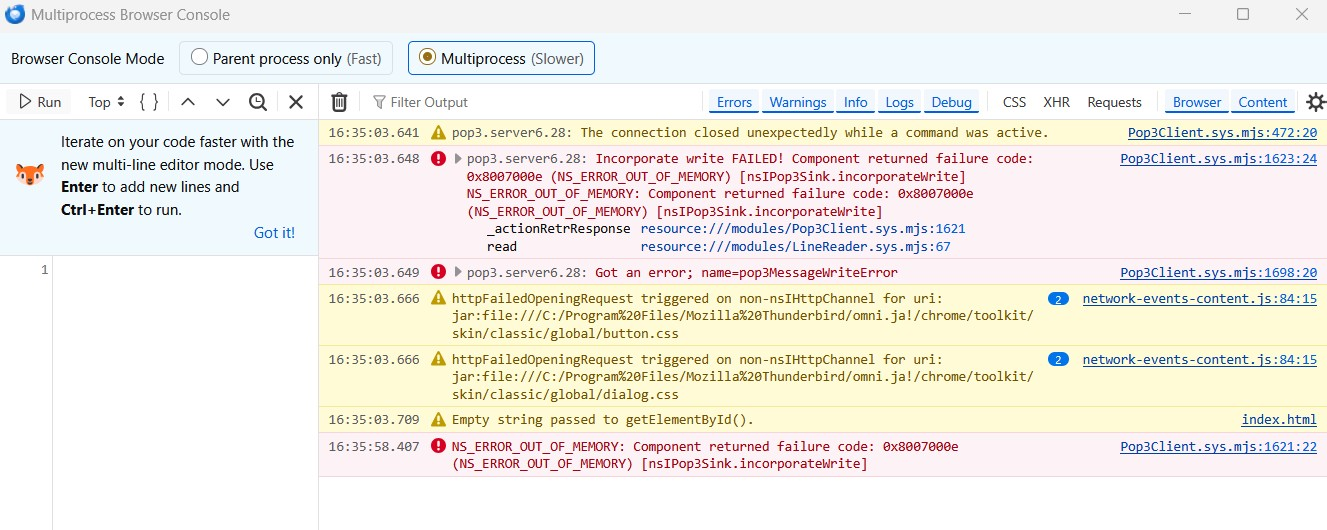
I'm attaching a screenshot from the Error Console (Tools -> Developer Tools -> Error Console)
Geändert am von Wayne Mery
Alle Antworten (3)

Ausgewählte Lösung
Your antivirus program may be interfering. Try going to your email provider's web site and move or delete the message right below the one that downloaded last. Then see if the downloads continue.
You're a hero! How did you know that? I opened my gmail on the web and deleted 2 or 3 emails both before and after the last successfully downloaded one and then Thunderbird was able to download emails again! I'm going to have to write this down so I remember the next time.
It's a relatively common occurrence with a few of the more well-known AV apps (but not Windows Defender). The usual advice to prevent the problem is:
- set your AV app not to scan incoming messages
- enable this TB setting: TB menu > Settings > Privacy & Security > Security > Antivirus > Allow antivirus clients to quarantine individual incoming messages.
Then you will still be protected. It seems counter-intuitive but it works. What happens is that when a message is downloaded, it opens a temporary file in a folder where it's scanned by the AV app. If a problem is found with that message, the downloading continues uninterrupted.