Unified folder listing shows one account but not another?

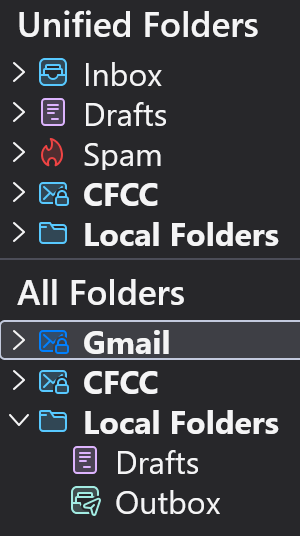
Hi, I have two accounts in my Thunderbird. They are Gmail (regular gmail account) and CFCC (an institutional account). The CFCC shows up in my Unified Folder list but the Gmail does not. Is that normal? The main Inbox is showing all incoming emails from both accounts so no performance issues, just wondering how to get rid of the CFCC (if that's possible) to eliminate clutter. Thank you. GES
Alle Antworten (2)
Unified Folders A setting often used by people who have several mail accounts, but like to see an amalgamated list of eg: all emails in Inbox for all accounts in one unified folder.
Only the default folders display as unified folders. Inbox, Drafts, Templates, Sent. Archives, Spam, Trash
The Unified Inbox will have a chevron > to the left indicating it has separate accounts listed. > Inbox If you click on > then it expands to show the various separate mail account inboxes.
Scenario: If a Unified folder eg: Inbox is expanded and only has one account shown, then you may wish to add the Inbox of the other accounts.
- Right click on Unified Inbox and select 'Properties'
- Click on 'Choose' button
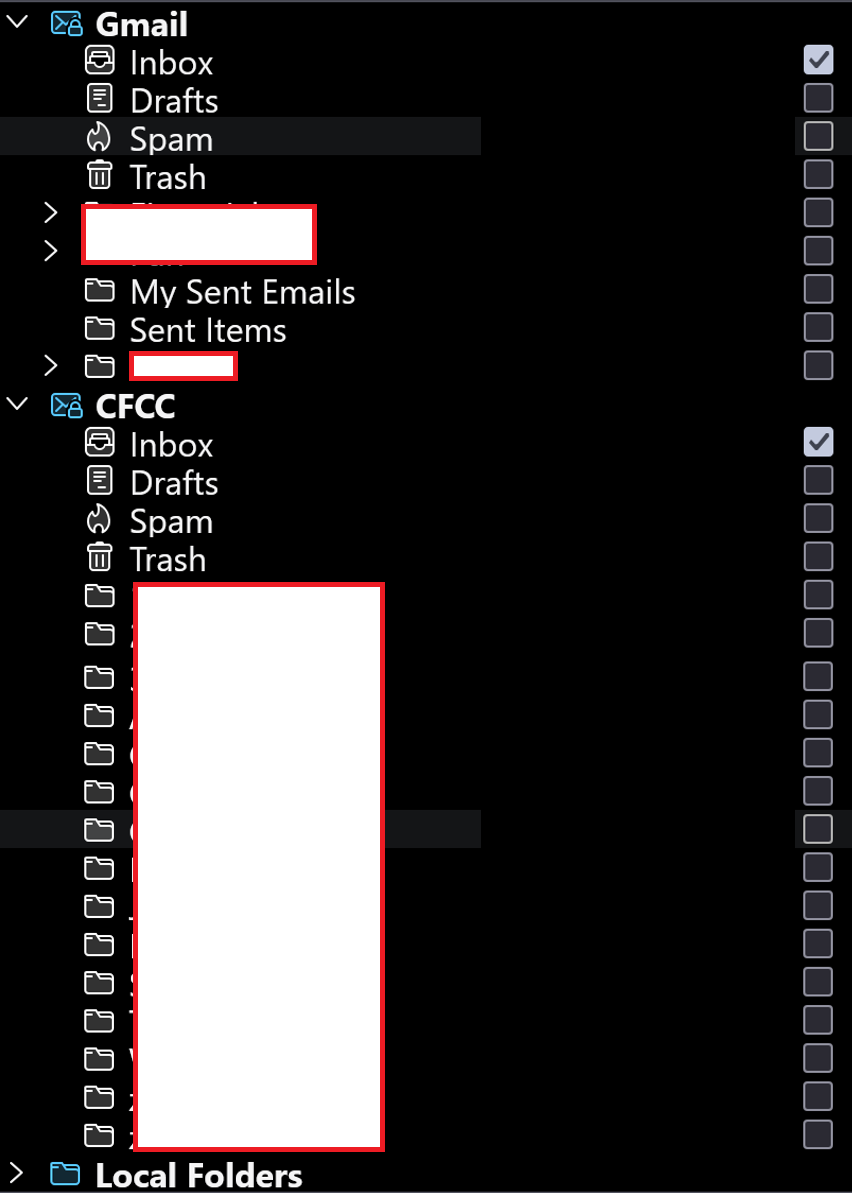
- You can then see list of accounts and you need to select the checkboxes for 'Inbox' for all accounts including 'Local Folders'.
- Click on 'OK'
- Click on 'Update'
Same process for any Unified Folder - if 'Sent' then make sure you only select the 'Sent' folders of all the accounts.
re :The CFCC shows up in my Unified Folder list but the Gmail does not. Is that normal? Below the list of default Unified folders those you will see the separate names of your accounts. Those accounts display if they contain any folders you created or default folders that have not been selected to be displayed in Unified Folders. Local Folders being the last.
If the gmail account has no folders you created and all it's default folders are selected to display in Unified Folders then it has nothing to display, so will not display.
But you may have a gmail Inbox that has sub folders ? Do you want those subfolders to be displayed under that Inbox section in Unified Folders. If you check the 'Unified Inbox' for 'Properties' and click on 'Choose' - any Inbox subfolder may be selected - if you uncheck those subfolders, then they will be forced to display in a separate gmail account folder.
'All Folders' is the default display option which you have also chosen to be displayed. It shows all accounts one after the other and they all have their own set of folders.
Hmmmm. If I'm following you correctly, neither of these accounts should be showing in the Unified Folder List? Screenshot attached of what's selected and what's not under Properties.