


Vorsicht vor Support-Betrug: Wir fordern Sie niemals auf, eine Telefonnummer anzurufen, eine SMS an eine Telefonnummer zu senden oder persönliche Daten preiszugeben. Bitte melden Sie verdächtige Aktivitäten über die Funktion „Missbrauch melden“.

Weitere Informationen
Open

Firefox Theme Modifies File Explorer Color

hastur

(Categorized as "accessibility" because I feel this is a vision-related issue - if I mistagged the topic please correct me... I don't know where aesthetic issues go.)

Image 1 is how the file explorer looks with a lighter Firefox theme (my main one), Image 2 is with a slightly darker theme. Both are primarily light blue, so I'm not sure why this has happened.

I have my computer and most websites I use on dark mode because I have an easier time reading white on black or dark grey than I do black on white when it gets later in the day. I want to be able to have the darker file explorer with my theme of choice, since light mode kind of burns my eyes...

Is this a new feature added in the most recent update, or something? I haven't had this issue prior to today - if it's a new thing, is there a way to turn off the light file explorer so that I don't have to change themes?
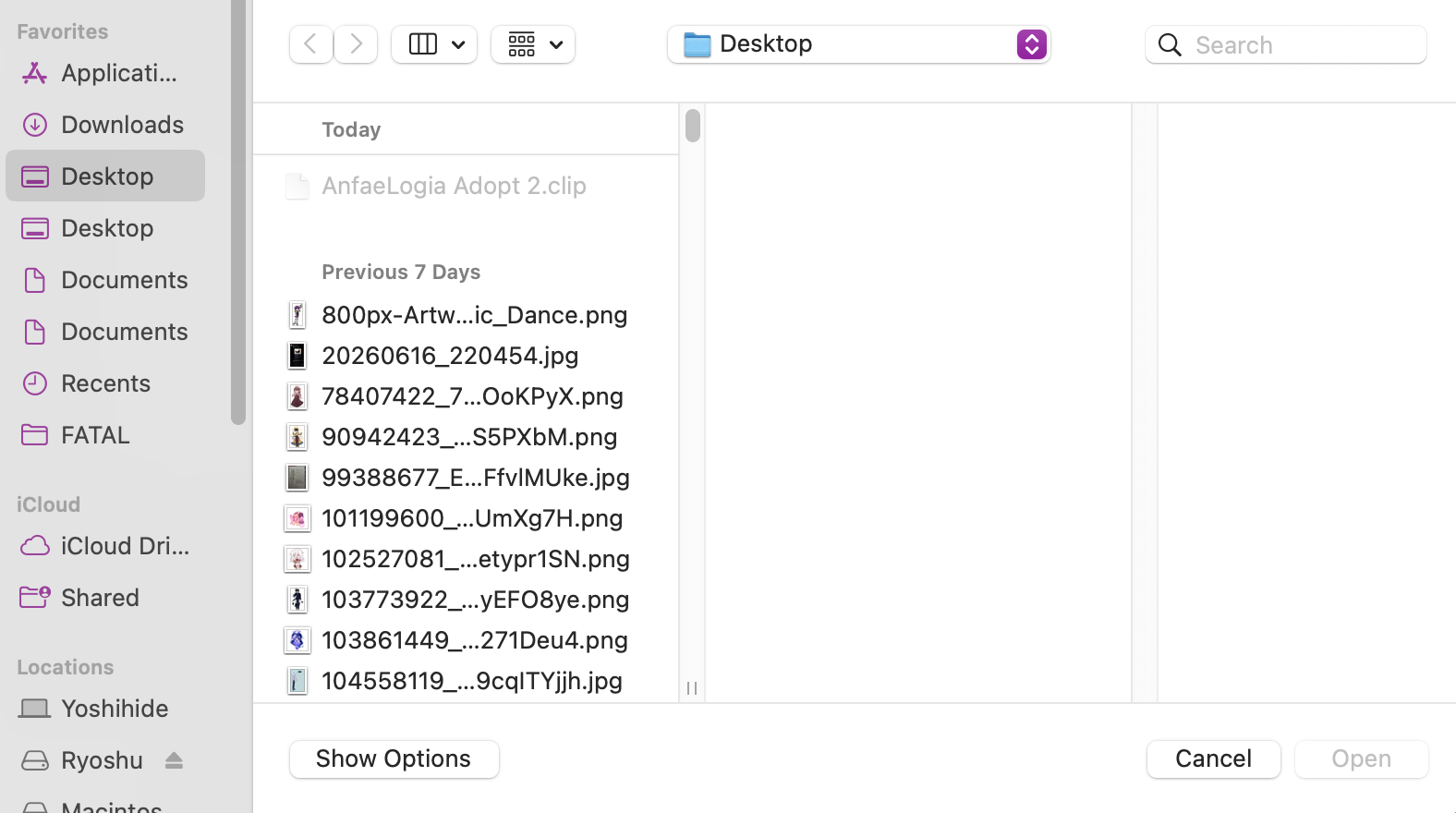
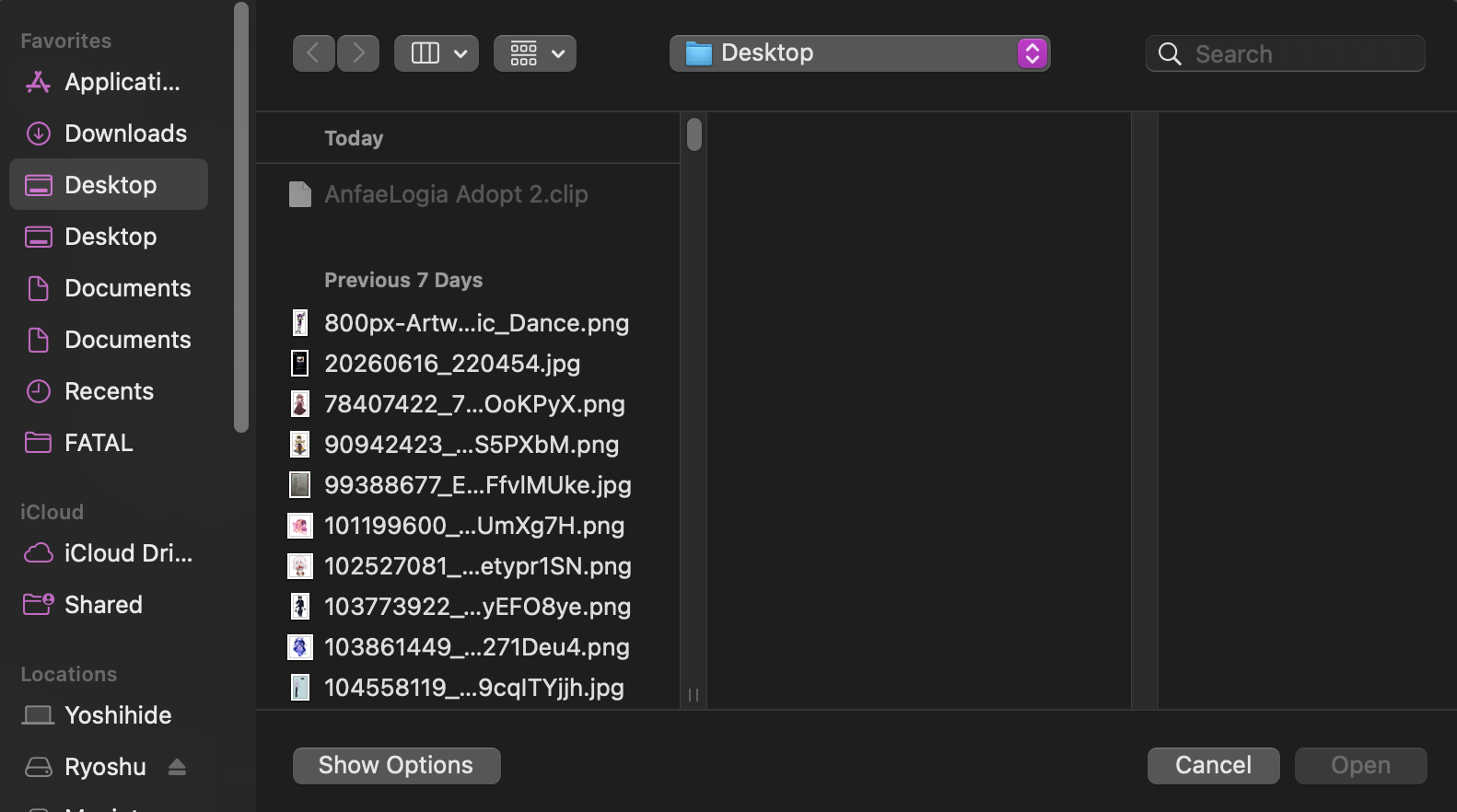
(Categorized as "accessibility" because I feel this is a vision-related issue - if I mistagged the topic please correct me... I don't know where aesthetic issues go.) Image 1 is how the file explorer looks with a lighter Firefox theme (my main one), Image 2 is with a slightly darker theme. Both are primarily light blue, so I'm not sure why this has happened. I have my computer and most websites I use on dark mode because I have an easier time reading white on black or dark grey than I do black on white when it gets later in the day. I want to be able to have the darker file explorer with my theme of choice, since light mode kind of burns my eyes... Is this a new feature added in the most recent update, or something? I haven't had this issue prior to today - if it's a new thing, is there a way to turn off the light file explorer so that I don't have to change themes?
Angefügte Screenshots

Sie müssen sich mit Ihrem Benutzerkonto anmelden, um auf Beiträge zu antworten. Bitte stellen Sie eine neue Frage, wenn Sie noch kein Benutzerkonto haben.