


Thunderbird bugs

Hi there! I and my colleague encounter some bugs with Thunderbird and we would like to seek your advice in regards of the issue.
1. <user a@citizen-systems.com.hk> was supposed to get a cc copy of the email sent by <user b@citizen-systems.com.hk> at Mon, 12 Jan 2026 09:35:19 +0800 but it never reached. The receivers, namely <user c@systems.citizen.co.jp> and <user d@citizen-systems.com.hk>, however, were able to get the mail. <user d@citizen-systems.com.hk> and <user a@citizen-systems.com.hk> are working at the same office and under the same network. Network provider checked the protocol, router, traffic and firewall are working as normal.
2. <user e@citizen-systems.com.hk> found a number of emails that she kept at "Inbox" disappeared on 12 Jan 2026 morning +0800.
She is unable to find it anywhere at her whole mailbox but has to ask the senders to resend them to her.
It would be very much appreciated if you can check and advise how to prevent the issue from happening again.
(PII redacted by moderator)
Geändert am von Ed
Alle Antworten (11)
What you describe appears more a network or server issue. Thunderbird takes your message and sends out to the network using the SMTP server provided by you. If one person receives the message and another doesn't, that doesn't point to the sending process, but the receiving process. You will likely find that the messages not received are in your sent folder.
Hi David,
Thank you for your reply. For Issue A, I was the receiver <user a@citizen-systems.com.hk>. 1. <user a@citizen-systems.com.hk> <user d@citizen-systems.com.hk> are working at the same office and connected to the same network.
2. Mail from <user b@citizen-systems.com.hk> was sent to <user d@citizen-systems.com.hk> properly but not to <user a@citizen-systems.com.hk>.
3. Network providers confirmed the firewall configuration and network connectivity were work normally.
4. The mail sent by <user b@citizen-systems.com.hk> cannot be found from any of <user a@citizen-systems.com.hk> mailbox folders.
Issue B, 1. <user e@citizen-systems.com.hk> Mails kept at Inbox found disappeared on 12 Jan 2026.
2. <user e@citizen-systems.com.hk> <user a@citizen-systems.com.hk> <user d@citizen-systems.com.hk> are working at the same office and connected to the same network.
3. Network providers confirmed the firewall configuration and network connectivity were work normally.
4. The issue happened to <user e@citizen-systems.com.hk> only.
Hope all the above information helps. Please let me know if you need any other details. Thank you.
In my response, I mentioned the sent folder of the sender. Have you reviewed it to see if all three recipients are listed? Thunderbird, like most/all email clients, is fairly stupid regarding the decision on which email should be sent or not. Thunderbird sends as instructed, leaving it to the network to resolve distribution. You have a case also where all affected users, both sending and receiving, are using the same servers. Some such setups actually bypass the internet when the recipient is on same server. Does that apply to you? Does the server maintain logs of all activity? My belief is that you are looking at the messenger and not at the problem.
Thank you for responding.
For Issue A, 1. Yes, <user b@citizen-systems.com.hk> put <user d@citizen-systems.com.hk> and user c@systems.citizen.co.jp> as the recipients and cc it to <user a@citizen-systems.com.hk>. All 3 recipients were properly listed. The email received at <user d@citizen-systems.com.hk> mailbox also showed the mail was cc-ed to <user a@citizen-systems.com.hk>.
2. This is the first time the problem occurred and mails were sending and receiving normally between all 4 users.
Please advise the cause and solution of Issue B if possible. Thank you.
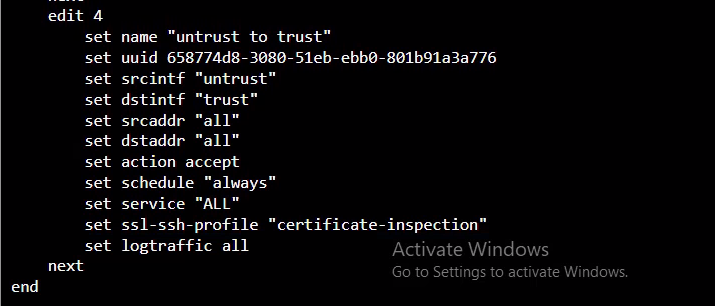
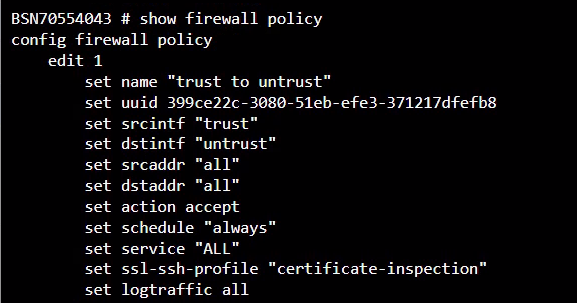
You are writing to us because thunderbird is your messenger, but that is all that it is. Thunderbird sent the message to your server and from there it was not delivered. You will do better by investigating the server process. See what logs it maintains. From your post, thunderbird shows that it sent the messages. The server should have logs on what it received and what it did with them. You send information on your router to us, but we are not the ones to assess and make suggestions for your router.
You would need to perform some tests. Test 1: B sends email TO A and C, and Cc's D Does D get the Cc email ?
This will help to identify whether it's the connection to office or person.
Test 2: Is the sending of Cc only if B sends A sends email TO B,C, and Cc's D Does D get the Cc email ?
This is a Cc within same office test. And also whether it's only an issue with B sending.
Test3: D sends email TO A,C, and Cc's B Does B get the Cc email ?
That would tell you whether Cc to A is the only problem as cc to D and B are ok or not ? If everyone who is Cc'd does not receive Cc then maybe there is an server filter issue or if using an external server or mailbox - a DKIM issue which may allow emails sent using TO but not Cc or Bcc
ADDITIONAL If D can see a received email which shows A as Cc'd Select email- click on 'More' and select 'View Source' In the headers, is there any mention of a failing DKIM validation?
Geändert am von Toad-Hall
re :2. <user e@citizen-systems.com.hk> found a number of emails that she kept at "Inbox" disappeared on 12 Jan 2026 morning +0800. She is unable to find it anywhere at her whole mailbox but has to ask the senders to resend them to her. It would be very much appreciated if you can check and advise how to prevent the issue from happening again.
'a number of emails'
Did 'e' lose all emails in 'Inbox' ?
If only certain emails disappeared, what did they have in common?
Were they all one thread - one conversation ?
Were they only from one sender?
Did they all have same tag etc ?
Is it possible 'e' has a filter operating? Select folder and enable 'Quick Filter' Are any of it's filter options selected - show a highlight strip ? If yes, click on it to disable ?
Maybe 'e' accidentally selected to 'ignore' the thread - it's easily done. Using 'Menu Bar' toolbar View > Threads > 'All' should be selected - also select 'Ignored threads' If emails reappear and they have a red circle icon in threads column then they were set up as ignore - need to remove the setting. https://support.mozilla.org/en-US/kb/ignore-threads
Dear David and Toad-Hall,
Thank you for all your advice. For Issue A, actually the lost cc mail was from the same thread. A was able to receive all other mails in the same conversation and had no problem but just the one sent by B at Mon, 12 Jan 2026 09:35:19 +0800 did not reach A.
Issue B, There were 8 mails stored at Inbox and they all disappeared. They were from different senders and threads. E did not put any filters while 4 out of 8 has been highlighted with a star. It happened to the second day morning after changing to a new desktop but right after changing it, these mails were shown properly.
I will check with my network service provider again in regards of server logs. Thank you.
Issue B
Did E try this:
- Right click on 'Inbox' folder and select 'Properties'
- Click on 'Repair Folder'
- Click on 'OK'