


Windows 10 reached EOS (end of support) on October 14, 2025. If you are on Windows 10, see this article.

Hilfe durchsuchen

Vorsicht vor Support-Betrug: Wir fordern Sie niemals auf, eine Telefonnummer anzurufen, eine SMS an eine Telefonnummer zu senden oder persönliche Daten preiszugeben. Bitte melden Sie verdächtige Aktivitäten über die Funktion „Missbrauch melden“.

Weitere Informationen
Archiviert

floating navigation bar on web pages

potatoperson

If you look at the attached image you'll see the review and check out button floating over the page background. This button is supposed to be locked to the bottom of the page but instead floats higher than the bottom of the page, but still locked.

This affects any web page with an app like navigation bar that is supposed to be on the bottom of the screen.

I cannot find any options in gui settings for Firefox to change this behavior. Disabling extensions or trying the page in a private tab end with the same result.
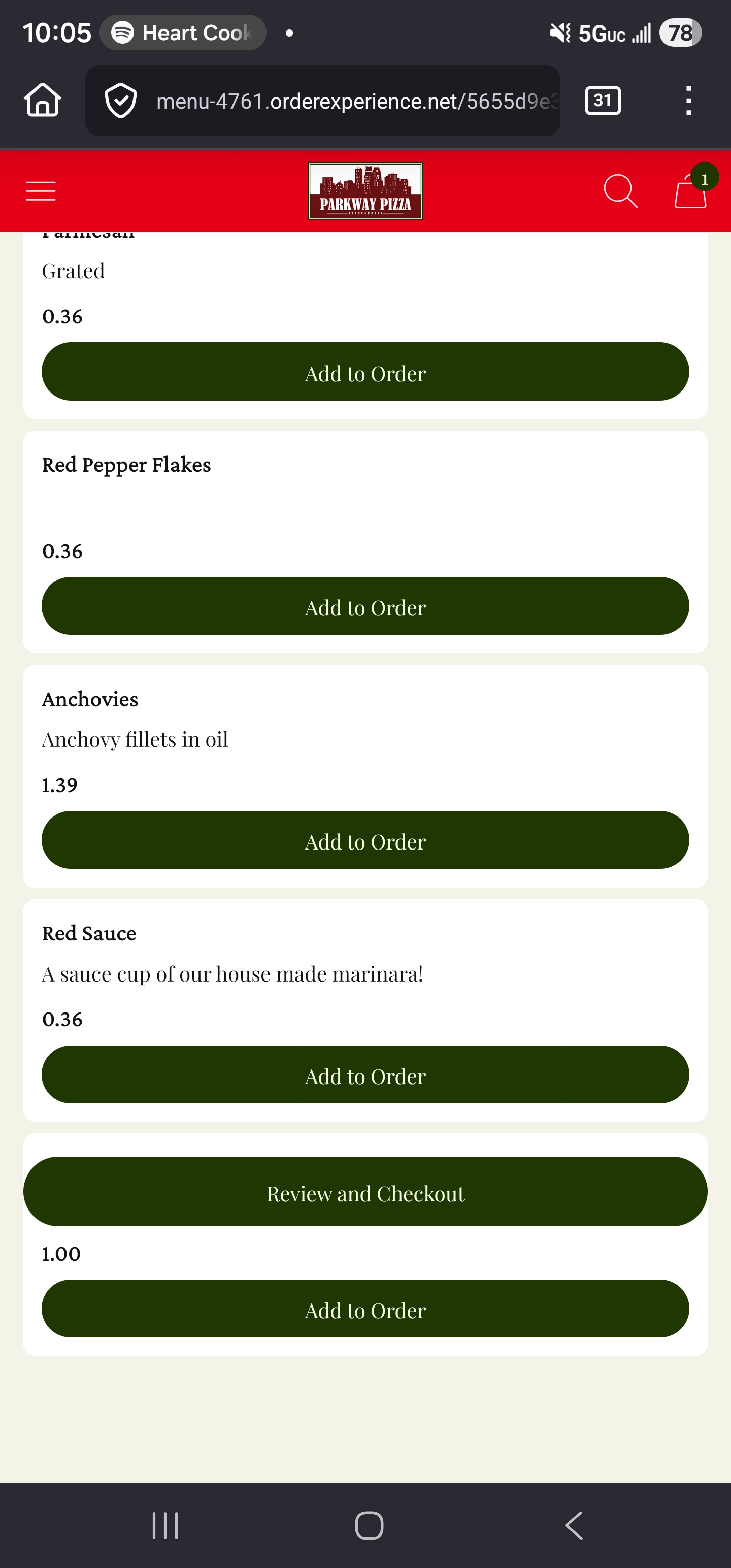
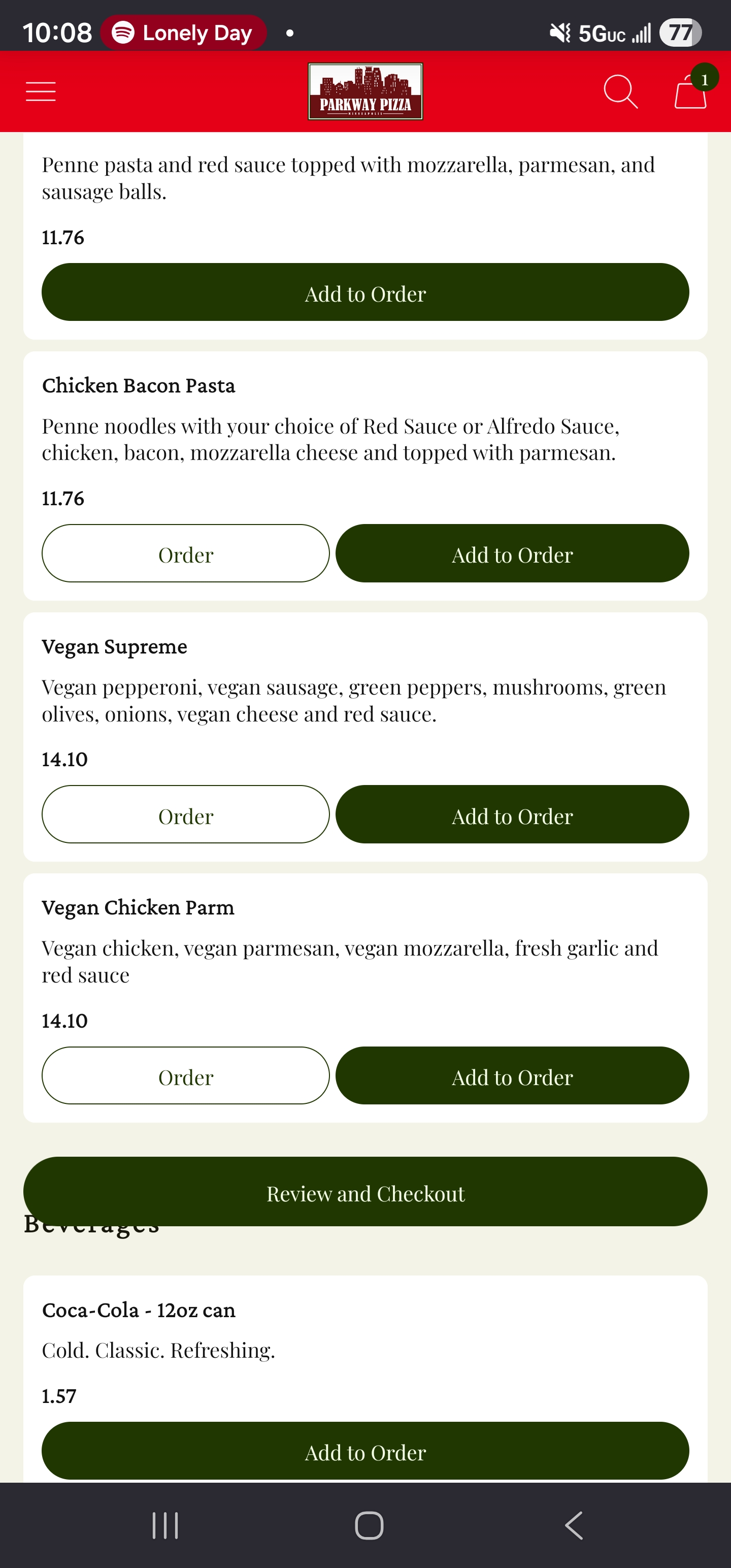
If you look at the attached image you'll see the review and check out button floating over the page background. This button is supposed to be locked to the bottom of the page but instead floats higher than the bottom of the page, but still locked. This affects any web page with an app like navigation bar that is supposed to be on the bottom of the screen. I cannot find any options in gui settings for Firefox to change this behavior. Disabling extensions or trying the page in a private tab end with the same result.
Angefügte Screenshots

Alle Antworten (1)

On my device, the bar is in a reasonable location. Our screens have the same aspect ratio, but yours is higher resolution --

Mine: 1080 x 2316 Yours: 1440 x 3088

-- and the content looks smaller. I don't know whether the layout is broken because of something in Firefox or something in the page's responsive theme.