


Windows 10 reached EOS (end of support) on October 14, 2025. If you are on Windows 10, see this article.

Hilfe durchsuchen

Vorsicht vor Support-Betrug: Wir fordern Sie niemals auf, eine Telefonnummer anzurufen, eine SMS an eine Telefonnummer zu senden oder persönliche Daten preiszugeben. Bitte melden Sie verdächtige Aktivitäten über die Funktion „Missbrauch melden“.

Weitere Informationen
Solved Archiviert

Homepage shortcuts re-appeared, and setting to disable them has disappeared

Mnooper beantwortet
Mnooper

Previously, I had my firefox homepage configured to not show shortcuts or recently visited websites, as I feel it is clutter. However, recently, shortcuts have re-appeared, with no option to disable/hide them in the homepage settings (Settings > Homepage only shows Stories, Wallpaper, and app Opening Screen; see attached image). Wondering if this is a feature that was removed (if so, would love to see this reverted), if it is a bug that needs fixing, or I'm missing something.
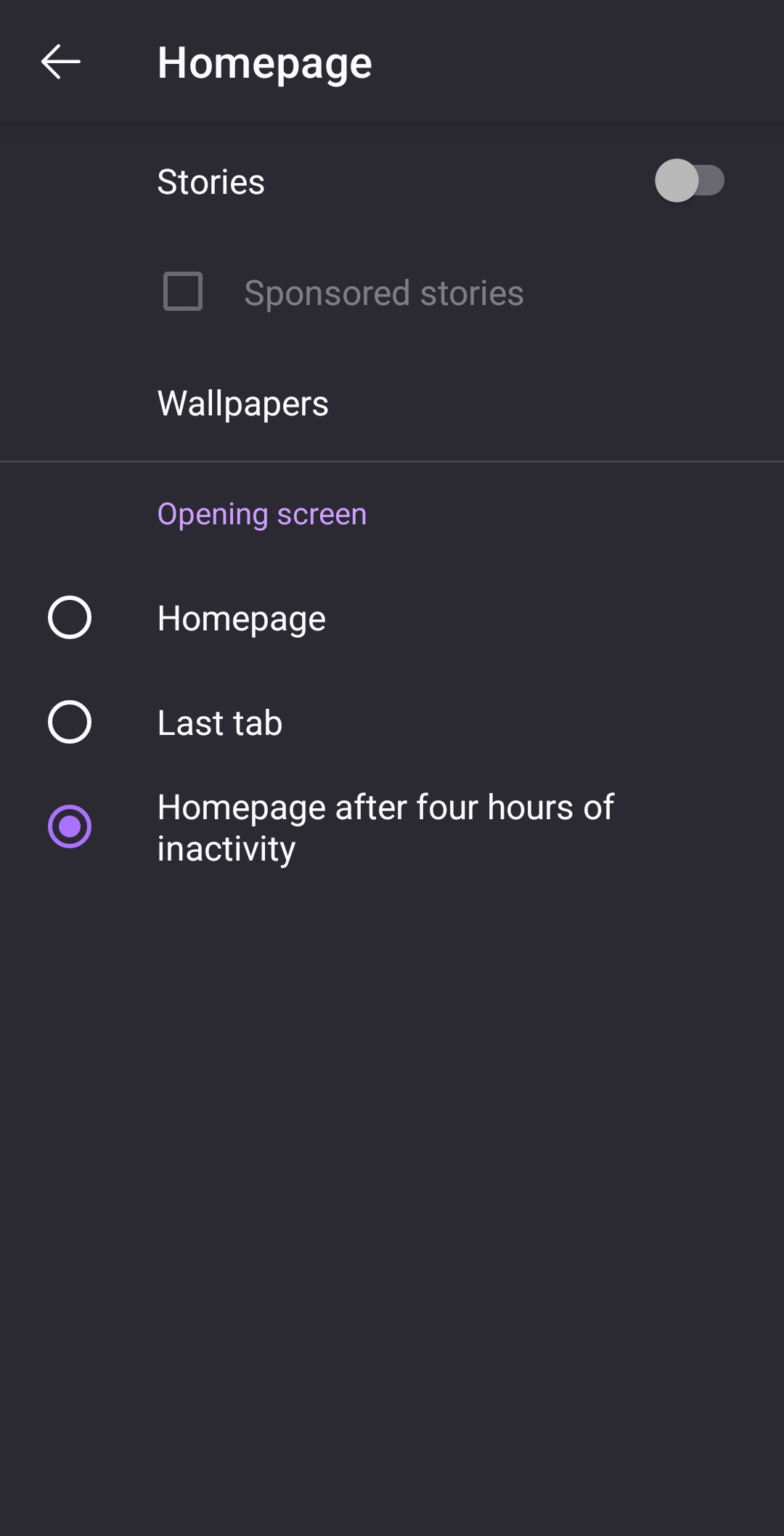
Previously, I had my firefox homepage configured to not show shortcuts or recently visited websites, as I feel it is clutter. However, recently, shortcuts have re-appeared, with no option to disable/hide them in the homepage settings (Settings > Homepage only shows Stories, Wallpaper, and app Opening Screen; see attached image). Wondering if this is a feature that was removed (if so, would love to see this reverted), if it is a bug that needs fixing, or I'm missing something.
Angefügte Screenshots

Alle Antworten (1)

Ausgewählte Lösung

Update: This issue seems to have resolved itself, with the previous version of the settings menu restored and shortcuts hidden again. Unsure if just an app reatart managed to fix this or if something changed elsewhere. Apologies if anyone else is experiencing this problem and can't find a solution