


Bug after update

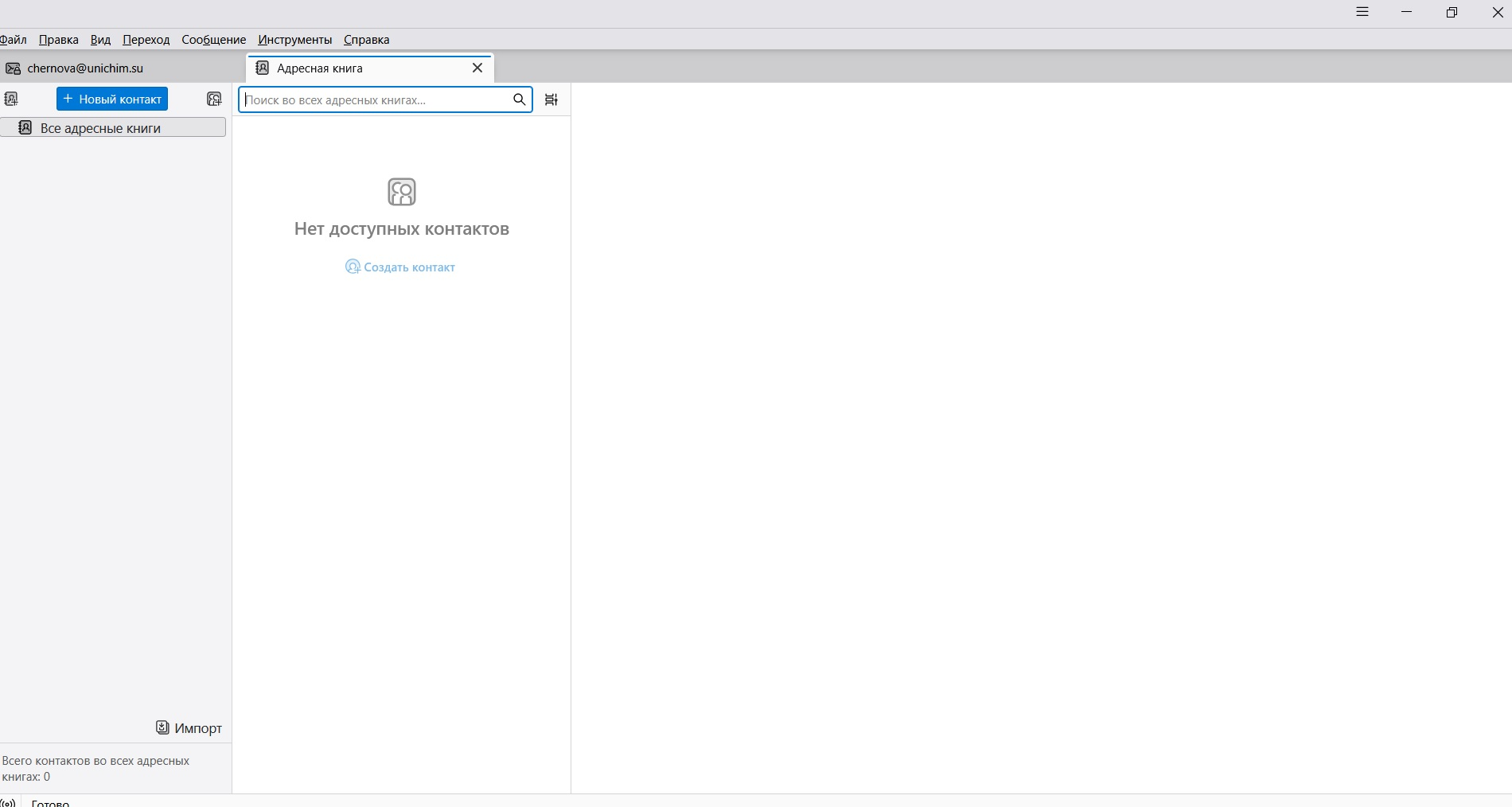
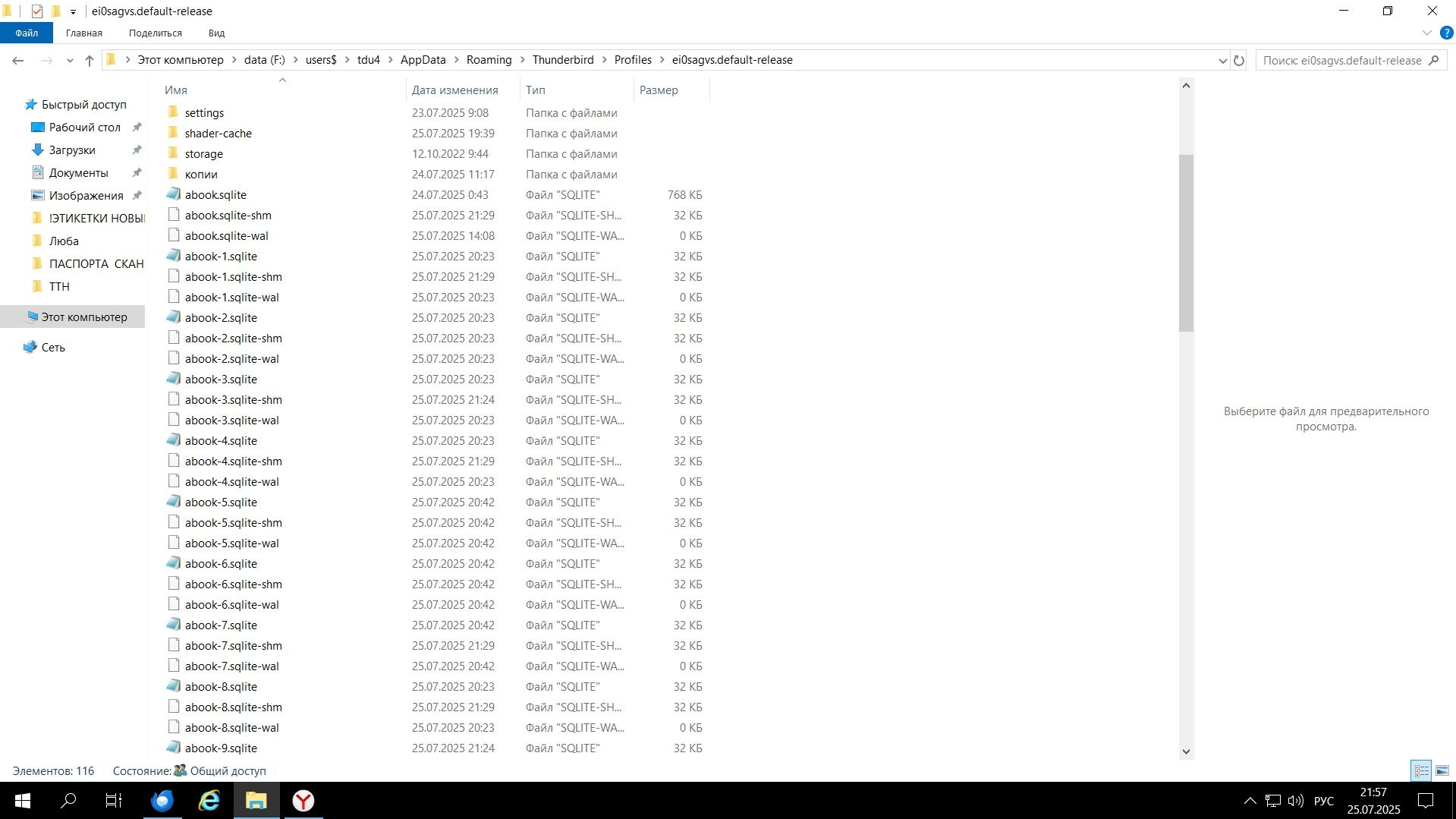
Good evening! After updating the update to the latest version of Thunderbird, the address book stopped working. Reinstalling the program did not help, rolling back to the previous version - swears that changes in the profile do not allow the application to run. Deleting abook.sqlite, abook.sqlite-wal, and abook.sqlite-shm did not solve the problem. After deleting all the files, logging into the program and trying to create a new address book, nothing happens, only these three new files are created in the profile. The address book is local
Alle Antworten (4)
Try this: with TB closed, move all the abook-*.* files to e.g. the Documents or Downloads folder. Start TB, click the ⩸ icon, Tools, Import, Import from a file, Import Address Books, sqlite files, ... select an abook-*.sqlite file, and see if it appears on the Address Book tab.
It doesn't work. New files are also created, but the address book list is empty. The same problem occurs on different users. Before reinstalling, it didn't work for one user, but after reinstalling different versions of the program, all users experienced the same problem

I also have this issue. I cannot create a local address book though I appear to have the same files as the image above. I also cannot add contacts as I cannot select an address book to add to due to not being able to add local address book. I have tried restarting in Troubleshoot mode but that did not work.
I have tried the option above and at the start import button nothing happens, it appears not to complete but new abook files are created. It feels like the files are read only but when checking the file properties they are not.
Happy to help further on this.
Are you on version 140?
Please check Error Console for errors (ctrl+shift+J)