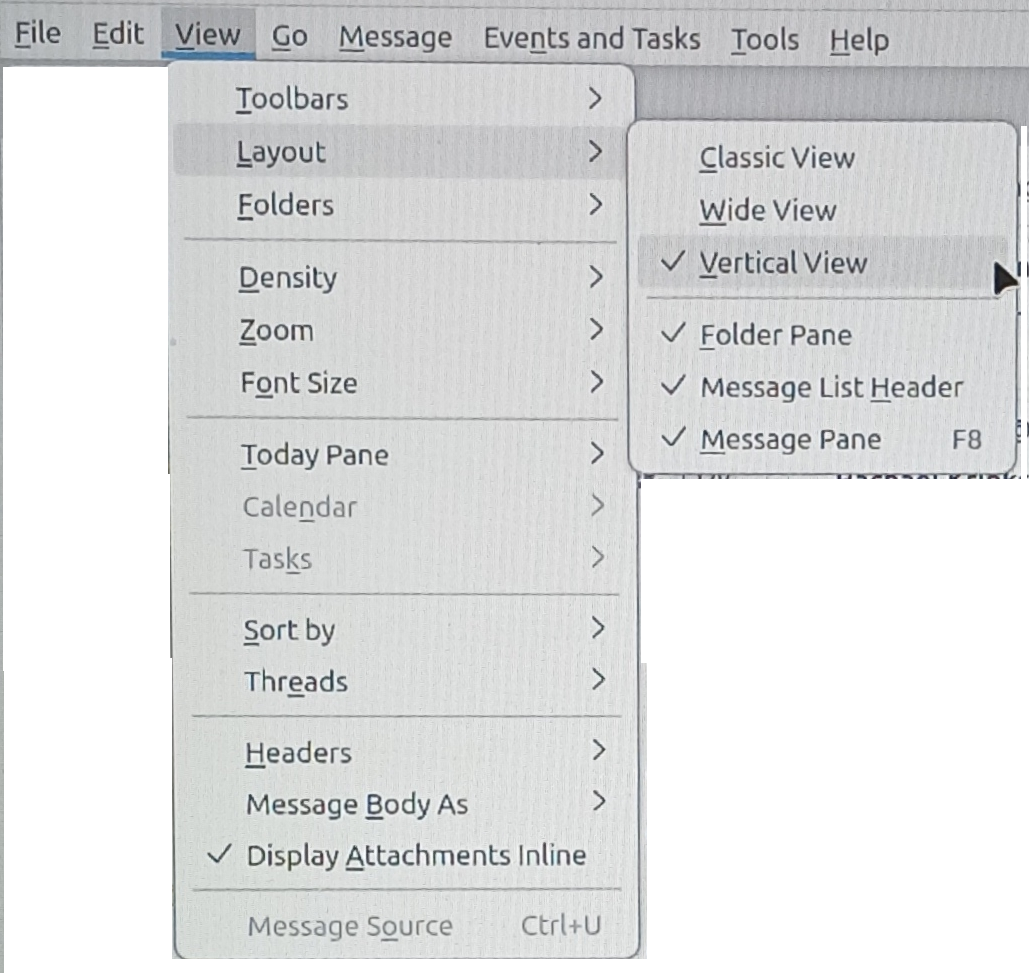
How do I move the message preview pane to the right side of the screen instead of the bottom.

How do I move the message preview pane to the right side of the screen instead of the bottom.
How do I move the message preview pane to the right side of the screen instead of the bottom.
Ausgewählte Lösung
Answering my own question as follows:
- 1 Press "Alt" key
- 2 Select "View" in menu bar
- 3 Select "Layout" in menu box
- 4 Select "Vertical View" in menu box
Alle Antworten (1)
Ausgewählte Lösung
Answering my own question as follows:
- 1 Press "Alt" key
- 2 Select "View" in menu bar
- 3 Select "Layout" in menu box
- 4 Select "Vertical View" in menu box