


Can't connect Xfinity e-mail account to Thunderbird

I installed Thunderbird (T-bird), and on the "Set Up Your Existing Email Address" tab, I entered my Xfinity e-mail address/password and clicked on "Continue". T-Bird is able to find the proper configuration in the Mozilla ISP database. I clicked the IMAP radio button and then "Done". That opens a popup window with the heading "Enter credentials for <my-email-address> on imap.comcast.net, but the window never prompts for anything (a prompt for my Xfinity password is what I expected). Instead I just get a message headlined "Unable to connect", with the subtitle "The connection was refused when attempting to contact localhost". This is followed by three suggestions for why that might be the case. I verified that: 1. The Xfinity site is NOT "temporarily unavailable" - I can log into Xfinity directly and see my messages. 2. My computer's network connection is operational since I can load any website at will. 3. I do have Windows firewall enabled, and I suspect that is root of the problem. How can I permit T-Bird to access the web??? Thanks.
Ausgewählte Lösung
Changing the authorization method from oauth2 to "normal password" resolved the issue.
Alle Antworten (3)
Since posting the original question, I figured out how to allow Thunderbird to communicate through the firewall. As you can see in the attached screenshot, Thunderbird is allowed private access through the firewall.
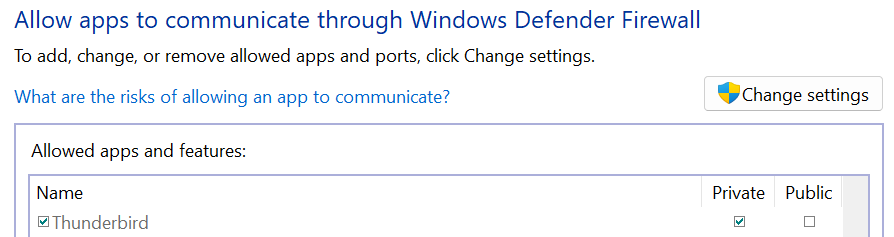
Addendum 2. I verified that Microsoft Office Outlook (my current, deeply despised mail client) has the 'same permission as Thunderbird, and I'm able to see email in Outlook (but I'd rather use Thunderbird, if only I could figure out how!).
Ausgewählte Lösung
Changing the authorization method from oauth2 to "normal password" resolved the issue.