


Duplicate account abbreviations on account selection page

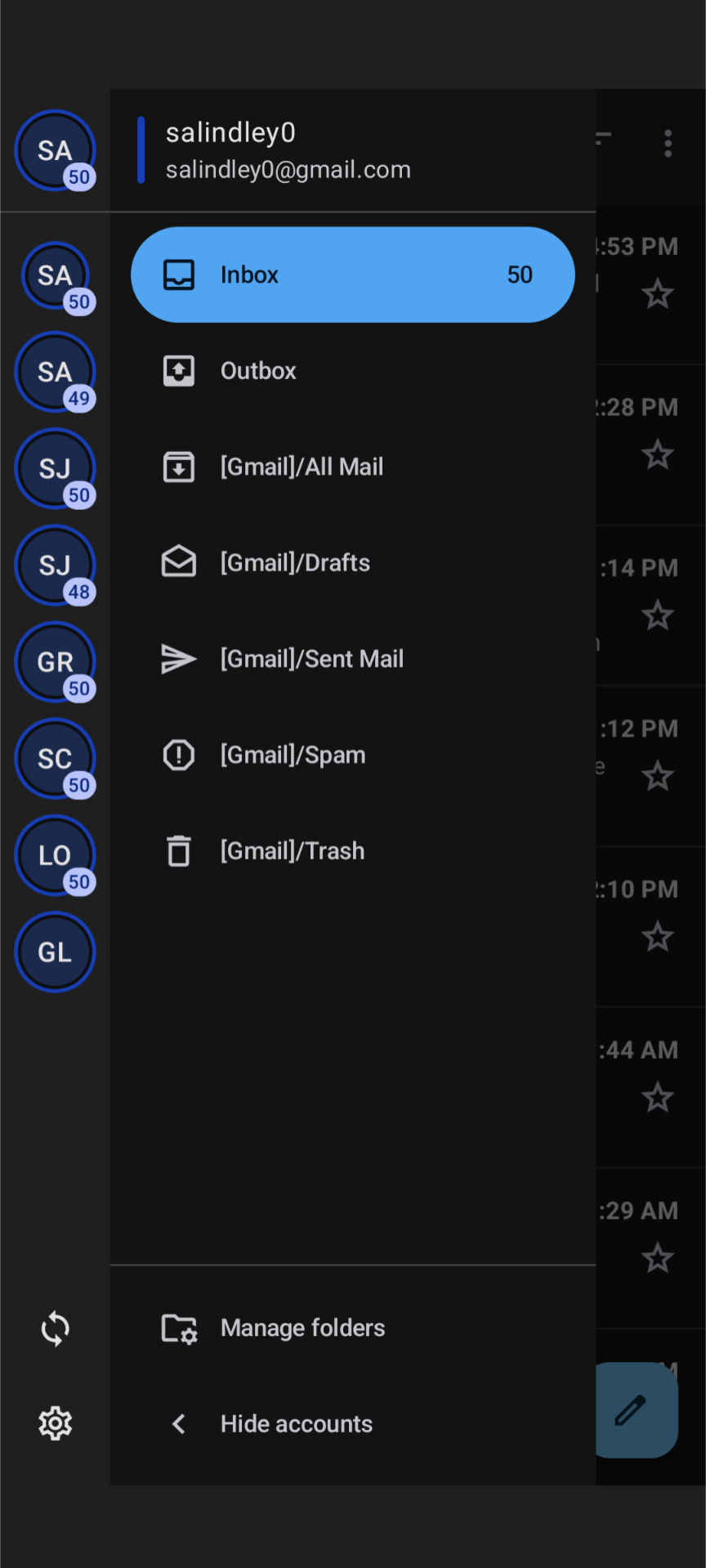
On the account selection screen on the Android app, it uses the first two letters of the account name inside the displayed circle so you can quickly select a different account to view. My issue is, two of my accounts start with "sa" and two start with "sj", so I have 2 pairs of duplicate abbreviations. How can I update the abbreviations in this list without renaming the accounts? Hopefully I'm just not finding some easy setting somewhere, but to date I haven't been able to locate it. I'm including a screen shot of the list from my phone, you can see the first 4 entries are 2 pairs of apparently duplicate entries. Please advise!
Thank you for your attention to this matter,
Scott Lindley
Alle Antworten (1)

1. Why don't you want to change account name? The account name is just a name displayed on your phone. It will not display in the emails you send.
To change account name: Settings > tap the account you want to configure > General settings > Account name.
2. By the way, you can change the account colors so that you can distinguish them.
To change account color: Settings > tap the account you want to configure > General settings > Account color.
Geändert am von Yu5tiqX9og