


TB shows unread messages when all have been read

I've just installed the latest TB on my new PC, but TB always shows a number of unread messages, even though all messages have been read. I tried to fix this by highlighting all the messages in my inbox, and marking them all as read. That fixes the issue temporarily, but when the next batch of emails comes in, even though I read them all, there's still a number showing some messages are unread! thanks,
Alle Antworten (8)
Try R-click on the Inbox folder > Properties > Repair Folder
I did try that but the same problem persists. thanks,
What is your specific setting in Settings > General > Reading & Display? Is this happening in all accounts and folders?
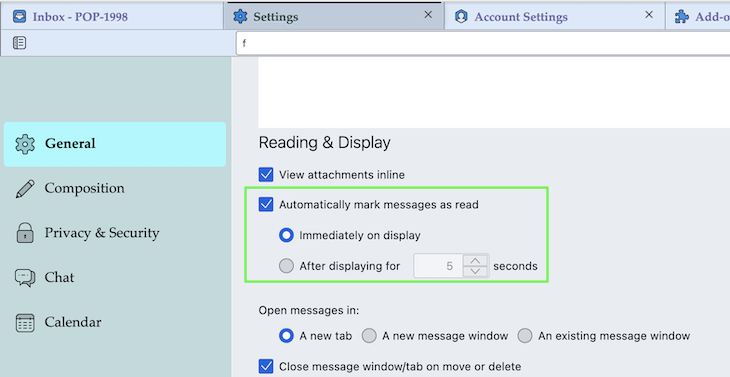
Geändert am von Mapenzi

Right-click the affected folder - Mark Folder Read
Answer deleted.
Geändert am von Mapenzi
tkaufman1 said
I've just installed the latest TB on my new PC, but TB always shows a number of unread messages, even though all messages have been read.
Where do you see those "unread messages" ? In the folder pane or in the thread pane?
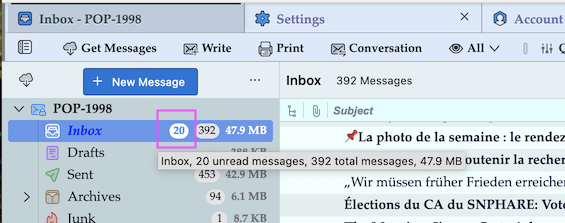
To the right of the word INBOX is a small blue circle with a number inside showing how many unread messages there are. Even when all are read, there's still a number there. I tried christ1's suggestion...we'll see if that works.
thanks
tkaufman1 said
To the right of the word INBOX is a small blue circle with a number inside showing how many unread messages there are.
To verify if the number in the "unread" circle is erroneous or real you should open the Quick Filter und select the "Unread" symbol
