


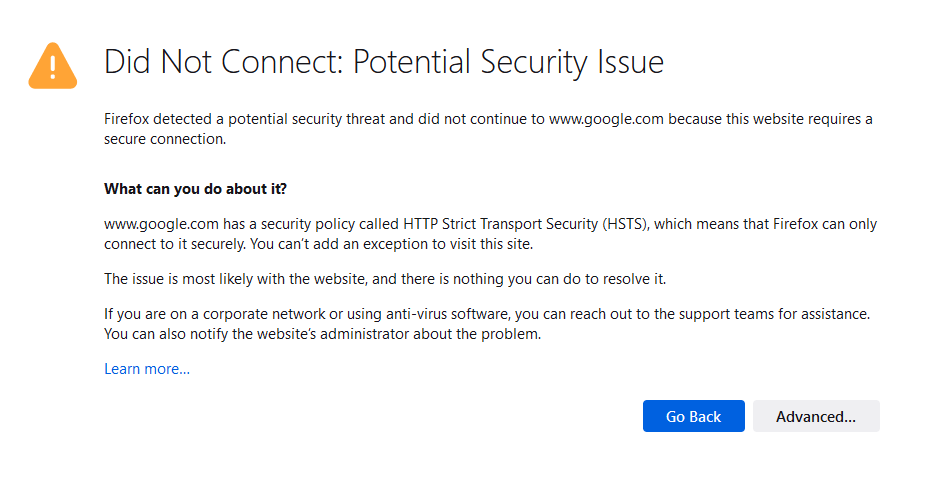
"Did Not Connect: Potential Security Issue" on every sites

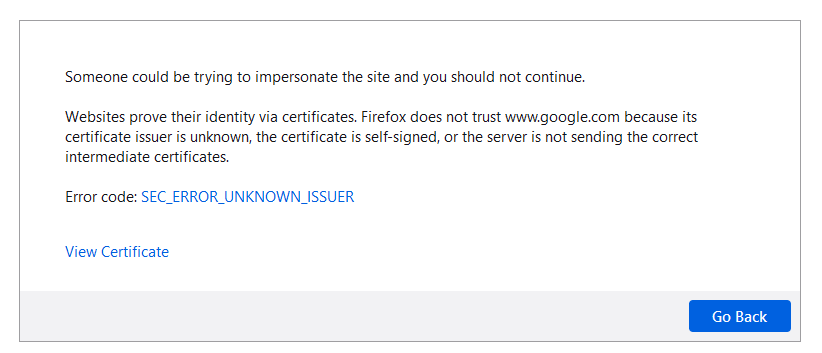
Since yesterday I am getting this "Did Not Connect: Potential Security Issue" error on every sites that I have tried to visit. Even on well known secured sites like https://drive.google.com is inaccessible while my Chrome and Edge is working fine. Any solution?
Ausgewählte Lösung
Hi FredMcD, Thanks for your response. Unfortunately none of these solution is working out for me. I don not use any third party antivirus or internet security software except for windows defender. However, finally turns out that turning on "Automatic proxy configuration URL" under Setting>Network setting solves the issue. I am not sure whether this will cause any security threat or other malfunction or not.
Diese Antwort im Kontext lesen 👍 0Alle Antworten (4)

- MOZILLA_PKIX_ERROR_MITM_DETECTED
- uses an invalid security certificate SSL_ERROR_BAD_CERT_DOMAIN
- configured their website improperly
How to troubleshoot the error code "SEC_ERROR_UNKNOWN_ISSUER" on secure websites https://support.mozilla.org/en-US/kb/troubleshoot-SEC_ERROR_UNKNOWN_ISSUER
There is security software like Avast, Kaspersky, BitDefender and ESET that
intercept secure connection certificates and send their own.
https://support.mozilla.org/en-US/kb/firefox-cant-load-websites-other-browsers-can
https://support.mozilla.org/en-US/kb/firefox-and-other-browsers-cant-load-websites
https://support.mozilla.org/en-US/kb/secure-connection-failed-firefox-did-not-connect
https://support.mozilla.org/en-US/kb/websites-dont-load-troubleshoot-and-fix-errors
Ausgewählte Lösung
Hi FredMcD, Thanks for your response. Unfortunately none of these solution is working out for me. I don not use any third party antivirus or internet security software except for windows defender. However, finally turns out that turning on "Automatic proxy configuration URL" under Setting>Network setting solves the issue. I am not sure whether this will cause any security threat or other malfunction or not.

You can check the connection settings.
- Settings -> General -> Network: Connection -> Settings
If you do not need to use a proxy to connect to internet then try to select "No Proxy" if "Use the system proxy settings" or one of the others do not work properly.
See "Firefox connection settings":
That was very good work. Well Done.