


Google search results page scrolls horizontally on android

I am using Firefox for Android, and it is updated to the latest version. I have had this issue on both a Samsung Galaxy S8 and a Samsung Galaxy S20+.
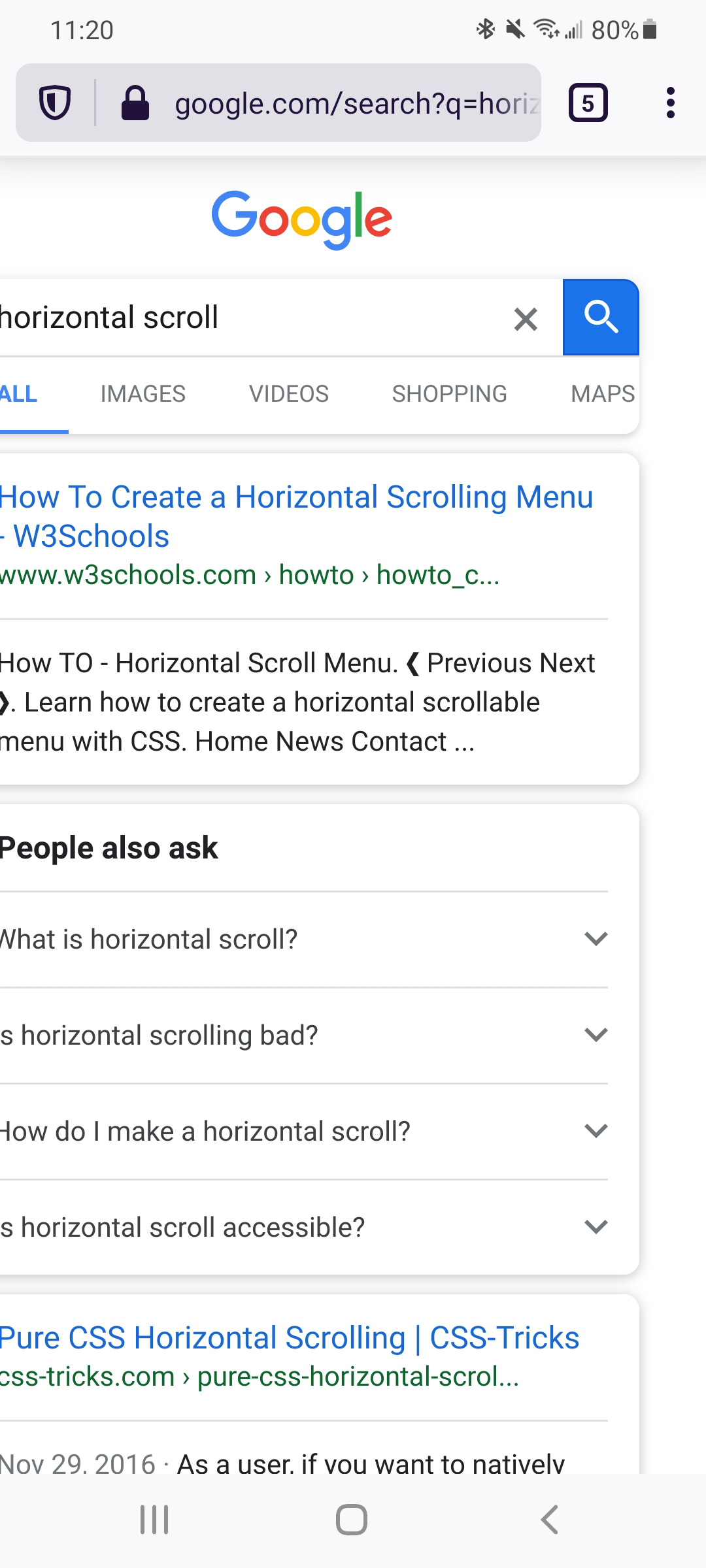
On the Google search results page, I think the scaling isn't set correctly or something because I am able to scroll horizontally. As far as I know, this issue doesn't happen on other websites. It's troublesome since I will frequently scroll horizontally by accident, when intending to scroll vertically. It is only able to scroll a small amount horizontally (maybe 1/8 the width of the screen to the right).
Anyone else experience this?
Alle Antworten (6)
Screenshot
Hi
Are you viewing the page in desktop mode?
Do you have any add-ons installed in Firefox for Android?
When I switch to desktop mode, I am able to zoom out completely and the full page is visible. The issue is that in normal (non-desktop) mode, the page can scroll horizontally and I cannot zoom out to prevent it.
I normally use Unlock Origin and Privacy Badger, but I tried disabling them and I have the same issue.
Hi
I have had a look into this a bit further and can see that our developers are already aware of this issue and I think they are working on a solution. You can follow progress on this at:
Thank you for looking into it, I appreciate it.
No problem, glad we could help.