


Secure Connection Failure to EPA Pesticide Labels (Every Time)
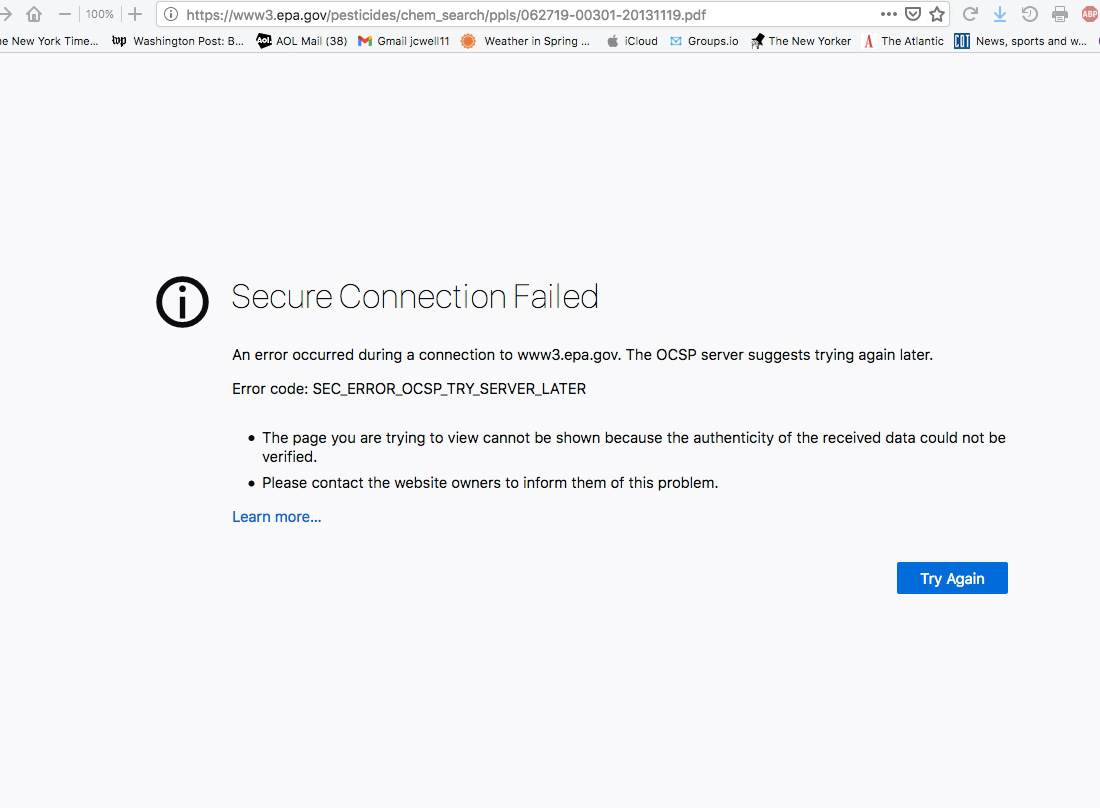
Hi, I'm wondering if anyone knows anything about what is going on with this issue. I am using Firefox 78.9.0esr (64-bit), with the latest Acrobat reader. I've had no problems with any sites or links other than those at the Environmental Protection Agency. For many weeks, actually months now, I have been unable to access any (I've tried more than 40 different ones) Pesticide Labels. Every time, no matter the route - typed address, Ag. Ext. program link, directly from the EPA's pesticide label search page, I receive this error message: "An error occurred during a connection to www3.epa.gov. The OCSP server suggests trying again later. Error code: SEC_ERROR_OCSP_TRY_SERVER_LATER The page you are trying to view cannot be shown because the authenticity of the received data could not be verified. Please contact the website owners to inform them of this problem." For instance Lorsban 75WG, as I attempt on the page https://iaspub.epa.gov/apex/pesticides/f?p=113:8:::NO::P8_PUID,P8_RINUM:38268,62719-301 to open the label pdf by clicking on "November 19, 2013 (PDF)," which should then open the label at https://www3.epa.gov/pesticides/chem_search/ppls/062719-00301-20131119.pdf . Instead, I receive the above error message. I have, of course, contacted the EPA about this, several times. Thanks.
Alle Antworten (3)

hello jc,
i recieved 0% issues with the sites a th elinks you provided. Attached is a screenshot.
i did notice that in your pic there is no padlock and shield icon, as shown in my pic.
the first things to try in order to determine where the issue(s) ly in your system is to:
1) launch FF is safemode. Then retry the links 2) disable (temporarily) all your start up apps that are loading with the desktop. 3) launch Windows in safemode w/networking

There is security software like Avast, Kaspersky, BitDefender and ESET that intercept secure connection certificates and send their own.
https://support.mozilla.org/en-US/kb/firefox-cant-load-websites-other-browsers-can
https://support.mozilla.org/en-US/kb/firefox-and-other-browsers-cant-load-websites
https://support.mozilla.org/en-US/kb/secure-connection-failed-error-message
https://support.mozilla.org/en-US/kb/connection-untrusted-error-message
Websites don't load - troubleshoot and fix error messages
This is a problem with OCSP stapling where the website sends the OCSP (certificate revocation) status. When OCSP stapling is used then this response is "stapled" with the TLS/SSL Handshake via the Certificate Status Request extension response. This avoids contacting the OCSP server directly to check the revocation status. Some servers send a possibly cached SEC_ERROR_OCSP_TRY_SERVER_LATER response in case of issues with contacting the OCSP server. You can contact the website and ask them to check the SSL stapling setting.